Flutter 调用高德地图APP实现位置搜索、路线规划、逆地理编码
Flutter 调起高德地图 - 搜索位置逆地理编码
·
1 开发准备
pubspec.yaml 配置文件中添加插件
dependencies:
  flutter:
    sdk: flutter
  url_launcher: ^6.1.2
iOS 配置 info.plist
<key>LSApplicationQueriesSchemes</key>
<array>
	<string>iosamap</string>
	<string>baidumap</string>
</array>
2 Flutter 调起高德地图 - 搜索位置 逆地理编码
     static Future<bool> openAmap(
      double longitude,
      double latitude, {
        String? address,
        String? title,
        bool showErr = true,
      }) async {
    String url =
        '${Platform.isAndroid ? 'android' : 'ios'}amap://viewReGeo?sourceApplication=${title??""}&lat=$latitude&lon=$longitude&dev=0';
    if (Platform.isIOS) url = Uri.encodeFull(url);
    try {
      if (await canLaunchUrlString(url)) {
        await launchUrlString(url);
        return true;
      } else {
        if (showErr) showToastCommon('无法调起高德地图');
        return false;
      }
    } on Exception catch (e) {
      if (showErr) showToastCommon('无法调起高德地图');
      return false;
    }
  }
实际上是调用的高德地图开放api 反向地址解析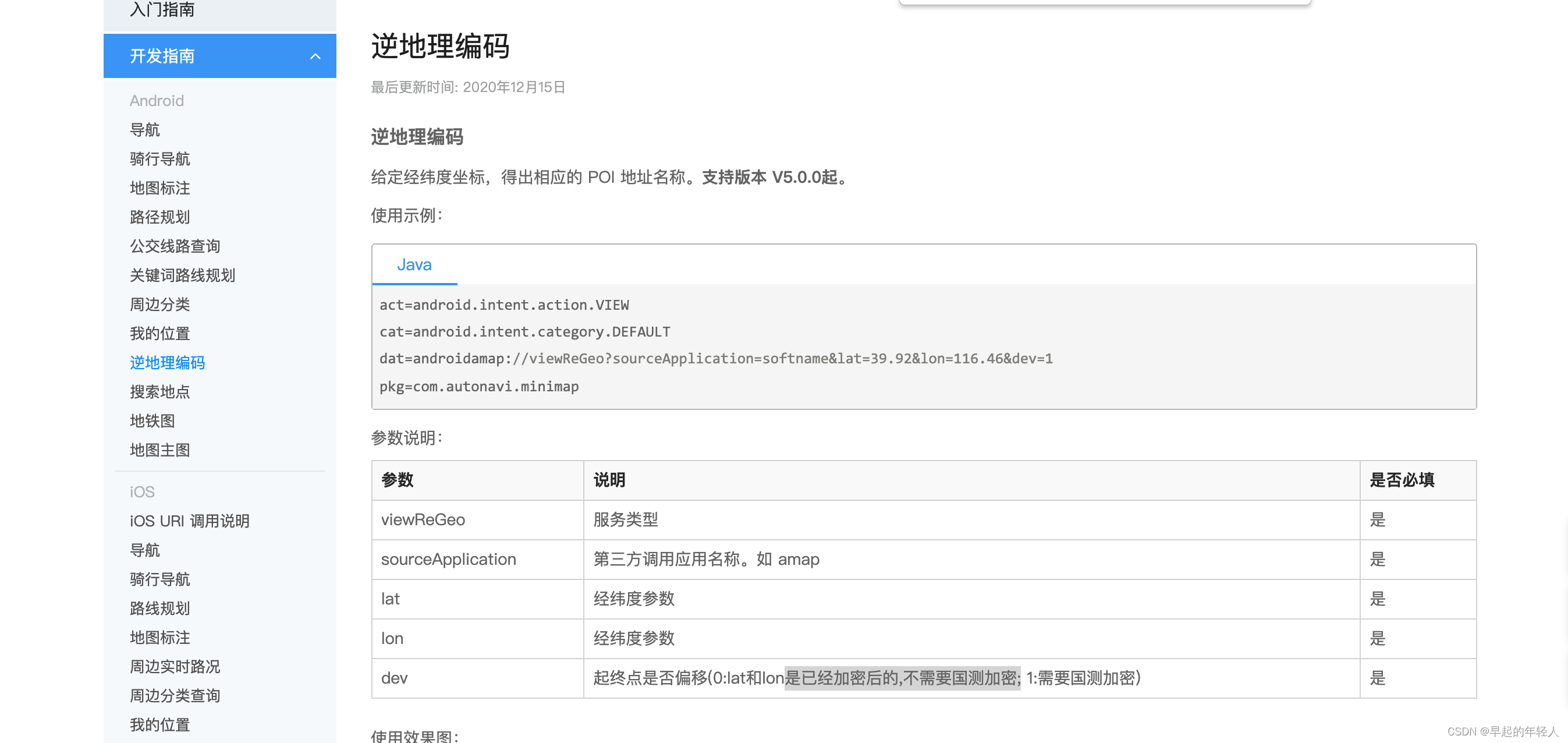
调起的结果如下 :
3 坐标类型选择
需要注意的是 dev 坐标类型的取值
- 0 使用经纬度是已经加密后的,不需要国测加密;
- 1 使用经纬度是未加密的,需要国测加密;
如果不传递正确的坐标类型参数,会导致地点坐标位置偏移。默认为bd09经纬度坐标。
4 Flutter 调起高德地图 - 导航 路线规划
/// 高德地图调用 导航
  static Future<bool> openAmapNav(
    double longitude,
    double latitude, {
    String? address,
    bool showErr = true,
  }) async {
    String url =
        '${Platform.isAndroid ? 'android' : 'ios'}amap://navi?sourceApplication=amap&lat=$latitude&lon=$longitude&dev=0&style=2&poiname=${address ?? ''}';
    if (Platform.isIOS) url = Uri.encodeFull(url);
    try {
      if (await canLaunchUrlString(url)) {
        await launchUrlString(url);
        return true;
      } else {
        if (showErr) showToastCommon('无法调起高德地图');
        return false;
      }
    } on Exception catch (e) {
      if (showErr) showToastCommon('无法调起高德地图');
      return false;
    }
  }
实际上是调用的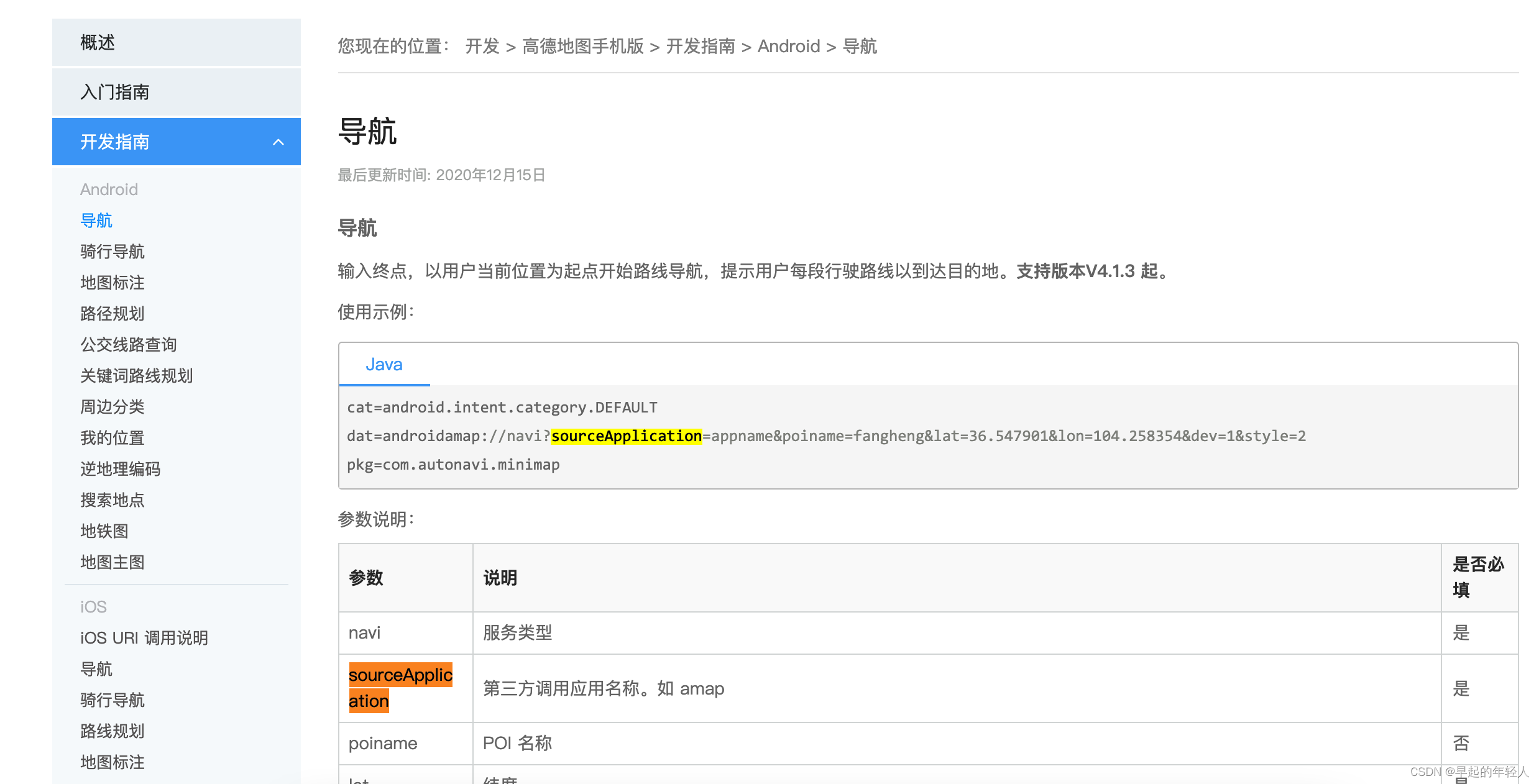
5 提示框使用的是 GetX 框架
  static showToastCommon(String message) {
    Get.defaultDialog(
        title: "提示",
        middleText: message,
        backgroundColor: Colors.white,
        titleStyle: const TextStyle(color: Colors.black),
        middleTextStyle: const TextStyle(color: Colors.red),
        textConfirm: "知道了",
        confirmTextColor: Colors.white,
        onConfirm: () {
          Get.back();
        },
        radius: 8);
  }
}

开源鸿蒙跨平台开发社区汇聚开发者与厂商,共建“一次开发,多端部署”的开源生态,致力于降低跨端开发门槛,推动万物智联创新。
更多推荐
 2
2 0
0- 0


 已为社区贡献109条内容

所有评论(0)