flutter学习 组件 - AbsorbPointer
当absorption为true时,这个小部件通过终止自身的命中测试来防止其子树接收指针事件。它在布局过程中仍然占用空间,并像往常一样绘制其子元素。它只是防止它的子对象成为定位事件的目标,因为它从RenderBox.hitTest返回true。AbsorbPointer 组件。阻止其子元素的点击事件。为boolean 类型。
·
 https://book.flutterchina.club/chapter1/mobile_development_intro.html
AbsorbPointer 组件
阻止其子元素的点击事件
其属性 absorbing 为boolean 类型,默认为true
当absorption为true时,这个小部件通过终止自身的命中测试来防止其子树接收指针事件。它在布局过程中仍然占用空间,并像往常一样绘制其子元素。它只是防止它的子对象成为定位事件的目标,因为它从RenderBox.hitTest返回true
AbsorbPointer只作用于子元素,对外部元素无影响
代码示例:
import 'package:flutter/material.dart';

class Page1 extends StatefulWidget {
  @override
  State<Page1> createState() => _Page1State();
}

class _Page1State extends State<Page1> {


  bool isClick = false;


  @override
  Widget build(BuildContext context) {
    return Scaffold(
        appBar: AppBar(
          title: const Text('AbsorbPointer'),
          centerTitle: true,
          elevation: 0,
        ),
        body: _example());
  }


  Widget _example() {
    return  Column(
      children: [
        Row(
          children: <Widget>[
            const Text('是否可点击:'),
            Switch(
              value: isClick,
              onChanged: (bool val) {
                setState(() {
                  isClick = val;
                });
              },
            )
          ],
        ),
        Stack(
          alignment: AlignmentDirectional.center,
          children: [
            SizedBox(
              width: 200.0,
              height: 100.0,
              child: ElevatedButton(
                onPressed: () {
                  print('我执行了');
                },
                child: null,
              ),
            ),
            SizedBox(
              width: 100.0,
              height: 200.0,
              child: AbsorbPointer(
                  absorbing: isClick,
                  child: ElevatedButton(
                    style: ButtonStyle(
                        backgroundColor:
                            MaterialStateProperty.all(Colors.blue.shade200)),
                    onPressed: () {
                      print('我也执行了');//absorbing为true时,打印不执行
                    },
                    child: null,
                  )),
            )
          ],
        ),
      ],
    );
  }
}
运行结果:
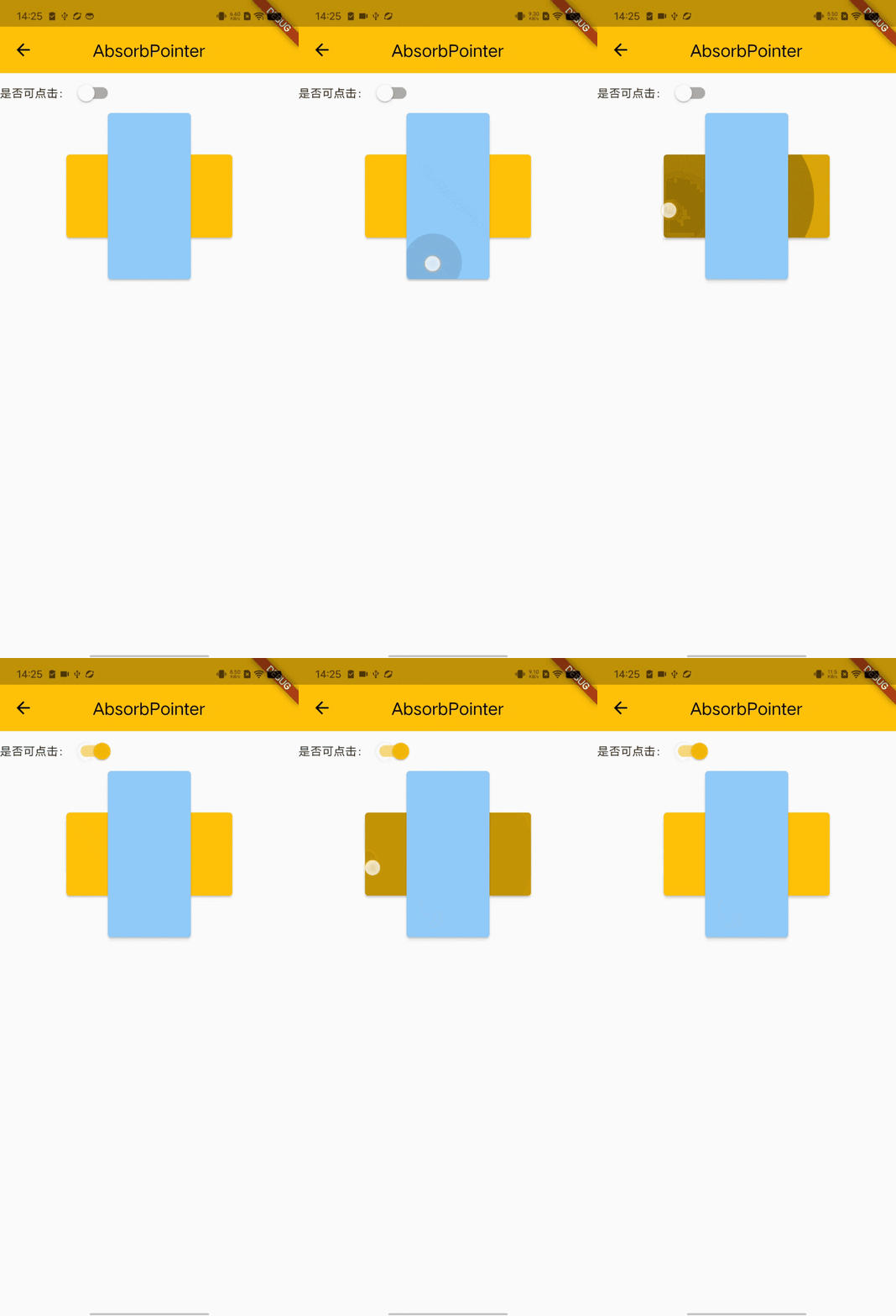
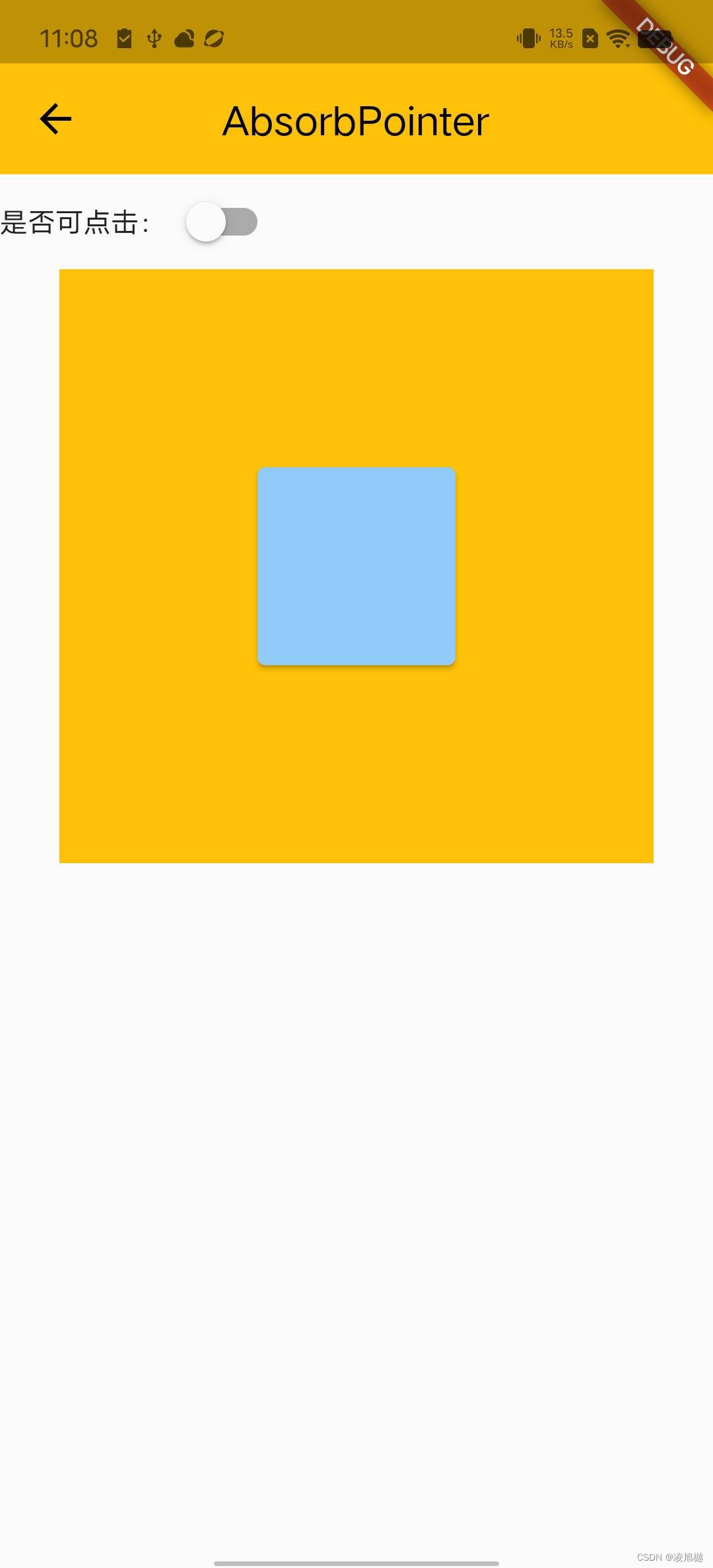
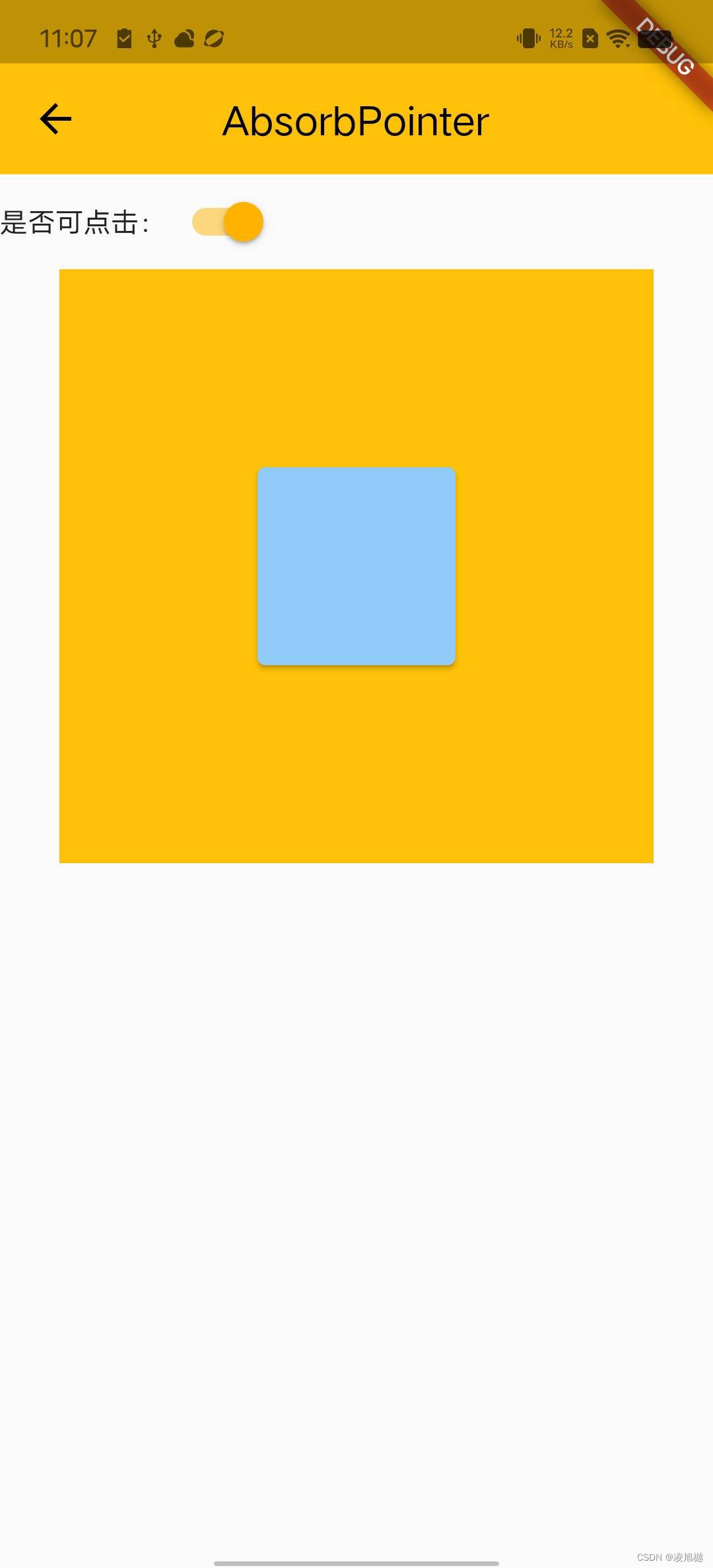
通过 GestureDetector 对外层Container进行手势识别,Container组件内部为包裹AbsorbPointer组件的按钮,设置其absorbing属性为ture时,外层点击事件不受影响,且点击里层按钮时,执行外层事件。
示例代码:
Widget _exapmle2() {
    return Column(
      children: [
        Row(
          children: <Widget>[
            const Text('是否可点击:'),
            Switch(
              value: isClick,
              onChanged: (bool val) {
                setState(() {
                  isClick = val;
                });
              },
            )
          ],
        ),
        GestureDetector(
                onTap: () {
                  print('外层执行');
                },
                child:Container(
                  width: 300,
                  height: 300,
                  color: Colors.amber,
                  child:Center(
                      child: SizedBox(
                          width: 100,
                          height: 100,
                          child: AbsorbPointer(
                              absorbing: isClick,
                              child: ElevatedButton(
                                style: ButtonStyle(
                                    backgroundColor: MaterialStateProperty.all(
                                        Colors.blue.shade200)),
                                onPressed: () {
                                  print('里层执行');
                                },
                                child: null,
                              ))),
                    )
                )
                  )
      ],
    );
  }
运行结果:



开源鸿蒙跨平台开发社区汇聚开发者与厂商,共建“一次开发,多端部署”的开源生态,致力于降低跨端开发门槛,推动万物智联创新。
更多推荐
 1
1 0
0- 0


 已为社区贡献1条内容

所有评论(0)