Flutter开发之——动画-列表动画AnimatedList
一 概述列表动画即AnimatedList动画,是展示列表数据时组件动画当列表的数据发生变化(添加或删除时),用动画的形式展示这种变化过程二 AnimatedList2.1 构造函数class AnimatedList extends StatefulWidgetconst AnimatedList({Key? key,required this.itemBuilder,this.initialI
·
一 概述
- 列表动画即AnimatedList动画,是展示列表数据时组件动画
- 当列表的数据发生变化(添加或删除时),用动画的形式展示这种变化过程
二 AnimatedList
2.1 构造函数
  class AnimatedList extends StatefulWidget
  const AnimatedList({
    Key? key,
    required this.itemBuilder,
    this.initialItemCount = 0,
    this.scrollDirection = Axis.vertical,
    this.reverse = false,
    this.controller,
    this.primary,
    this.physics,
    this.shrinkWrap = false,
    this.padding,
  })
2.2 常用属性
| 属性 | 说明 | 取值 |
|---|---|---|
| key | 组件的标识符 | Key |
| itemBuilder | 生成每个列表的回调函数 | Widget Function(BuildContext context, int index, Animation<double> animation) |
| initialItemCount | 创建时的item个数 | int |
| scrollDirection | 滚动方向,默认垂直 | Axis |
| controller | scroll控制器 | ScrollController |
三 数据的变化(添加或删除)
3.1 数据的增加
过程描述
- 数据增加时,将增加的数据添加到集合中
- AnimatedListState刷新动画变化结果
代码描述
List<int>().insert(_index, _index);//集合变化
AnimatedList.of(context).insertItem(_index);//动画刷新
3.2 数据减少
过程描述
- 数据减少时,将减少的数据从集合中移除
- AnimatedListState刷新动画变化结果
代码描述
List<int>().removeAt(_index);
AnimatedList.of(context).removeItem(index, (context,animation)=>{});
3.3 AnimatedList.of(context)替换
因为设计到状态切换,使用AnimatedListState替换AnimatedList.of(context)
final GlobalKey<AnimatedListState> _listKey = GlobalKey<AnimatedListState>();
四 示例(默认列表)
4.1 代码
  List<int> _list = [0,1];
  body:AnimatedList(
          initialItemCount: _list.length,
          itemBuilder: (BuildContext context,int index,Animation animation){
            return _buildItem(_list[index].toString(), animation);
          },
        )

  Widget _buildItem(String _item,Animation _animation){
    return Card(child: ListTile(title: Text(_item),) ,);
  }
4.2 效果图
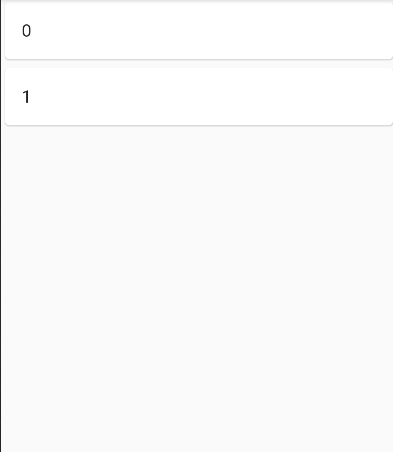
五 示例-添加/删除
5.1 代码
//定义变量
List<int> _list = [0,1];
final GlobalKey<AnimatedListState> _listKey=GlobalKey<AnimatedListState>();

//试图
body:AnimatedList(
          key: _listKey,
          initialItemCount: _list.length,
          itemBuilder: (BuildContext context,int index,Animation animation){
            return _buildItem(_list[index].toString(), animation);
          },
        ),
      floatingActionButton: Row(
        mainAxisAlignment: MainAxisAlignment.center,
      crossAxisAlignment: CrossAxisAlignment.center,
      children: [
        FloatingActionButton(onPressed: ()=>_addItem(),child: Icon(Icons.add),),
        SizedBox(width: 60,),
        FloatingActionButton(onPressed: ()=>_removeItem(),child: Icon(Icons.remove),)
      ],
    )
 //方法
   void _addItem(){
    final int _index=_list.length;
    _list.insert(_index, _index);
    //AnimatedList.of(context).insertItem(_index);
    _listKey.currentState.insertItem(_index);
  }

  void _removeItem(){
    final int _index=_list.length-1;
    var item=_list[_index].toString();
    //AnimatedList.of(context).removeItem(_index, (context, animation) => _buildItem(item,animation));
    _listKey.currentState.removeItem(_index, (context, animation) => _buildItem(item,animation));
    _list.removeAt(_index);

  }
  Widget _buildItem(String _item,Animation _animation){
    return SlideTransition(position: _animation.drive(CurveTween(curve: Curves.easeInOutQuart)).drive(Tween<Offset>(begin: Offset(1,0),end: Offset(0,0))),
      child: Card(child: ListTile(title: Text(_item),),),
    );
  }
5.2 效果图
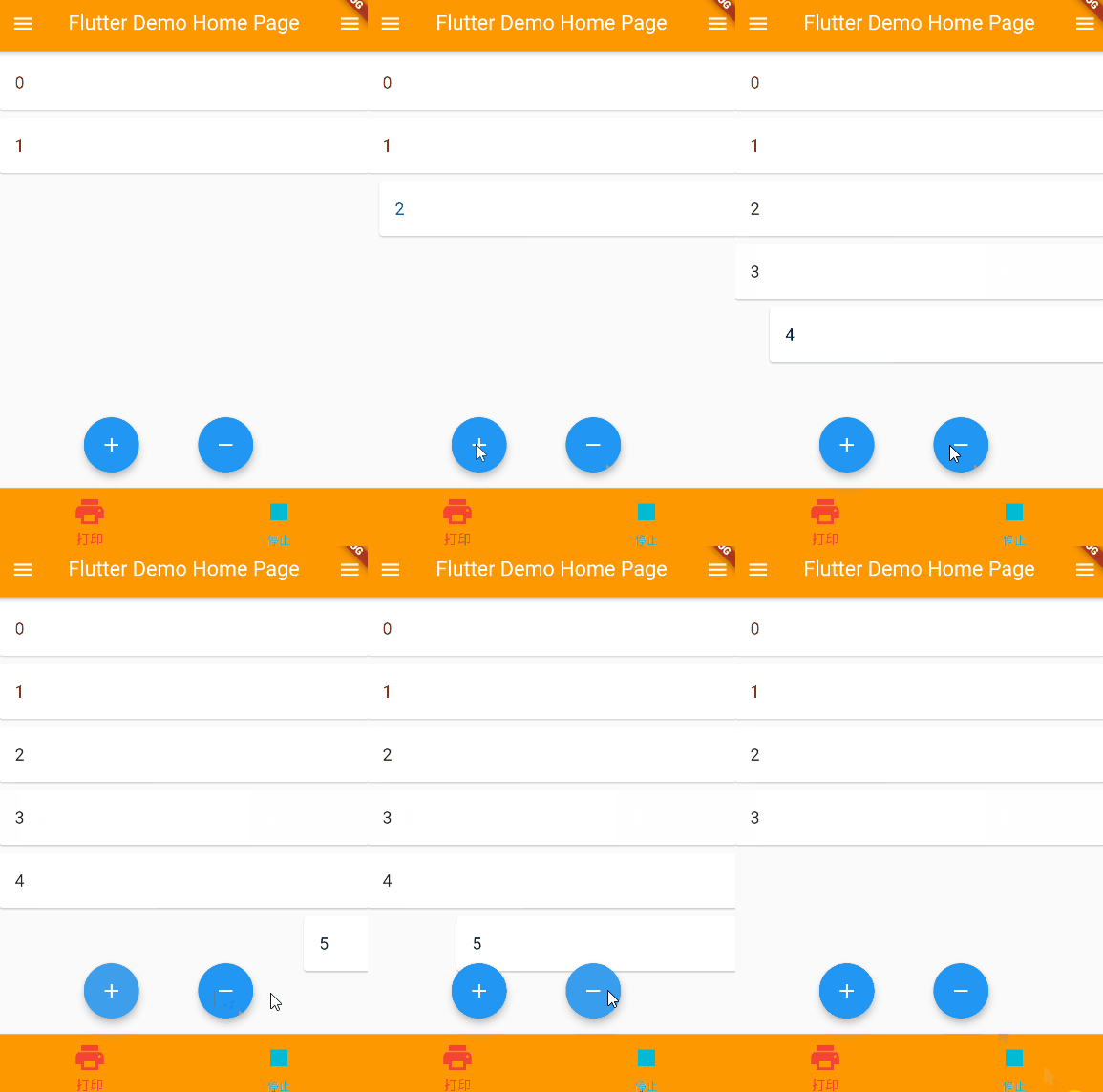

开源鸿蒙跨平台开发社区汇聚开发者与厂商,共建“一次开发,多端部署”的开源生态,致力于降低跨端开发门槛,推动万物智联创新。
更多推荐


 0
0 0
0- 0


 已为社区贡献68条内容

所有评论(0)