Flutter-防京东商城项目-添加销量 价格 筛选-13
·
一直觉得自己写的不是技术,而是情怀,一个个的教程是自己这一路走来的痕迹。靠专业技能的成功是最具可复制性的,希望我的这条路能让你们少走弯路,希望我能帮你们抹去知识的蒙尘,希望我能帮你们理清知识的脉络,希望未来技术之巅上有你们也有我。
效果:
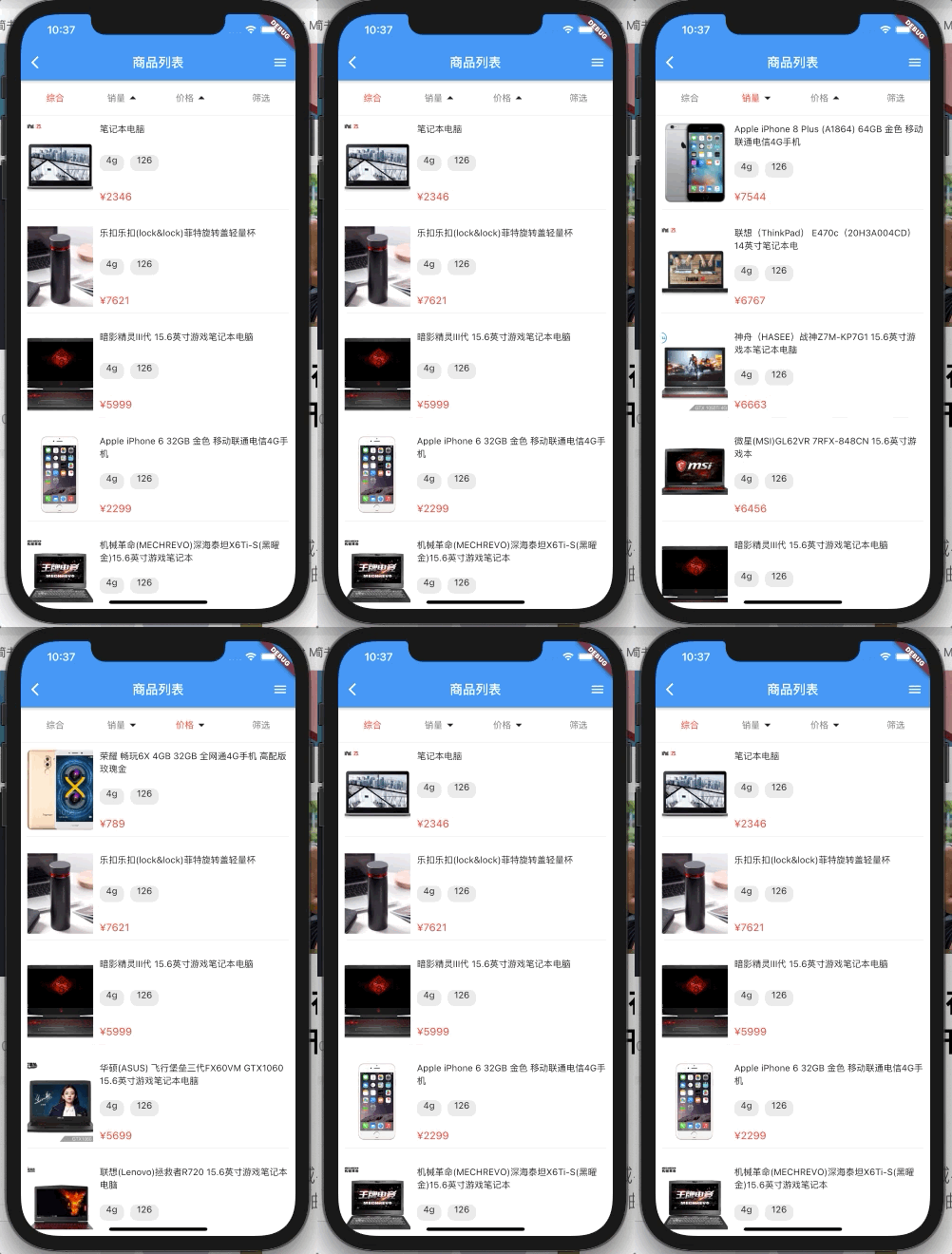
学习目标:
1.编写筛选栏逻辑。
1.创建销量 价格数组
/*二级导航数据*/
List _subHeaderList = [
  {
    "id": 1,
    "title": "综合",
    "fileds": "all",
    "sort":
        -1, //排序     升序:price_1     {price:1}        降序:price_-1   {price:-1}
  },
  {"id": 2, "title": "销量", "fileds": 'salecount', "sort": -1},
  {"id": 3, "title": "价格", "fileds": 'price', "sort": -1},
  {"id": 4, "title": "筛选"}
];
2.创建一个属性
//二级导航选中判断
int _selectHeaderId = 1;
3.点击方法
//导航改变的时候触发
_subHeaderChange(id) {
  if (id == 4) {
    _scaffoldKey.currentState.openEndDrawer();
    setState(() {
      this._selectHeaderId = id;
    });
  } else {
    setState(() {
      this._selectHeaderId = id;
      this._sort =
          "${this._subHeaderList[id - 1]["fileds"]}_${this._subHeaderList[id - 1]["sort"]}";

      //重置分页
      this._page = 1;
      //重置数据
      this._productList = [];
      //改变sort排序
      this._subHeaderList[id - 1]['sort'] =
          this._subHeaderList[id - 1]['sort'] * -1;
      //回到顶部
      _scrollController.jumpTo(0);
      //重置_hasMore
      this._hasMore = true;
      //重新请求
      this._getProductListData();
    });
  }
}
4.创建控制件
//显示header Icon
Widget _showIcon(id){
  if(id==2|| id ==3){
    if(this._subHeaderList[id-1]["sort"]==1){
      return Icon(Icons.arrow_drop_down);
    }
    return Icon(Icons.arrow_drop_up);
  }
  return Text("");
}
5.替换红色部分原有的代码
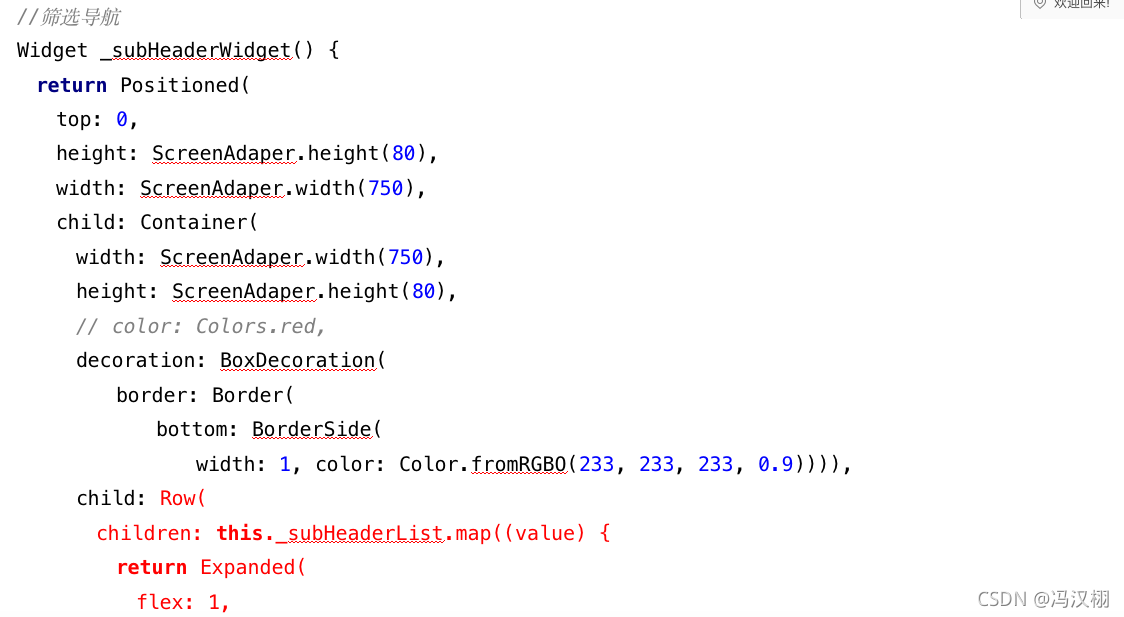
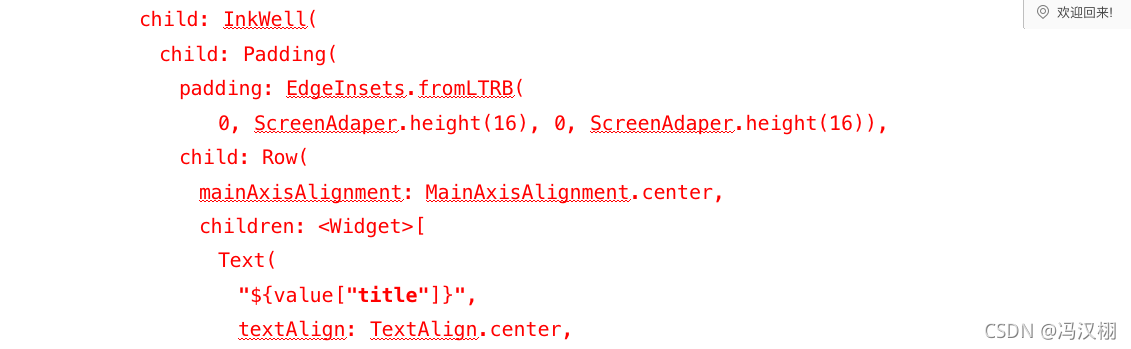
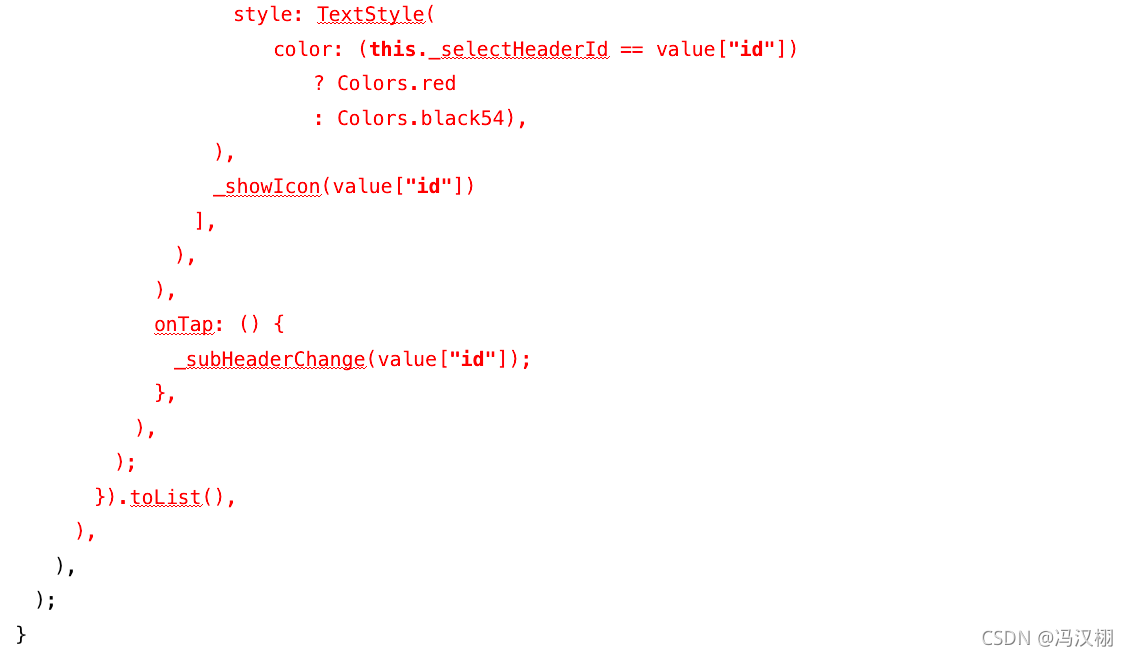
源码:
//筛选导航
Widget _subHeaderWidget() {
  return Positioned(
    top: 0,
    height: ScreenAdaper.height(80),
    width: ScreenAdaper.width(750),
    child: Container(
      width: ScreenAdaper.width(750),
      height: ScreenAdaper.height(80),
      // color: Colors.red,
      decoration: BoxDecoration(
          border: Border(
              bottom: BorderSide(
                  width: 1, color: Color.fromRGBO(233, 233, 233, 0.9)))),


//----------------------------------------------------
      child: Row(
        children: this._subHeaderList.map((value) {
          return Expanded(
            flex: 1,
            child: InkWell(
              child: Padding(
                padding: EdgeInsets.fromLTRB(
                    0, ScreenAdaper.height(16), 0, ScreenAdaper.height(16)),
                child: Row(
                  mainAxisAlignment: MainAxisAlignment.center,
                  children: <Widget>[
                    Text(
                      "${value["title"]}",
                      textAlign: TextAlign.center,
                      style: TextStyle(
                          color: (this._selectHeaderId == value["id"])
                              ? Colors.red
                              : Colors.black54),
                    ),
                    _showIcon(value["id"])
                  ],
                ),
              ),
              onTap: () {
                _subHeaderChange(value["id"]);
              },
            ),
          );
        }).toList(),
      ),
//----------------------------------------------------


    ),
  );
}

开源鸿蒙跨平台开发社区汇聚开发者与厂商,共建“一次开发,多端部署”的开源生态,致力于降低跨端开发门槛,推动万物智联创新。
更多推荐
 0
0 0
0- 0


 已为社区贡献31条内容

所有评论(0)