react-native-swipe-list-view 对官方文档详细解释
·
前言:
目前需求就是写一个消息列表,用户可以删除
github上项目地址:jemise111/react-native-swipe-list-view
snack案例地址: react-native-swipe-list-view - Snack
1. 基础例子
实现效果,就如QQ消息界面,向左滑动,右侧出现置顶和删除两个按钮选项,我做的案例效果为

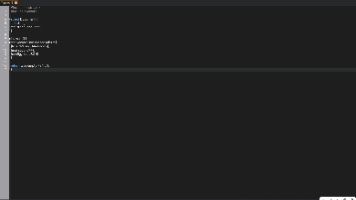
代码文件如下
import React from 'react';
import {View,Text,StyleSheet} from 'react-native';
import { SwipeListView } from 'react-native-swipe-list-view';

class SwipeList extends React.Component{
    constructor(props){
        super(props);
        this.state = {
            dataList:[
                {
                    id: 1,
                    name: "小花",
                    age: 12
                },
                {
                    id: 2,
                    name: "小绿",
                    age: 13
                },
                {
                    id: 3,
                    name: "小蓝",
                    age: 14
                }
            ]
        }
    }
    renderItem=({item}, rowMap)=>{
        return (
            <View style={styles.itemBox}>
                <Text style={{marginLeft: 130}}>姓名:{item.name} 年龄:{item.age}</Text>
            </View>
        )
    }
    closeRow=(rowMap,rowKey)=>{
        if (rowMap[rowKey]) {
            //这个SwipeRow的关闭事件
            rowMap[rowKey].closeRow();
        }
    }
    deleteRow=(rowMap,rowKey)=>{
        //先关闭,再删除
        this.closeRow(rowMap,rowKey);

        let newDataList = [...this.state.dataList];
        let prevIndex =  newDataList.findIndex((item)=>item.id == rowKey);
        newDataList.splice(prevIndex,1);
        this.setState({dataList: newDataList});
    }
    render(){
        return (
            <View>
                <SwipeListView
                    data={this.state.dataList}
                    renderItem={this.renderItem}  //渲染单个元素
                    keyExtractor={(item)=>item.id}//给每个元素一个唯一的key,使react能区分不同的个体
                    renderHiddenItem={ (data, rowMap) => (
                        <View style={styles.rowBack}>
                            <Text onPress={()=>this.closeRow(rowMap,data.item.id)} style={[styles.operationBtn,{backgroundColor:"blue"}]}>关闭</Text>
                            <Text onPress={()=>this.deleteRow(rowMap,data.item.id)} style={[styles.operationBtn,{backgroundColor:"red"}]}>删除</Text>
                        </View>
                    )}
                    rightOpenValue={-120}
                />
            </View>
        )
    }
}

let styles = StyleSheet.create({
    itemBox:{
        backgroundColor:"#fff", //设置这个背景颜色,是为了遮住renderHiddenItem的元素
        paddingVertical:15,
        borderBottomWidth: 0.5
    },
    rowBack:{
        position: "absolute",
        right: 0,
        flexDirection:"row"
    },
    operationBtn:{
        width: 60,
        height: 49.1,
        textAlignVertical:'center',
        textAlign:"center",
        color:"#fff"
    }
});

export default SwipeList;
注意:
1. 只有renderHiddenItem 和 rightOpenValue 同时存在,才会有向左滑动的效果
2. renderHiddenItem 里的根元素 要通过style样式,来设置布局(使用flex布局),一般还需要定位
3. 关闭:的SwipeRow.closeRow()方法 没在API中找到,而在snack案例中看到的,估计源码里是有的,刚才找到了

4. 删除:目前就是私有化数据删除
技术在vue和react体系来回切换,也在js和java来回切换,还有一个会开3个多小时,真的影响技术持续成长。遗忘代码会使我的信心受损、不自信、觉得技术差,这个心理问题,解决的办法,就是彻底掌握学的知识点。
我不想写垃圾博客,照搬文档,那样毫无意义。

开源鸿蒙跨平台开发社区汇聚开发者与厂商,共建“一次开发,多端部署”的开源生态,致力于降低跨端开发门槛,推动万物智联创新。
更多推荐

 0
0 0
0- 0


 已为社区贡献3条内容

所有评论(0)