scrollView 宽高无效
Environmentreact-native -v:0.46.4node -v:v8.3.0npm -v:5.3.0yarn --version:0.27.5Target Platform: android && iosDevelopment Operating System: mac10.12.5Build tools:webstormSteps to Reproducecode
·
Environment
react-native -v:0.46.4node -v:v8.3.0npm -v:5.3.0-
yarn --version:0.27.5- Target Platform: android && ios
- Development Operating System: mac10.12.5
- Build tools:webstorm
Steps to Reproduce
code like that:
   renderTab = ()=> {
        return (
            <View style={{width:WIDTH,height:SCALE(100),backgroundColor:'blue',flexDirection:'row', justifyContent:'space-around', alignItems:'center'}}>
            <View><Text>我发起的</Text></View>
            {(this.state.data&&this.state.data.myIsLeader===1)?<View><Text>带我审批</Text></View>:null}
            {(this.state.data&&this.state.data.myIsLeader===1)?<View><Text>我已审批</Text></View>:null}
        </View>)
    };

    render(){
        return (
            <View style={{width:WIDTH,height:HEIGHT}}>
                <ScrollView
                    style={{backgroundColor:'red',width:WIDTH,height:HEIGHT-SCALE(200)}}>

            </ScrollView>
                {this.renderTab()}
        </View>
        );
    }
期望效果
like that: 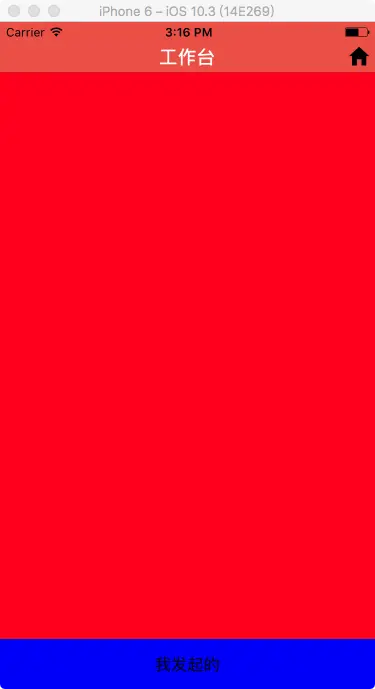
实际效果
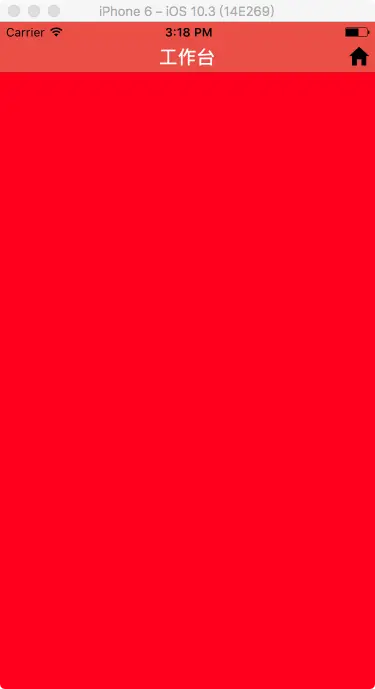
解决:
删除 style={{width:WIDTH,height:HEIGHT}}
或者设置style={{flex:1}} 。
scrollview的属性不光和自己有关还和父组件栈的属性有关。
GitHub:https://github.com/facebook/react-native/issues/15581

开源鸿蒙跨平台开发社区汇聚开发者与厂商,共建“一次开发,多端部署”的开源生态,致力于降低跨端开发门槛,推动万物智联创新。
更多推荐


 0
0 0
0- 0


 已为社区贡献13条内容

所有评论(0)