React-native学习: 语法
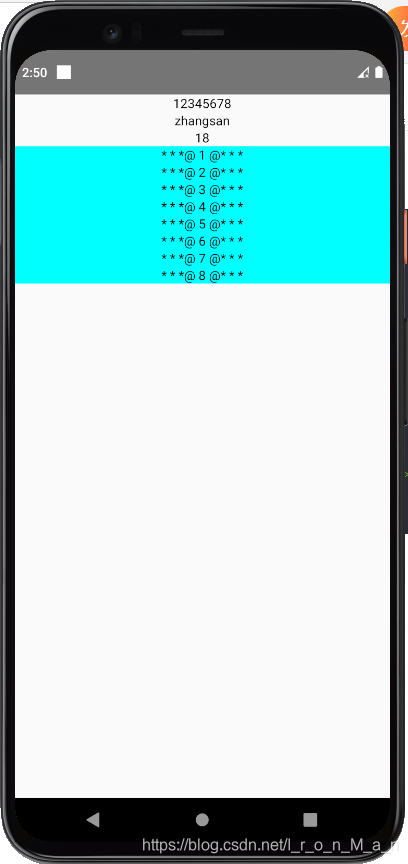
1.插值表达式const obj={name:'zhangsan',age:18};const arr=[1,2,3,4,5,6,7,8];const Index = () =><View>{/* {}是插值表达式的符号 可以直接把数组放在里面,或者把对象的属性放在里面 */}<Text style={{textAlign:'center'}}>{arr}</T
·
1.插值表达式
const obj={name:'zhangsan',age:18};
const arr=[1,2,3,4,5,6,7,8];
const Index = () =>
<View>
  {/* {}是插值表达式的符号 可以直接把数组放在里面,或者把对象的属性放在里面 */}
  <Text style={{textAlign:'center'}}>{arr}</Text>
  <Text style={{textAlign:'center'}}>{obj.name}</Text>
  <Text style={{textAlign:'center'}}>{obj.age}</Text>
  {/* map的作用是自定义数据格式 然后返回一个新的数组 */}
  {arr.map((v,i)=><View key={i} style={{backgroundColor:'aqua'}}><Text style={{textAlign:'center'}}>* * *{"@ "+v+" @"}* * *</Text></View>)}
</View>
2.组件
- 函数组件
没有state (通过hooks可以有)
没有生命周期(通过hooks可以有)
适合简单的场景
/* state 组件内部的数据 */
const Index = () => {
  let num = 10;
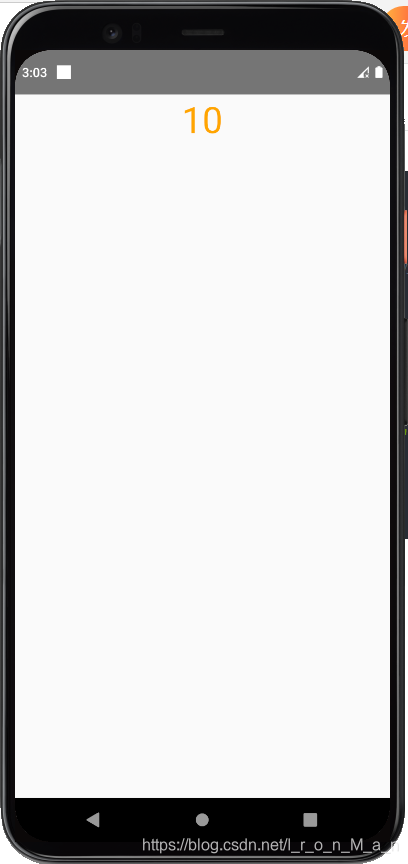
  // 计时器,每隔一秒调用一次 因为这个num不是内部的数据 所以num++不会渲染到手机屏幕
  setInterval(() => {
    num++;
  }, 1000);
  return (
    <View>
      <Text style={{textAlign:'center',fontSize:40,color:'orange'}}>{num}</Text>
    </View>
  );
};
- 类组件
适合复杂的场景
有state
有生命周期
class Index extends React.Component {
  state = {
    num: 100,
  };
  render() {
    setTimeout(() => {
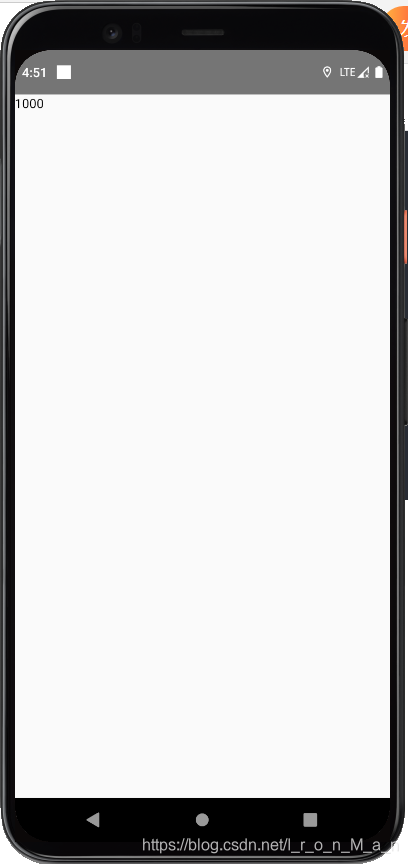
      /*      修改state
     不能修改this.state.num=1000,会报错 */
      this.setState({
        num:1000
      });
    }, 1000);
    return (
      <View>
        <Text>{this.state.num}</Text>
      </View>
    );
  }
}
export default Index;
属性props
const Index = () => (
  <View>
    <Text style={{textAlign: 'center', fontSize: 40, color: 'orange'}}>
      ===============
    </Text>
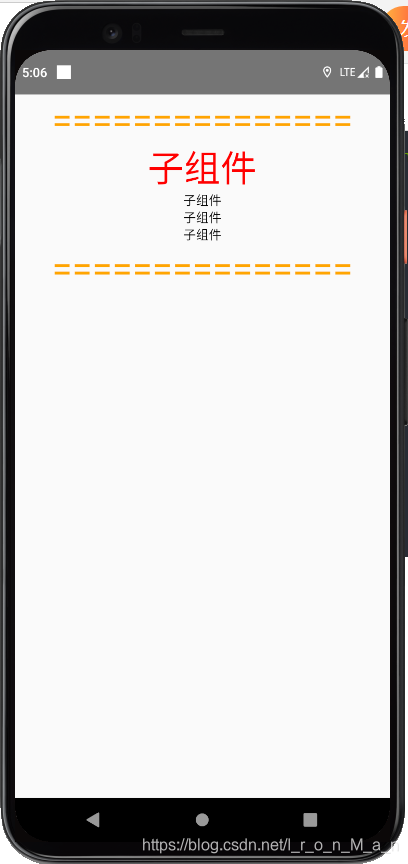
    {/* 这里的color会被 props.color解析 color可以随意命名 如 color1*/}
    <Sub color="red">
      <Text style={{textAlign: 'center'}}>子组件</Text>
      <Text style={{textAlign: 'center'}}>子组件</Text>
      <Text style={{textAlign: 'center'}}>子组件</Text>
    </Sub>
    <Text style={{textAlign: 'center', fontSize: 40, color: 'orange'}}>
      ===============
    </Text>
  </View>
);
const Sub = (props) => (
  <View>
    <Text style={{textAlign: 'center', fontSize: 40, color: props.color}}>
      子组件
    </Text>
    {/* 插槽 用于把子组件添加进来 */}
    {props.children}
  </View>
);
调试
1.打开recat-native-debugger
2.在模拟器上面使用ctrl+m打开调试
事件
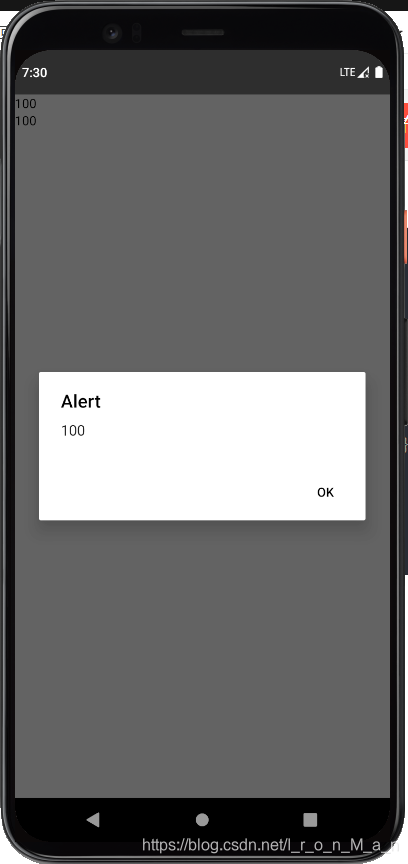
探讨函数的this问题
- 可以通过箭头函数来确定指向的this
- 可以通过bind函数来绑定函数指向的this
class Index extends React.Component {
  state = {
    num: 100,
  };
  handPress1() {
    alert(this.state.num);
  }
  // 解决办法一: 箭头函数的this指向调用者的this本身
  handPress2 = () => {
    alert(this.state.num);
  };
  render() {
    return (
      <View>
        <Text onPress={this.handPress2}>{this.state.num}</Text>
        {/* 解决办法二: 通过bind函数来绑定 */}
        <Text onPress={this.handPress1.bind(this)}>{this.state.num}</Text>
      </View>
    );
  }
}
生命周期
生命周期指的react组件的从创建到销毁的整个过程中会自动触发的函数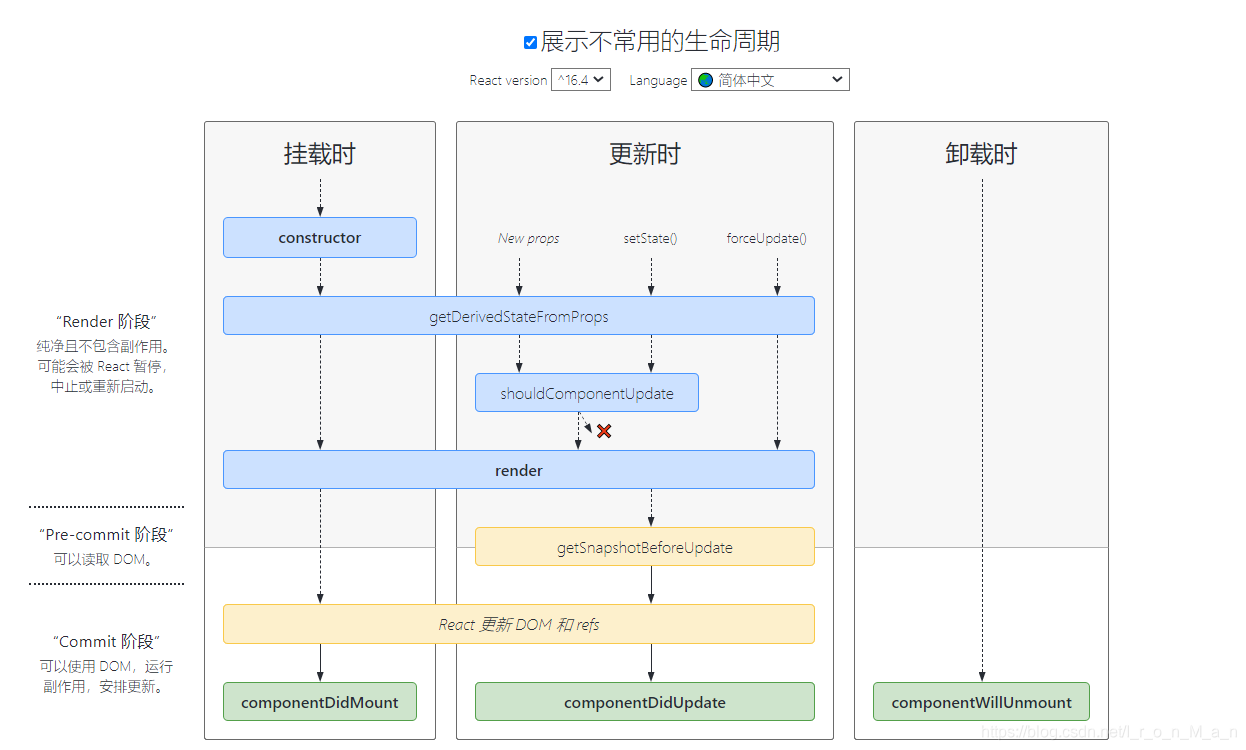
主要的生命周期
constructor
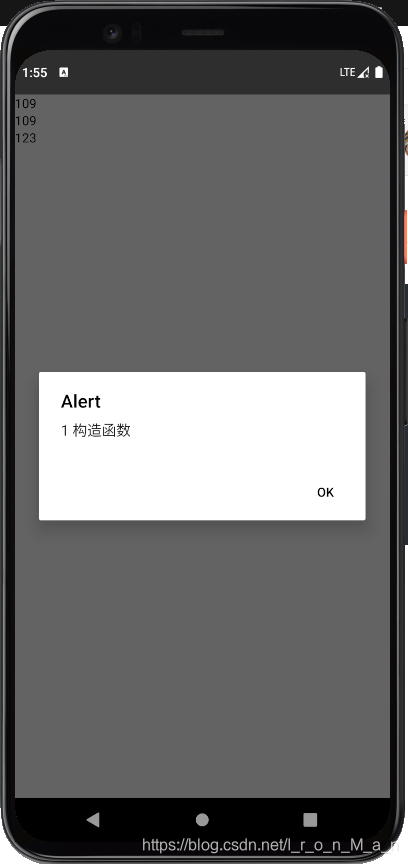
组件被实例化的时候出发一般用做对组件做初始工作,如设置state等
  //1. 构造函数
  constructor(){
    super();
    alert("1 构造函数");
    // 对state做初始化
    this.state={
      num:109
    }
  }
render
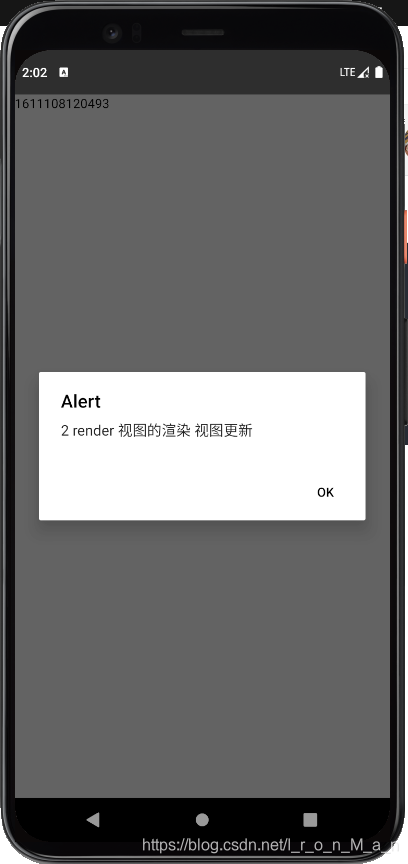
组件开始渲染时触发
组件被更新时触发 state和props发生改变时触发
  handPress2 = () => {
    this.setState({num: Date.now()});
  };
  render() {
    alert('2 render 视图的渲染 视图更新');
    return (
      <View>
        <Text onPress={this.handPress2}>{this.state.num}</Text>
      </View>
    );
  }
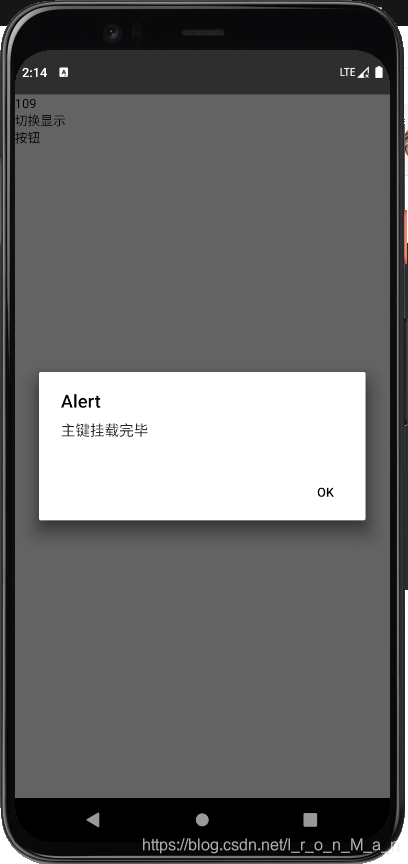
componentDidMount
组件挂载完毕,可以发送异步请求获取数据
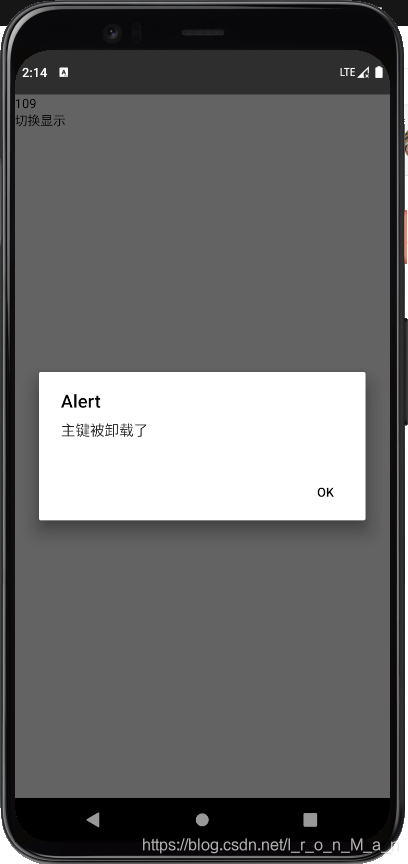
componentWillUnmount
组件被卸载时触发
一般用在清除定时器或者取消订阅等
import React, { Component } from 'react';
import {View, Text} from 'react-native';
class Index extends React.Component {
  // state = {
  //   num: 100,
  // };

  //1. 构造函数
  constructor() {
    super();
    alert('1 构造函数');
    // 对state做初始化
    this.state = {
      num: 109,
      show:true
    };
  }

  handPress2 = () => {
    this.setState({num: Date.now()});
  };
  handleToggle=()=>{
    this.setState({show:!this.state.show})
  }
  render() {
    alert('2 render 视图的渲染 视图更新');
    return (
      <View>
        <Text onPress={this.handPress2}>{this.state.num}</Text>
        <Text onPress={this.handleToggle}>切换显示</Text>
       {this.state.show?<Btn></Btn>:<></>}
      </View>
    );
  }
}

class Btn extends Component{
  componentWillUnmount(){
    alert('主键被卸载了');
  }
  componentDidMount(){
    alert('主键挂载完毕');
  }
  render(){
    return(
      <View><Text>按钮</Text></View>
    )
  }
}
export default Index;

开源鸿蒙跨平台开发社区汇聚开发者与厂商,共建“一次开发,多端部署”的开源生态,致力于降低跨端开发门槛,推动万物智联创新。
更多推荐
 1
1 0
0- 0


 已为社区贡献1条内容

所有评论(0)