RN用react-native-push-notification实现消息推送
·
概要
用react-native-push-notification实现通知推送功能,类似的还有Firebase和OneSignal。但它们似乎都需要去官网注册一个App项目,使它们具有发送通知的功能。
虽然成功了,但其实没太弄明白,做个简单记录。
整体架构流程
1、初始化
初始化一个App项目。
npx react-native@0.73 init OUC
2、依赖
下载依赖。(第二个不一定需要)
yarn add react-native-push-notification
yarn add react-native-onesignal
3、注册
去官网注册,这次是在Firebase官网注册。
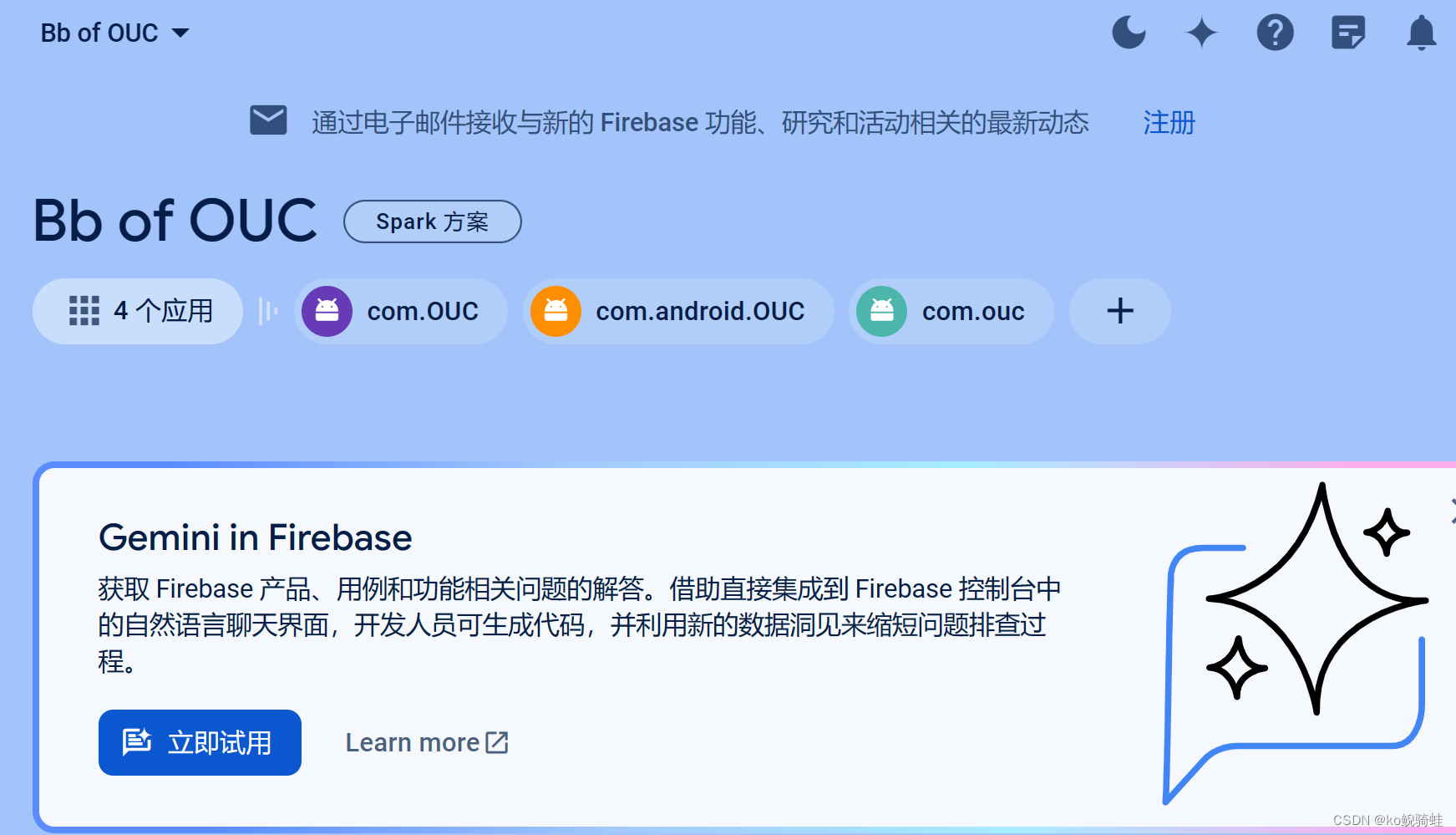
生效的似乎是第三个应用com.ouc。先前注册另外几个应用后yarn android都报错:
FAILURE: Build failed with an exception.

* What went wrong:
Execution failed for task ':app:processDebugGoogleServices'.
> No matching client found for package name 'com.ouc'

* Try:
> Run with --stacktrace option to get the stack trace.
> Run with --info or --debug option to get more log output.
> Run with --scan to get full insights.
> Get more help at https://help.gradle.org.

BUILD FAILED in 4s
error Failed to install the app. Command failed with exit code 1: gradlew.bat app:installDebug -PreactNativeDevServerPort=8081 FAILURE: Build failed with an exception. * What went wrong: Execution failed for task ':app:processDebugGoogleServices'. > No matching client found for package name 'com.ouc' * Try: > Run with --stacktrace option to get the stack trace. > Run with --info or --debug option to get more log output. > Run with --scan to get full insights. > Get more help at https://help.gradle.org. BUILD FAILED in 4s.
info Run CLI with --verbose flag for more details.
error Command failed with exit code 1.
info Visit https://yarnpkg.com/en/docs/cli/run for documentation about this command.
故而本人认为需要注意大小写,猜测以.ouc结尾就行,比如说com.study.ouc。
4、配置
将下载的google-services.json放入/android/app目录下。
配置:
/android/build.gradle
buildscript {

    ...

    dependencies {

        ...

        classpath("com.google.gms:google-services:4.3.2")
    }
}
...
/android/app/build.gradle
...
apply plugin: 'com.google.gms.google-services'

...

dependencies {

    ...

    implementation("com.google.firebase:firebase-core:9.6.1")
    implementation('com.google.firebase:firebase-analytics')
    implementation platform('com.google.firebase:firebase-bom:33.0.0')

    ...
}
5、功能
功能实现参考来自github大佬代码
小结
gmail注册了一晚上,注册和配置搞了一上午。
成功以后有种如释重负的感觉……

开源鸿蒙跨平台开发社区汇聚开发者与厂商,共建“一次开发,多端部署”的开源生态,致力于降低跨端开发门槛,推动万物智联创新。
更多推荐
 12
12 0
0- 0


 已为社区贡献1条内容

所有评论(0)