

1.删除iOS工程文件夹下的 LaunchScreen.xib 文件
2.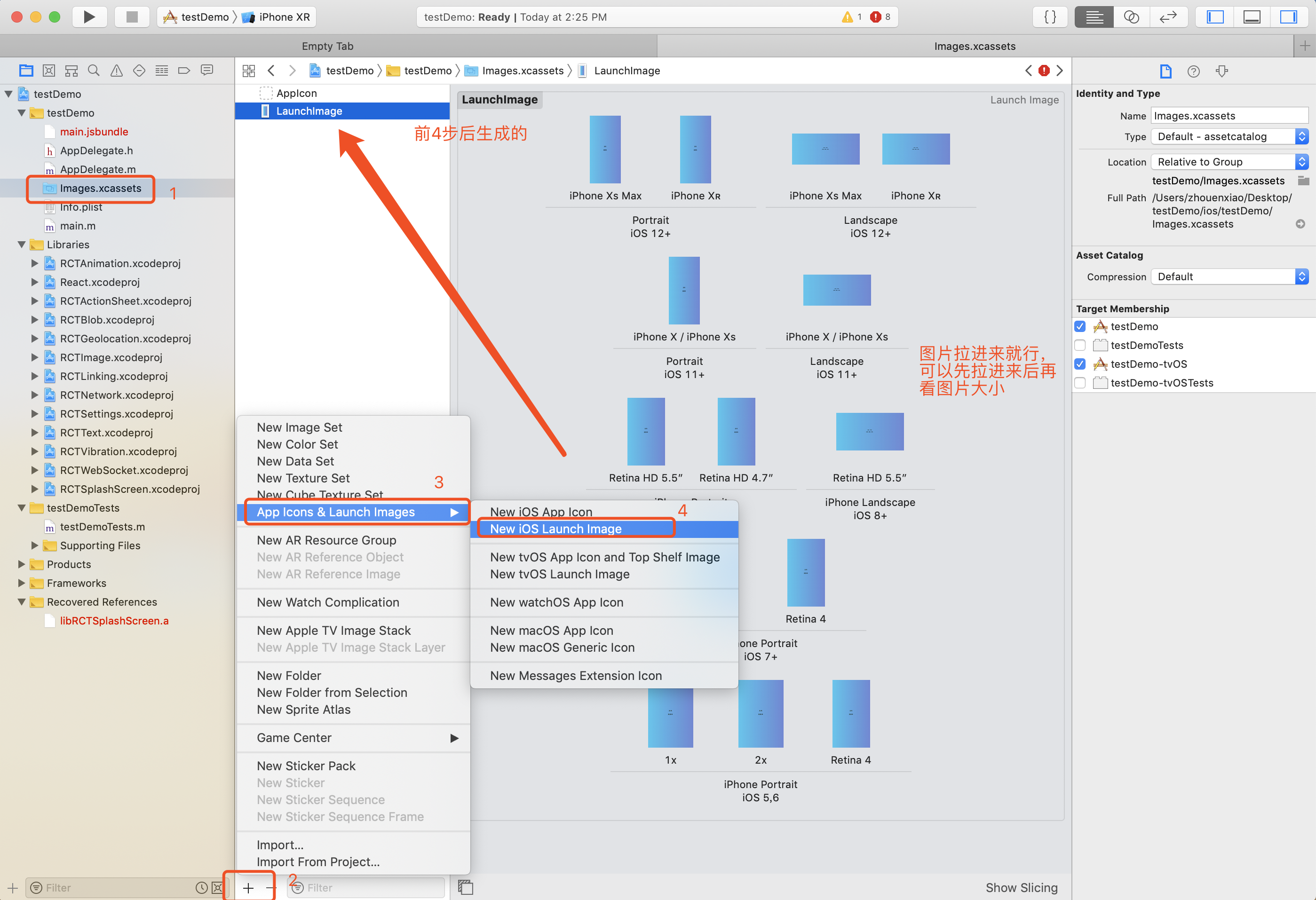
3.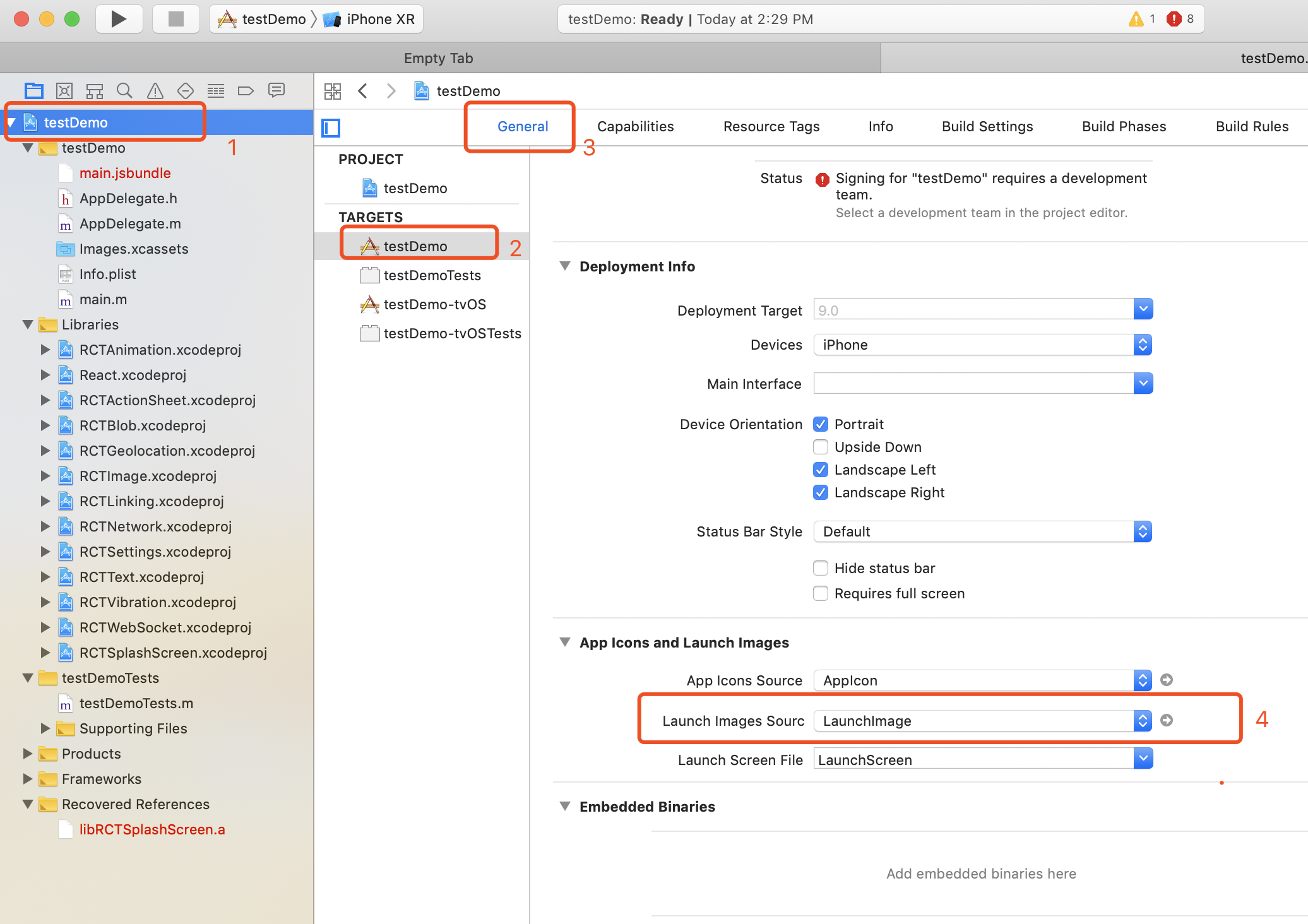 如果第4步不一样的样式,可以重新走这个图片的步骤就行
4.进入iOS工程的AppDelegate.m中做如下修改:
#import
- (BOOL)application:(UIApplication *)application didFinishLaunchingWithOptions:(NSDictionary *)launchOptions
{
// [...]
RCTRootView *rootView = // [...]
// Show splash screen (rn-splash-screen)
[RCTSplashScreen show:rootView]; //**********添加这行代码,注意:这行代码必须在 RCTRootView *rootView = // [...] 的下面************
// [...]
}
5. 在入口文件引入
import SplashScreen from "rn-splash-screen";
componentDidMount(){
//隐藏闪屏页,闪屏页用的是第三方库,rn-splash-screen
setTimeout(() => {
SplashScreen.hide();
}, 2000);//延时2秒消失
}
}




 已为社区贡献14条内容

所有评论(0)