ionic集成极光推送
·
1.安装
1.1 运行安装命令:npm i jpush-phonegap-plugin
1.2 添加极光推送cordova插件:ionic cordova plugin add https://github.com/jpush/jpush-phonegap-plugin.git --variable APP_KEY=your_jpush_appkey
2.项目配置
2.1 配置app.module.ts文件
import { JPush } from '@jiguang-ionic/jpush/ngx';
@NgModule({
    declarations: [AppComponent],
    entryComponents: [CustomPopoverComponent],
    imports: [
        BrowserModule,
        BrowserAnimationsModule,
        // CacheModule.forRoot({ keyPrefix: 'ppw-cache' }),
        IonicModule.forRoot({
            mode: 'ios',
            swipeBackEnabled: false,
            hideCaretOnScroll: true,
            // scrollPadding: false,
            // scrollAssist: true
        }),
        // SocketIoModule.forRoot(config),
        ComsModule,
        AppRoutingModule,
        HttpClientModule,
        FormsModule,
        ExportAsModule,
        NgZorroAntdMobileModule.forRoot(),
    ],
    providers: [
        StatusBar,
        ScreenOrientation,
        Camera,
        File,
        FilePath,
        FileOpener,
        FileTransfer,
        InAppBrowser,
        AppVersion,
        SplashScreen,
        // WebView,
        TabsService,
        SubTabsService,
        ImagePicker,
        // PhotoLibrary,
        JPush,
        Base64ToGallery,
        QQSDK,
        { provide: RouteReuseStrategy, useClass: IonicRouteStrategy },
        { provide: LocationStrategy, useClass: HashLocationStrategy }
    ],
    bootstrap: [AppComponent]
})
export class AppModule {
}
配置登录时设置别名:
import { JPush } from "@jiguang-ionic/jpush/ngx";
  // 组件数据
  @Input() tagData: any = {};
  constructor(
    private platform: Platform,
    private eventService: EventService,
    private fb: FormBuilder,
    private http: HttpService,
    private appGlobalService: AppGlobalService,
    private indexedDBService: IndexedDBService,
    private mapBaiduService: MapBaiduService,
    private modalCtrl: ModalController,
    private message: MessageService,
    private im: ImService,
    private jPush: JPush,
    public router: Router
  ) {
  }

that.jPush
            .setAlias({
              sequence: 1,
              alias: this.appGlobalService.pushAlias + params.content.account
            })
            .then(
              result => {
                const sequence = result.sequence;
                const alias = result.alias;
                console.log("设置别名成功:" + alias);
              },
              error => {
                const sequence = error.sequence;
                const errorCode = error.code;
                console.log("设置别名失败:" + errorCode);
              }
            );
3.验证
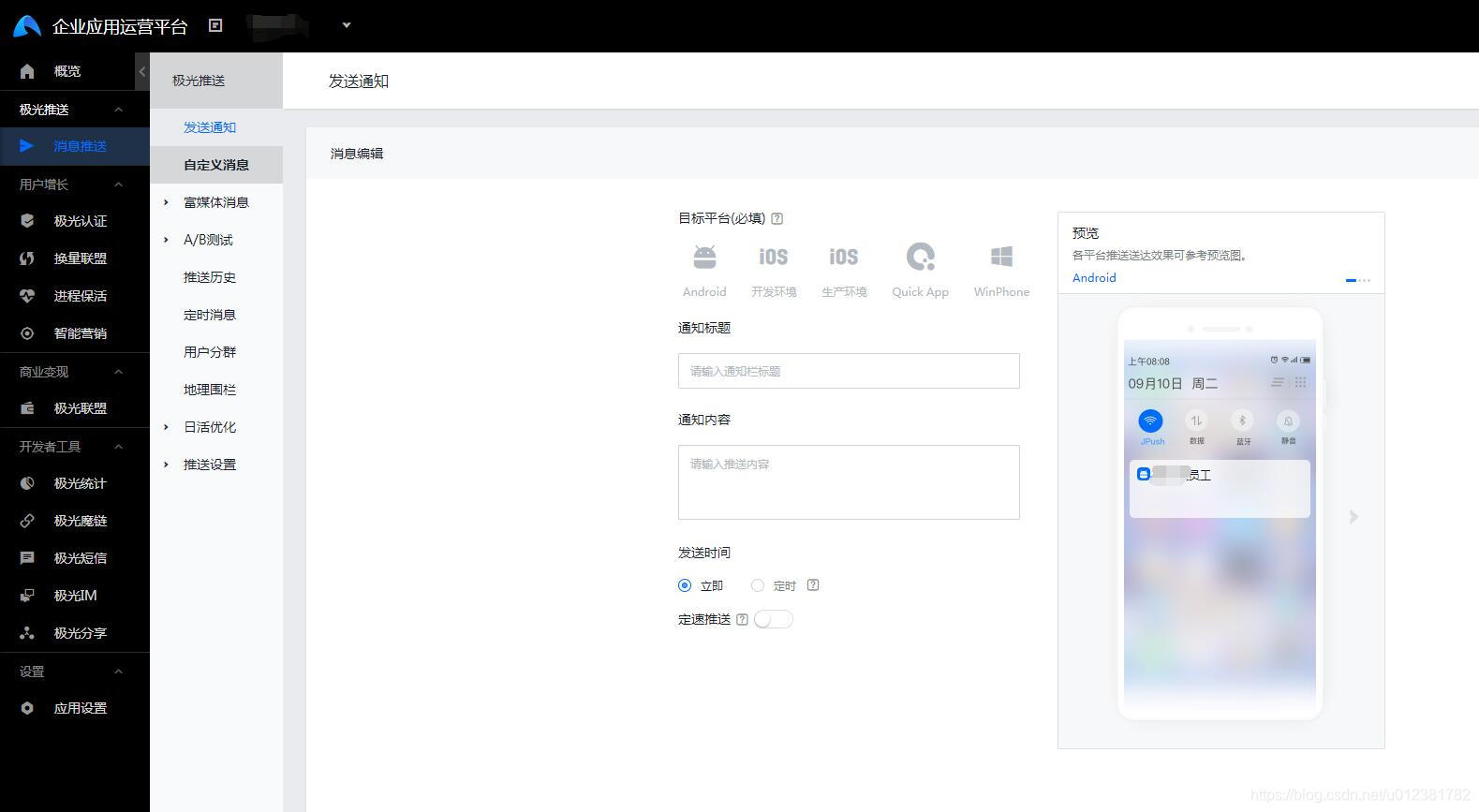
3.1 登录极光企业运营平台 https://www.jiguang.cn/jpush2/#/app/86a12bbd9a265851637d3c5b/push_form/notification
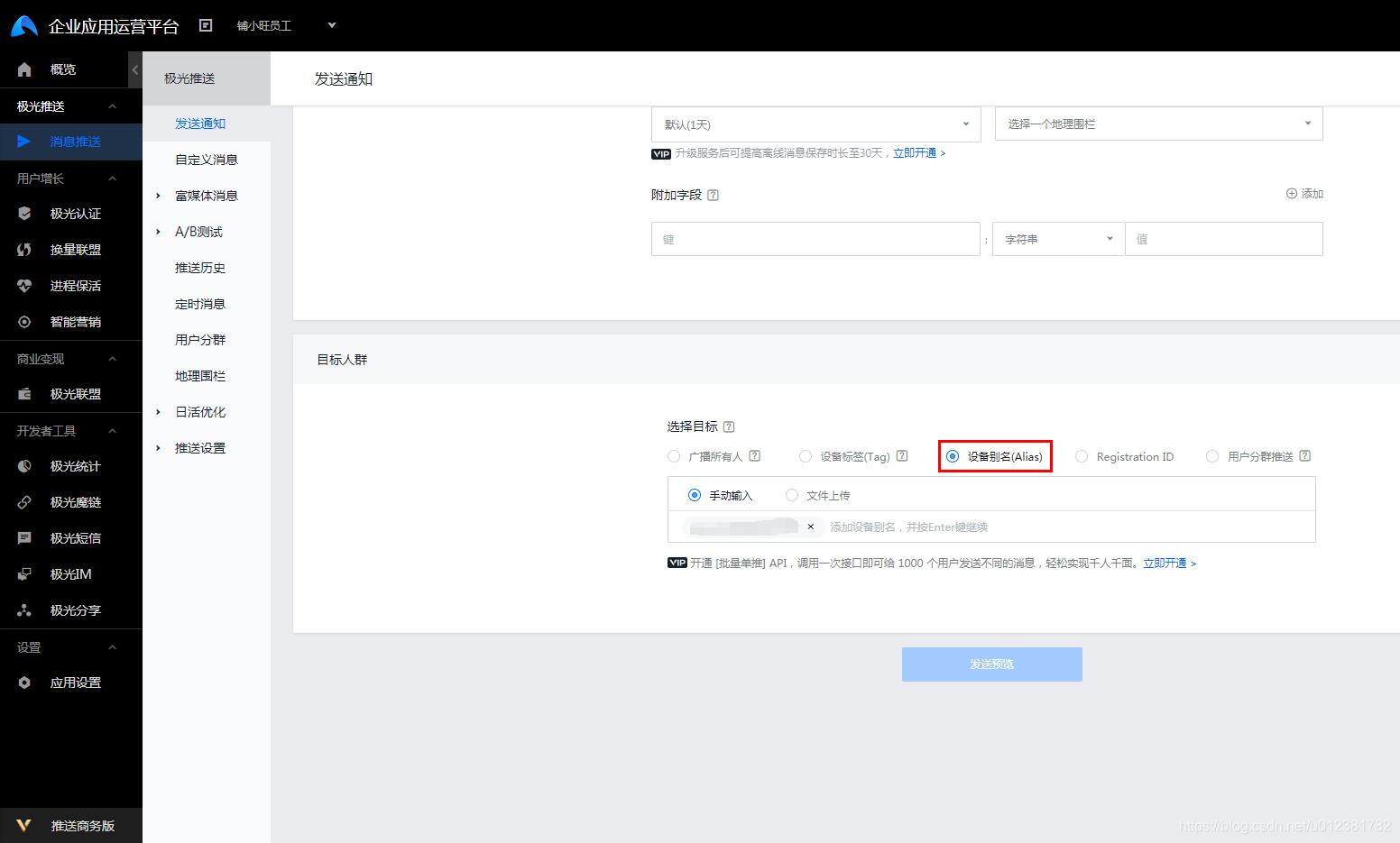
找到对应的应用,点击发送通知
注意勾选设备别名:

开源鸿蒙跨平台开发社区汇聚开发者与厂商,共建“一次开发,多端部署”的开源生态,致力于降低跨端开发门槛,推动万物智联创新。
更多推荐
 0
0 0
0- 0


 已为社区贡献4条内容

所有评论(0)