Angular +Ionic实现收藏夹的全选和单选删除功能
·
Angular +Ionic实现收藏夹的全选和单选删除功能
一,需求及解决思路
1.实现需求:所展示的产品,通过编辑功能切换复选,
分为单独选择和全选实现将商品从收藏夹中移除。
2.解决思路:
实现商品数据渲染页面后,调用执行删除功能的接口。
实现单选,反选,全选。
通过选中所接收的值拼接成自符串。
取消选择时:将相应选中的字段从当前自符串中移除。
点击删除按钮实现选中商品的移除。
全选时则移除所有的商品。
二,代码
a,关键代码
1,html
//单选
 <ion-checkbox *ngIf="showEdit" [(ngModel)]="item.checked" (click)="selectSingle(item)" class="checkbox" [id]="item.id">
  </ion-checkbox>

 //全选
<ion-checkbox [(ngModel)]="selectAll" (click)="onselectAll()"></ion-checkbox>
 <ion-text>全选</ion-text>
2,ts中
//单选
  selectSingle(item) {
    this.checkedId=item.collectProId;
      if (item.checked==false) {
        console.log("确认",item.checked);
        this.selectAll = false;
        this.checkedIdList.push(this.checkedId) //存入数组
        this.uncheckedIdList=[...new Set(this.checkedIdList)]//去重
        console.log(this.checkedId,this.uncheckedIdList,"选....");
      } else if(item.checked==true){
        console.log("取消")
        this.uncheckedIdList.splice(item,1) //去除数组
        console.log(this.checkedId,this.uncheckedIdList,"选....");
      }
    if (this.collectionLists.every(item => item.checked==true)){
      this.selectAll = true;
    }
  }

//多选
  onselectAll() {
    if (!this.selectAll) {
      this.collectionLists.forEach(el => {
        el.checked =true;
        console.log("多选",el);
        this.checkedId=el.collectProId;
        this.checkedIdList.push(this.checkedId) //存入数组
        this.uncheckedIdList=[...new Set(this.checkedIdList)]//去重
        console.log(this.checkedId,this.uncheckedIdList,"选....");
      });
    } else {
      this.collectionLists.forEach(el => el.checked = false);
    }
  }
b,全部
1,html
 <ion-app class="my-tracks">

    <ion-header>
      <ion-list class="my-tracks-order">
        <ion-text class="my-tracks-title">
          <ion-text class="my-tracks-icon" (click)="goBack()">
            <ion-icon name="chevron-back-outline" class="icon-left"></ion-icon>
          </ion-text>
        </ion-text>
        <ion-text class="my-tracks-null" *ngIf="!showEdit">收藏夹</ion-text>
        <ion-text class="my-tracks-null" *ngIf="showEdit">收藏夹</ion-text>
        <ion-text class="my-tracks-handle" *ngIf="!showEdit" (click)="showEdit=!showEdit"><span>管理</span></ion-text>
        <ion-text class="my-tracks-handle" *ngIf="showEdit" (click)="onFinished();"><span>完成</span></ion-text>
        <ion-text class="my-tracks-icon" *ngIf="showEdit" (click)="onFinished();"></ion-text>
      </ion-list>
    </ion-header>

    <ion-content>
        <ion-list class="my-tracks-content">
          <ion-list class="my-tracks-details" *ngFor="let item of collectionLists">
                <ion-img class="tracks-details-img"
                [src]="item.pic">
                </ion-img>
                <ion-text class="tracks-details-text">
                   <ion-list class="text-text">
                    {{item.goodsName}}
                   </ion-list>
                  <ion-list class="text-price">
                    <span> ¥{{item.fixedPrice}}<b>/盒</b></span> <a>销量:{{item.salesVolume}}</a>
                  </ion-list>
                </ion-text>
                <ion-text *ngIf="!showEdit"></ion-text>
                <ion-checkbox *ngIf="showEdit" [(ngModel)]="item.checked" (click)="selectSingle(item)" class="checkbox" [id]="item.id">
                </ion-checkbox>
          </ion-list>
        </ion-list>
    </ion-content>

    <ion-footer>
      <div class="my-tracks-footer" *ngIf="showEdit">
        <span>
          <ion-checkbox [(ngModel)]="selectAll" (click)="onselectAll()"></ion-checkbox>
          <ion-text>全选</ion-text>
        </span>
        <span (click)="deleteById()">删除</span>
      </div>
    </ion-footer>

 </ion-app>
2,ts
import { Component, OnInit} from '@angular/core';
import { UserInfo } from '../../common/userinfo';
import { ActivatedRoute, Router } from '@angular/router';
import { RestService, StorageService, AppService } from '../../service';
import { ToastController, LoadingController, NavController, AlertController } from '@ionic/angular';
import { multicast } from 'rxjs/operators';
import { isNgTemplate } from '@angular/compiler';
@Component({
  selector: 'app-collection-products',
  templateUrl: './collection-products.page.html',
  styleUrls: ['./collection-products.page.scss'],
})
export class CollectionProductsPage extends UserInfo implements OnInit {
  public collectionLists = [];//收藏数据
  public collectionNums: any;//收藏数量
  public getSlectedAddress = [];
  public getReceiver = {}
  public isShow = true;
  public isChecked = null;
  public getGoodsTypes = [];
  public checkedIdList=[];//选中删除的集合
  public uncheckedIdList=[];//选中删除的集合
  public  checkedIdLists=""//选中删除的集合
//单选与多选
  public selectAll: boolean = false;
  constructor(
    private rest: RestService,
    private router: Router,
    private activatedRoute: ActivatedRoute,
    public appService: AppService,
    private loadingCtrl: LoadingController,
    private toastCtrl: ToastController,
    private navCtrl: NavController,
    public localStorageService: StorageService,
    private alertController: AlertController,
  ) {
    super(appService, localStorageService);
  }
  // 当前选中的Id
  checkedId = null
  isSelected = null
  showEdit = false;

  ngOnInit() {
  }
  ionViewWillEnter() {
    this.getListAddress();

  }
  // 回退方法
  goBack() {
    this.navCtrl.back();
  }
  //1.获取该用户收藏过的商品getCollectProductList
  async getListAddress() {
    const goodsReq = {
      pageNo: '1',
      pageSize:'100'
    }
    await this.rest.apiPost(goodsReq, this.rest.getCollectProductList).subscribe(res => {
      const { status, msg, data } = res;
      if (status == 200) {
        console.log("=====已浏览过的商品========");
        console.log(res.data);
        let listItem = res.data.productGoodsDetail;
        this.collectionLists = listItem;
        if (this.collectionLists.length > 0) {
          this.checkedId = this.collectionLists[0].collectProId
          console.log("浏览数量" + this.collectionLists.length);
          this.collectionNums = this.collectionLists.length;
          console.log(this.checkedId);

        this.collectionLists.forEach((item,index) => {
             item['checked']=false//给接入数组添加字段
        });

        console.log(this.collectionLists);
        }
        //
      } else {
        console.log("请求失败");
      }
    });
  }
//刷新
  doRefresh(refresher) {
    console.log('Begin async operation', refresher);
    setTimeout(() => {
      console.log('Async operation has ended');
      refresher.complete();
    }, 2000);
  }
//加载
    doInfinite(): Promise < any > {
      return new Promise((resolve) => {
        setTimeout(() => {
          resolve();
        }, 500);
      })
    }

//单选
  selectSingle(item) {
    this.checkedId=item.collectProId;
      if (item.checked==false) {
        console.log("确认",item.checked);
        this.selectAll = false;
        this.checkedIdList.push(this.checkedId) //存入数组
        this.uncheckedIdList=[...new Set(this.checkedIdList)]//去重
        console.log(this.checkedId,this.uncheckedIdList,"选....");
      } else if(item.checked==true){
        console.log("取消")
        this.uncheckedIdList.splice(item,1) //去除数组
        console.log(this.checkedId,this.uncheckedIdList,"选....");
      }
    if (this.collectionLists.every(item => item.checked==true)){
      this.selectAll = true;
    }
  }

//多选
  onselectAll() {
    if (!this.selectAll) {
      this.collectionLists.forEach(el => {
        el.checked =true;
        console.log("多选",el);
        this.checkedId=el.collectProId;
        this.checkedIdList.push(this.checkedId) //存入数组
        this.uncheckedIdList=[...new Set(this.checkedIdList)]//去重
        console.log(this.checkedId,this.uncheckedIdList,"选....");
      });
    } else {
      this.collectionLists.forEach(el => el.checked = false);
    }
  }

  //完成
  onFinished() {
    this.showEdit = !this.showEdit
  }
  //删除我的收藏
  async getcollectProductdelet() {
    this.checkedIdLists=this.uncheckedIdList.join(","); //转换为字符串
    const goodsReq = {
      'ids': this.checkedIdLists
    }
    this.rest.apiGetReq(goodsReq, this.rest.getcollectProductdelet).subscribe(res => {
      const { status, msg, data } = res;
      if (status == 200) {
        console.log("======删除成功======");
        this.getListAddress();
        console.log(res.data);
      } else {
        console.log("请求失败");
      }
    });
  }
  //删除
  deleteById() {
  this.getcollectProductdelet();
  }
}
3,css
@import "../../../style/mixin.scss";
.my-tracks {
    background: rgba(240, 240, 240, 1);
}
//顶部样式
.my-tracks-order {
    width: rem(750);
    height: rem(80);
    display: flex;
    border-bottom: rem(1) rgba(240, 240, 240, 1) solid;

    .my-tracks-title {
        width: rem(250);
        height: rem(80);
        line-height: rem(80);
        border-bottom: rem(1) rgba(240, 240, 240, 1) solid;

        .icon-left {
            height: rem(40);
            width: rem(60);
            margin-top: rem(20);
            color: rgba(153, 153, 153, 1);
        }

        span {
            width: rem(149);
            height: rem(80);
            margin-left: rem(20);
            font-size: rem(28);
            font-family: PingFangSC-Regular, PingFang SC;
            font-weight: 400;
            color: rgba(51, 51, 51, 1);
            line-height: rem(40);
        }
    }

    .my-tracks-null {
        width: rem(250);
        height: rem(80);
        line-height: rem(80);
        text-align: center;
        font-size: rem(36);
        font-weight: 400;
        // float: left;
    }

    .my-tracks-handle {
        width: rem(220);
        height: rem(80);
        text-align: end;
        line-height: rem(80);
        span {
            width: rem(144);
            height: rem(80);
            font-size: rem(26);
            margin-top: rem(28);
            font-family: PingFangSC-Regular, PingFang SC;
            font-weight: 400;
            color: rgba(102, 102, 102, 1);
            line-height: rem(80);
        }

    }

    .my-tracks-icon {
        width: rem(30);
        height: rem(80);
        line-height: rem(80);
        font-size: rem(26);

        span {
            width: rem(60);
            height: rem(80);
            font-size: rem(24);
            margin-top: rem(24);
            margin-left: rem(0);
        }
    }
}

//中部样式
.my-tracks-content {
    width: 100%;
    display: flex;
    flex-wrap: wrap;
    box-sizing: border-box;
    .my-tracks-details {
        height: rem(500);
        width:50%;
        font-size: rem(24);
        font-weight: 400;
        color: rgba(51, 51, 51, 1);

         ion-checkbox {
             height: rem(35);
             width: rem(35);
            //  vertical-align: text-top;
             color: black;
             position: relative;
             top:rem(-470);
             right:rem(-305);


         }
    }
    .my-tracks-details:nth-child(1n),
    .my-tracks-details:nth-child(2n) {
        border-right: rem(1) rgba(240, 240, 240, 1) solid;
        border-bottom: rem(1) rgba(240, 240, 240, 1) solid;
    }
    .my-tracks-details:nth-child(1n) {
         border-bottom: rem(1) rgba(240, 240, 240, 1) solid;
    }
    .tracks-details-img{
       height: rem(334);
       width: rem(334);
       margin: rem(20) rem(20) rem(10) rem(20);
    }
     .tracks-details-text{
         .text-text{
            height: rem(66);
            width:100%;
            font-size: rem(24);
            color:#333333;
            margin-left:rem(20);
            display: -webkit-box;
            -webkit-line-clamp: 2;
            -webkit-box-orient: vertical;
            word-wrap: break-word;
            overflow: hidden;
         }
          .text-price {
               color: #666666;
               display: flex;
               height: rem(70);
               line-height: rem(58);
               width:100%;
              padding: rem(0) rem(0) rem(20) rem(20);
              span{
                 width: 75%;
                 display: inline-block;
                 font-size: rem(20);
                 color: #FF4300;
              }
               b{
                   color: #666666;
                   font-size: rem(20);
               }
              a{
               width: 25%;
               display: inline-block;
               color: #666666;
               font-size: rem(20);
              }
          }
     }

    .my-tracks-select {
        height: rem(80);
        width: 100%;
        font-size: rem(24);
        display: flex;
        .my-tracks-check {
            height: rem(80);
            width: rem(550);
            .checkbox {
                width: rem(27);
                height: rem(25);
                margin-top: rem(25);
            }
        }
    }
}

//底部样式
.my-tracks-footer {
    width: rem(750);
    height: rem(100);
    position: fixed;
    display: flex;
    bottom: rem(0);
    z-index: 2;
    span {
        width: 50%;
        height: rem(100);
        font-size: rem(28);
        font-weight: 400;
        background-color:rgba(255, 255, 255, 1);
        line-height: rem(100);
        justify-content: center;
        text-align: center;

    }
    span:nth-child(2){
         background-color: #007AFF;
         color: rgba(255, 255, 255, 1);
    }
    span:hover {
         background-color: #007AFF;
    }
    span:nth-child(1) {
        ion-checkbox {
            height:rem(35);
            line-height: rem(100);
            width: rem(35);
            vertical-align: text-top;
            color: black;
        }
    }
}
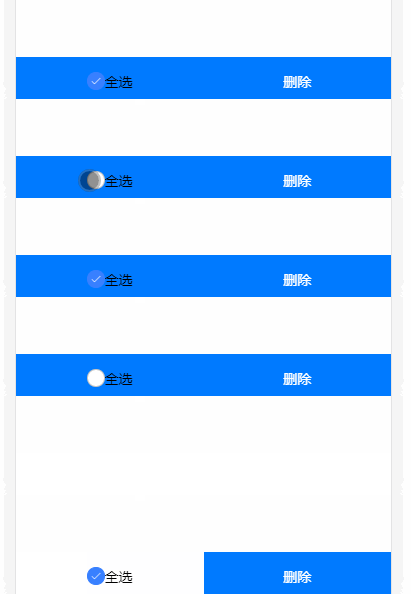
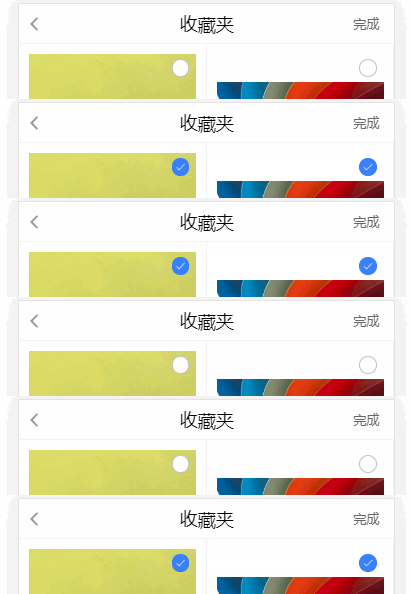
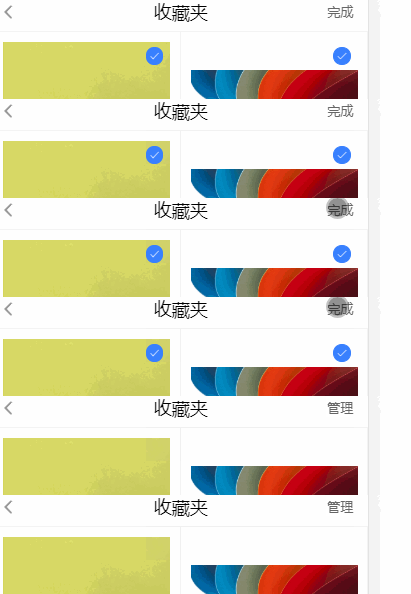
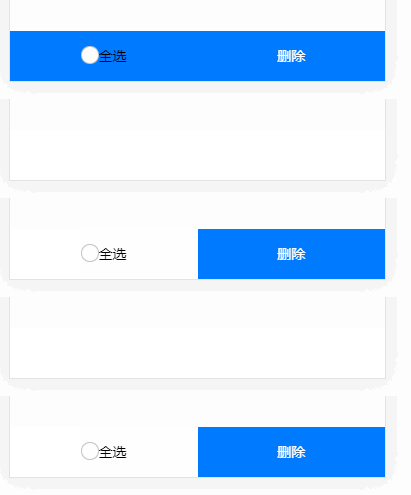
三,效果

开源鸿蒙跨平台开发社区汇聚开发者与厂商,共建“一次开发,多端部署”的开源生态,致力于降低跨端开发门槛,推动万物智联创新。
更多推荐
 1
1 0
0- 0


 已为社区贡献11条内容

所有评论(0)