React Native + Ant Design Mobile RN
这一路坎坎坷坷......安装组件 缺少依赖字体解决方法如果你的字体报错还没有解决 ????因为一直在用Antd pro ,所以在学习RN的时候, 也想着把antd M RN与demo结合,结果… 过程十分曲折安装组件 缺少依赖yarn add @ant-design/react-native下载完成后 运行报错 缺少相关依赖 RN 版本0.63按照模拟器的提示运行1. watchman watc
这一路坎坎坷坷......
因为一直在用Antd pro ,所以在学习RN的时候, 也想着把antd M RN与demo结合,结果… 过程十分曲折
安装组件 缺少依赖
yarn add @ant-design/react-native
下载完成后 运行报错 缺少相关依赖 RN 版本0.63Unable to resolve module@react-native-community'
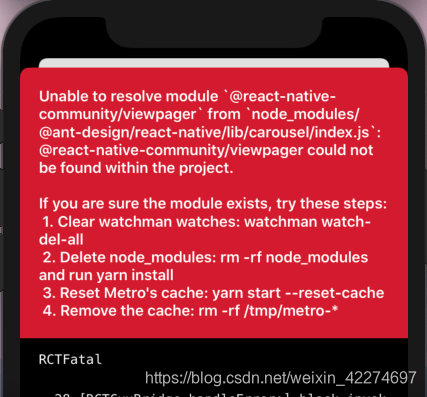
按照模拟器的提示运行
1. watchman watch-del-all
2. rm -rf node_modules
3. yarn install
4. yarn start --reset-catch
5. rm -rf /tmp/metro-*
也并不好用(卡死在4…)
那就乖乖的用yarn 安装这依赖好了
yarn add @react-native-community/viewpager @react-native-community/slider @react-native-community/segmented-control @react-native-community/cameraroll @react-native-community/async-storage @react-native-community/picker
安装完成之后 再 pod install
cd ios
pod install
cd ..
再yarn ios 运行 get了另一个 error(因为我用了antd 的 tabBar 所以里面会有图标 / 字体 )Unrecognized font family 'antoutline'
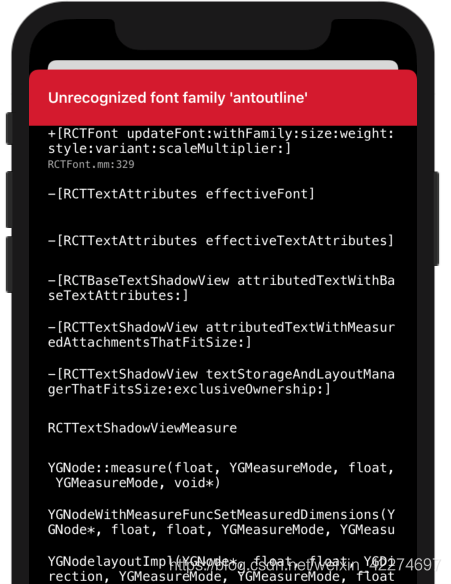
官方文档是这样说的: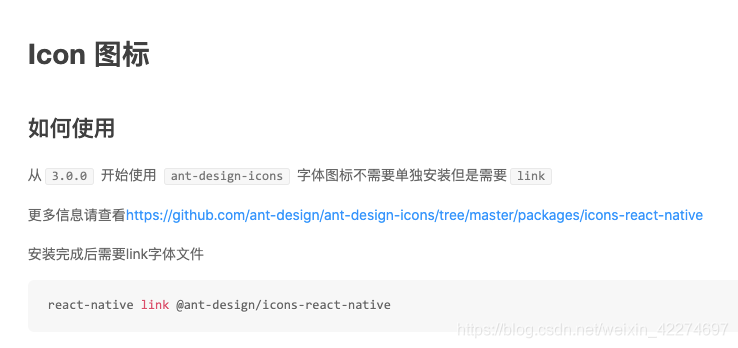
ok 那我react-native link @ant-design/icons-react-native一下试试zsh: command not found: react-native 👍
字体解决方法
ios -
- 用xcode打开项目 -选择.xcworkspace文件
- 找到antd的fonts文件夹 路径
/node_modules/@ant-design/icons-react-native/fonts - 将fonts文件夹拖进xcode项目中
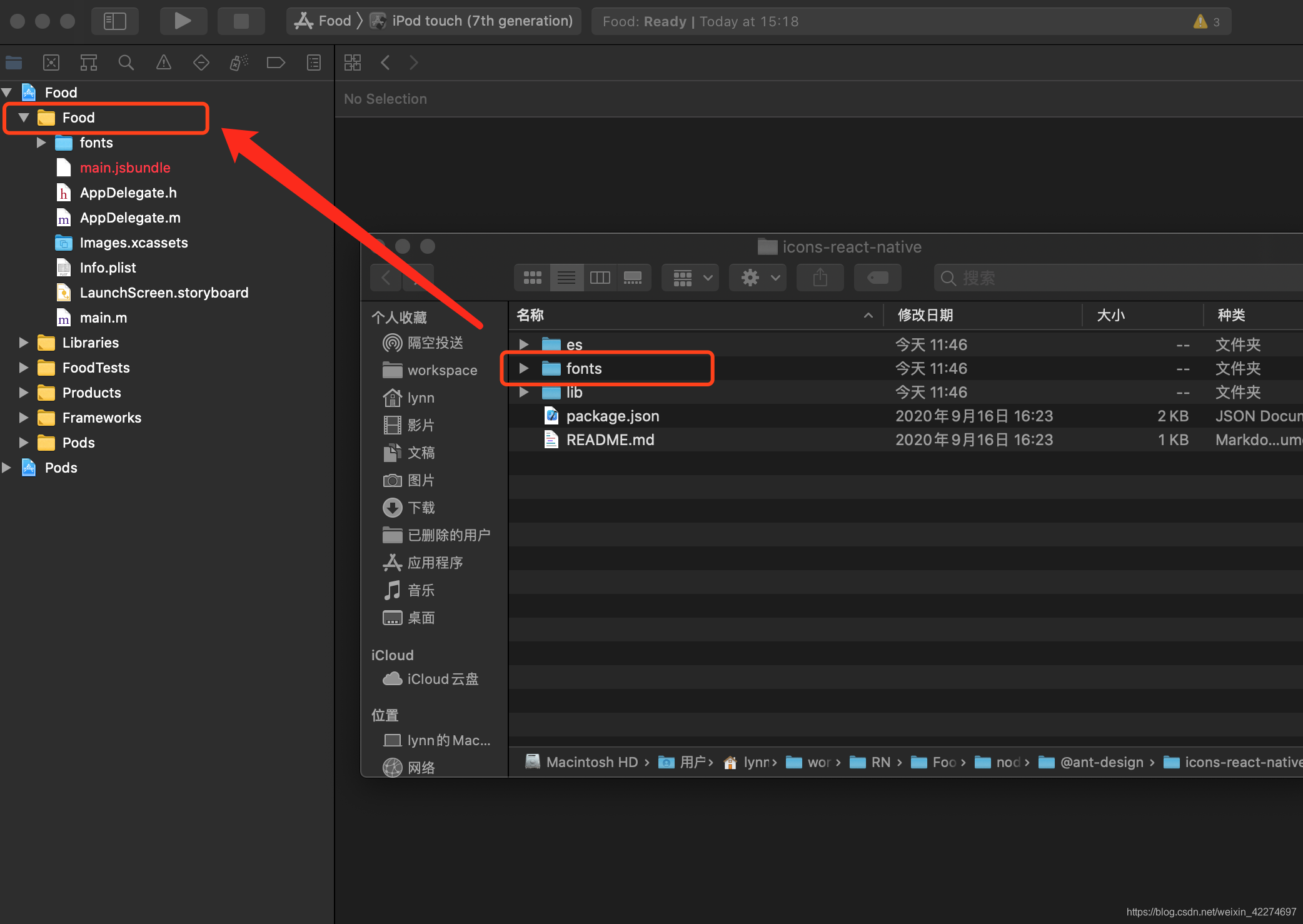
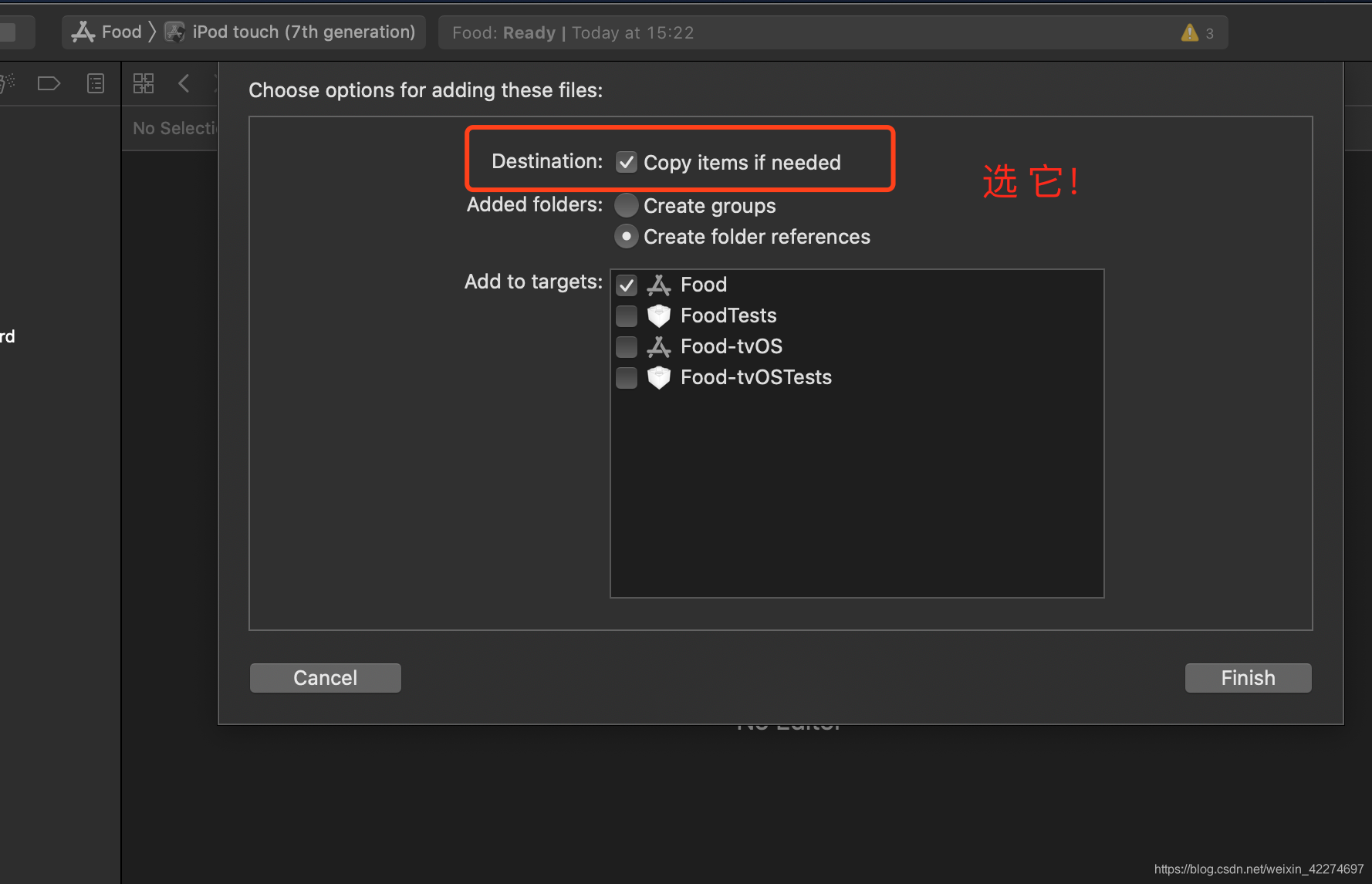
修改Info.plist文件
先打开Info.plist
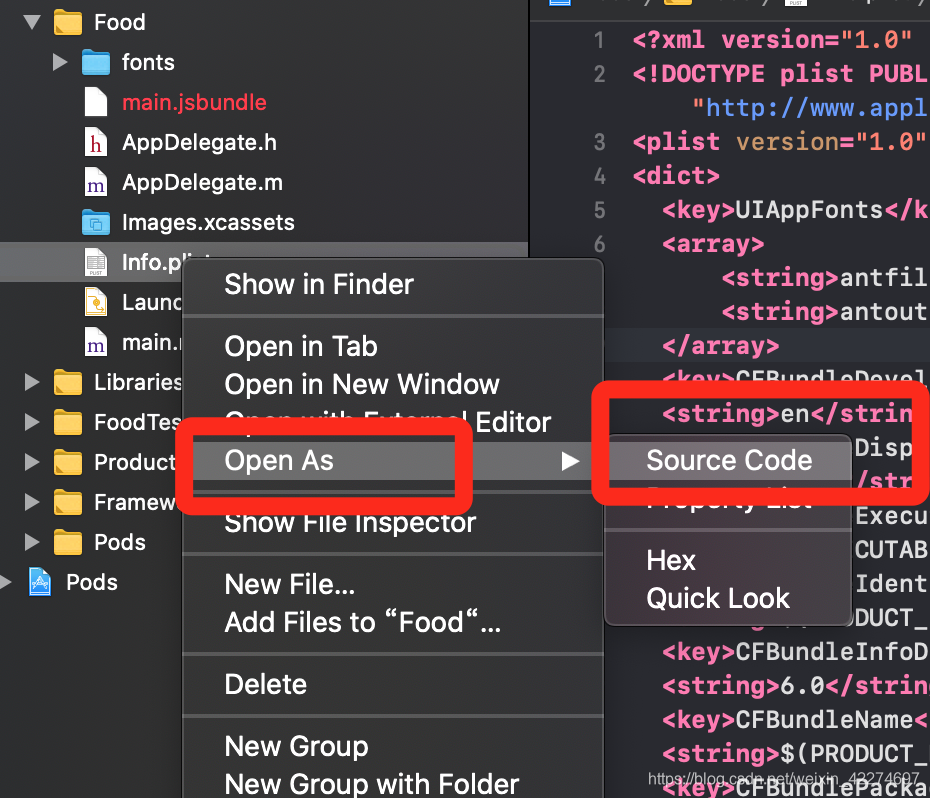
再把这段加进去
<key>UIAppFonts</key>
<array>
    <string>antfill.ttf</string>
    <string>antoutline.ttf</string>
</array>
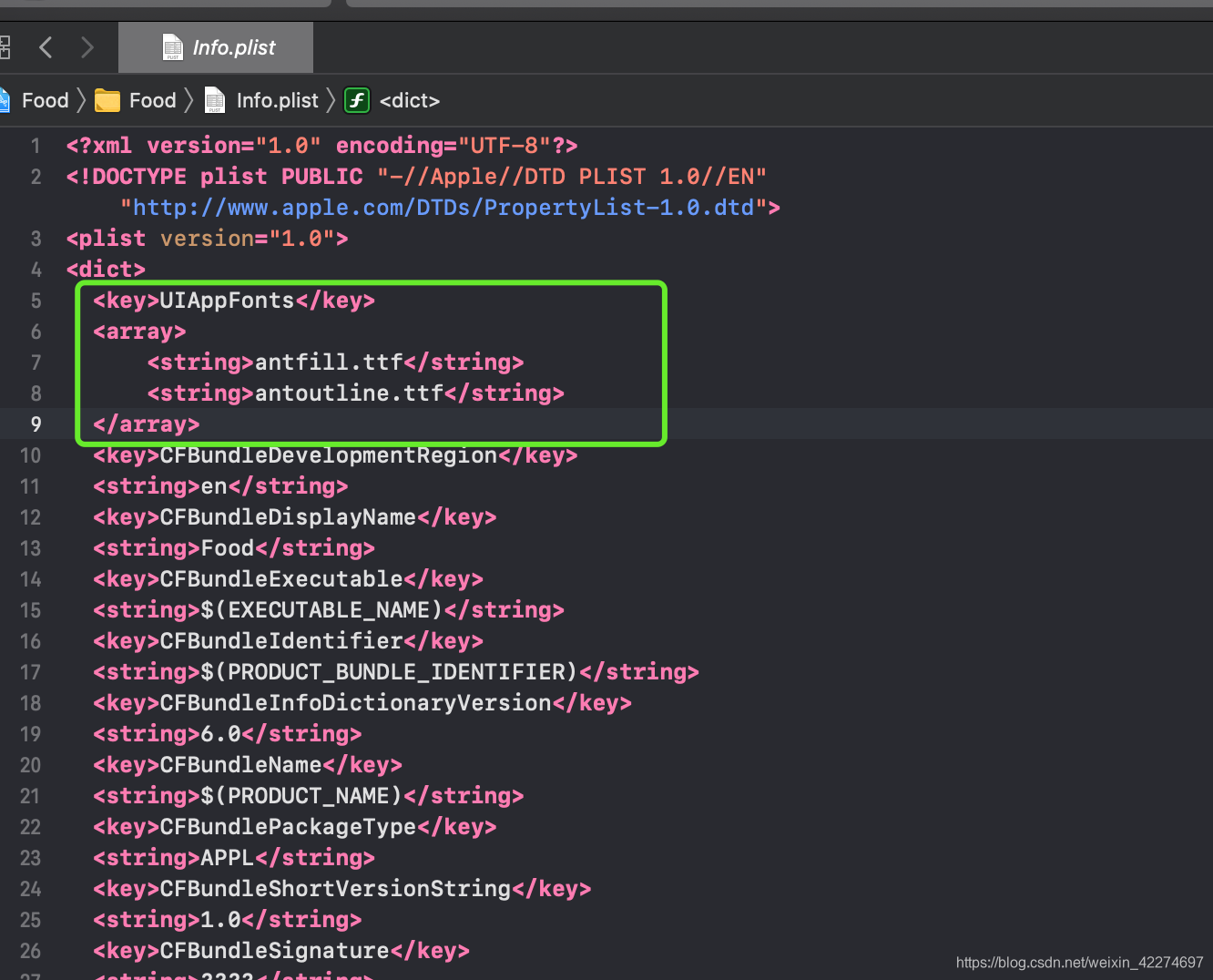
保存!
如果你的字体报错还没有解决 👉
那么试一下
yarn add react-native link
cd ios
pod install
cd ..
yarn ios
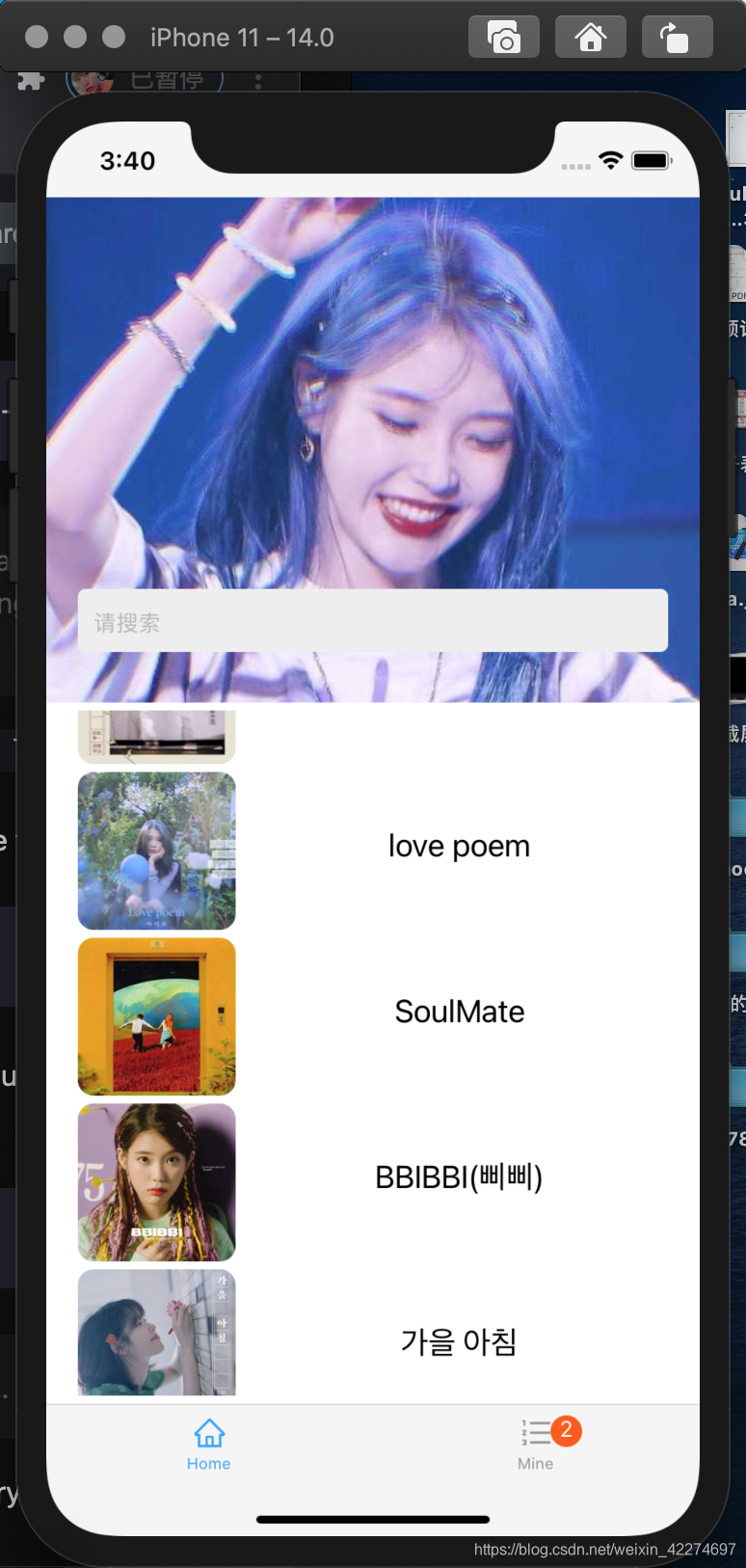
我的已经ok了 👏 (学习也不耽误追星🤩 )

开源鸿蒙跨平台开发社区汇聚开发者与厂商,共建“一次开发,多端部署”的开源生态,致力于降低跨端开发门槛,推动万物智联创新。
更多推荐


 1
1 0
0- 0


 已为社区贡献1条内容

所有评论(0)