Flutter | 1.9 全新组件 ToggleButtons
前几天的 GDD 相信大家还记忆犹新,Flutter 官宣发布了 1.9 正式版。
随之而来的有一些全新的组件和对于 web 的支持等等。
那我们今天就来看一下这其中的一个组件 --「ToggleButtons」。
想看 GDD 第二天视频的小伙伴看这里!
Bilibili - 2019Google上海开发者大会 9月11日分会场4!!!!!![1]
Bilibili - 2019Google上海开发者大会 9月11日分会场4!!!!!![2]
Bilibili - 2019Google上海开发者大会 9月11日分会场4!!!!!![3]
ToggleButtons
首先按照惯例,看看官方对于这个组件是怎么说的:
Creates a horizontal set of toggle buttons.
It displays its widgets provided in a [List] of [children] horizontally.
创建一组水平的切换按钮。
它水平的显示 children 列表中提供的小部件。
其实这段文本是在源码中翻出来的,现在在网上搜 「ToggleButtons」 还是搜不出来官方文档的。
构造函数
还是按照惯例看一下构造函数:
const ToggleButtons({
  Key key,
  @required this.children,
  @required this.isSelected,
  this.onPressed,
  this.color,
  this.selectedColor,
  this.disabledColor,
  this.fillColor,
  this.focusColor,
  this.highlightColor,
  this.hoverColor,
  this.splashColor,
  this.focusNodes,
  this.renderBorder = true,
  this.borderColor,
  this.selectedBorderColor,
  this.disabledBorderColor,
  this.borderRadius,
  this.borderWidth,
}) :
assert(children != null),
assert(isSelected != null),
assert(children.length == isSelected.length),
super(key: key);
解释一下每个参数:
1.children:不多介绍了,一个 Widget 的集合2.isSelected:List<bool>,每个切换按钮相应的状态,true 为选中,该字段的长度必须和 children 的长度一致3.onPressed:切换按钮的点击事件,如果为 null, 则该控件的状态为 disable4.color:Text / Icon 状态为已启用并且未选中时的颜色5.selectedColor:不用多说,选中时的颜色6.disabledColor:未启用时的颜色7.fillColor:选中按钮的背景颜色8.focusColor:当按钮中具有输入焦点时填充的颜色9.highlightColor:点击时的颜色10.hoverColor:当按钮上有指针悬停时用于填充按钮的颜色11.splashColor:点击后的颜色12.focusNodes:每一个按钮的焦点13.renderBorder:是否在每个切换按钮周围呈现边框14.borderColor:边框颜色15.selectedBorderColor:选中的边框颜色16.disabledBorderColor:不可用时边框颜色17.borderRadius:边框半径18.borderWidth:边框宽度
这参数太多了,但是其实也没什么难度。
第一个示例
在组件介绍的下面有很多的代码,我们一一来看。
先看第一个:
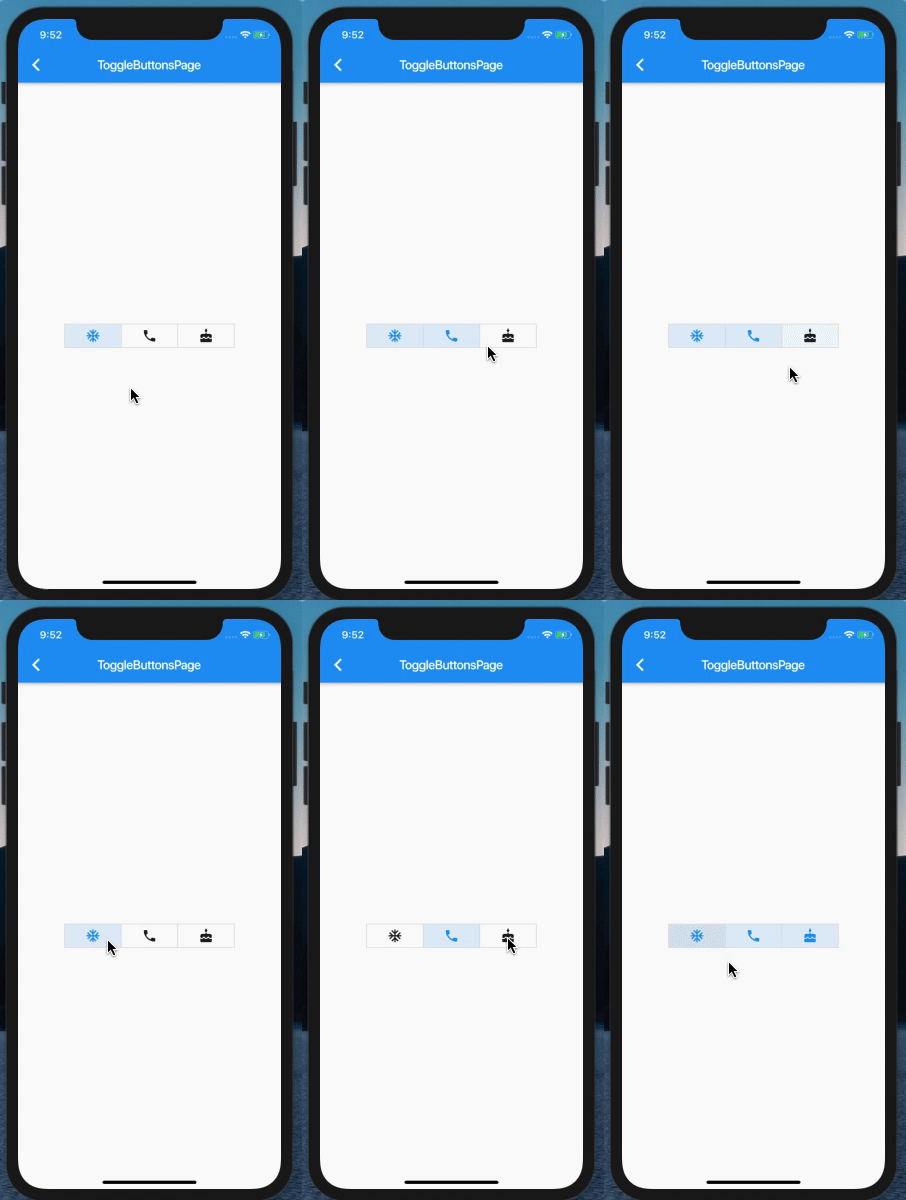
Here is an implementation that allows for multiple buttons to be simultaneously selected, while requiring none of the buttons to be selected.
这里有一个实现,它允许同时选择多个按钮,而不需要选择任何一个按钮。
看一下代码:
List<bool> isSelected = [true, false, false];


ToggleButtons(
  children: <Widget>[
    Icon(Icons.ac_unit),
    Icon(Icons.call),
    Icon(Icons.cake),
  ],
  onPressed: (int index) {
    setState(() {
      isSelected[index] = !isSelected[index];
    });
  },
  isSelected: isSelected,
),
运行效果如下:
其中最重要的代码就是:
1.添加了 「onPress」方法2.在「onPress」回调中刷新每一个切换按钮的值
第二个示例
再来看第二个示例:
Here is an implementation that requires mutually exclusive selection, but allows for none of the buttons to be selected.
这是一个互斥选择的实现,但允许一个都不选择。
代码如下:
ToggleButtons(
  children: <Widget>[
    Icon(Icons.ac_unit),
    Icon(Icons.call),
    Icon(Icons.cake),
  ],
  onPressed: (int index) {
    setState(() {
      for (int buttonIndex = 0; buttonIndex < isSelected.length; buttonIndex++) {
        if (buttonIndex == index) {
          isSelected[buttonIndex] = !isSelected[buttonIndex];
        } else {
          isSelected[buttonIndex] = false;
        }
      }
    });
  },
  isSelected: isSelected,
),
效果如下:
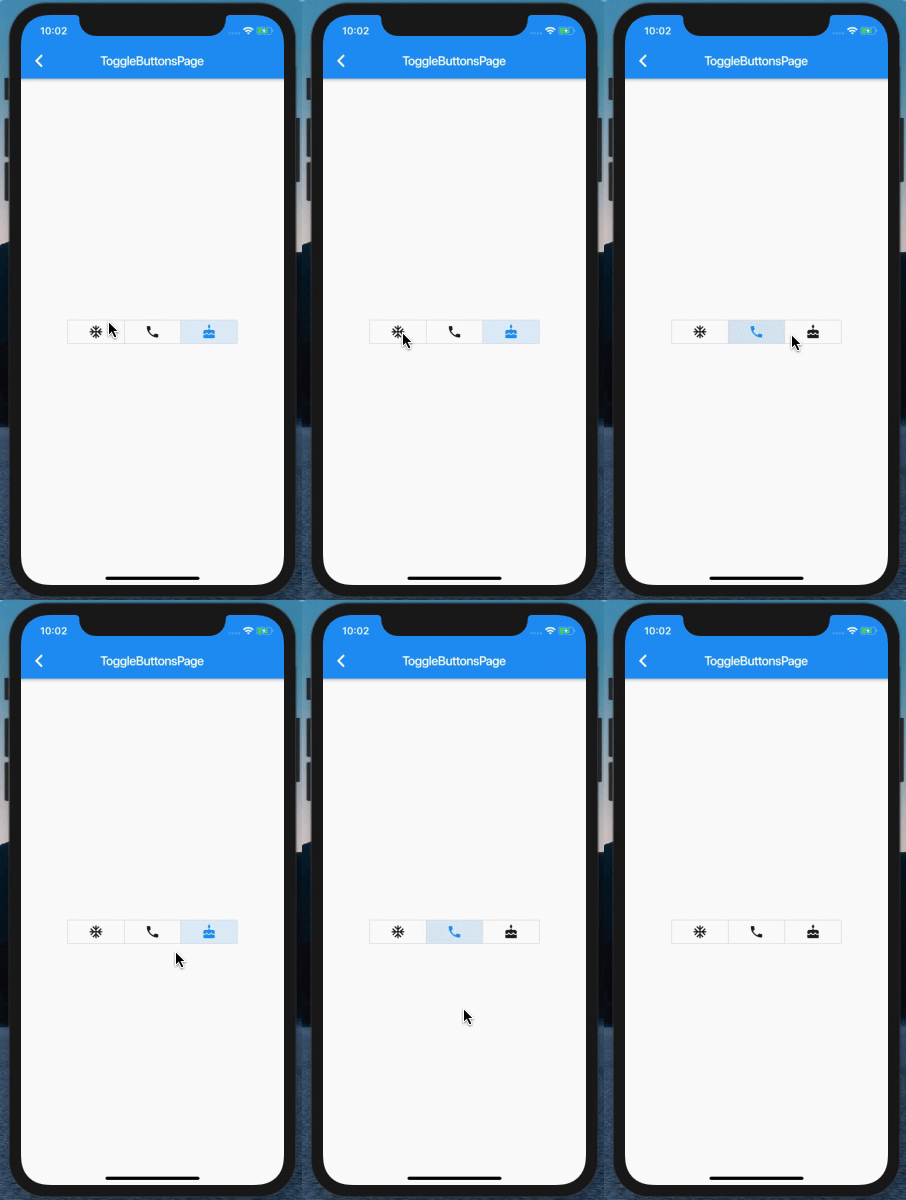
该示例展示了只能选择一个、并且可以不选 demo,主要逻辑如下:
循环所有的切换按钮的值,如果是当前 index,则置反,如果不是,则置为 false。
第三个示例
最后一个示例,
代码如下:
ToggleButtons(
  children: <Widget>[
    Icon(Icons.ac_unit),
    Icon(Icons.call),
    Icon(Icons.cake),
  ],
  onPressed: (int index) {
    int count = 0;
    isSelected.forEach((bool val) {
      if (val) count++;
    });


    if (isSelected[index] && count < 2)
      return;


    setState(() {
      isSelected[index] = !isSelected[index];
    });
  },
  isSelected: isSelected,
),
效果如下:
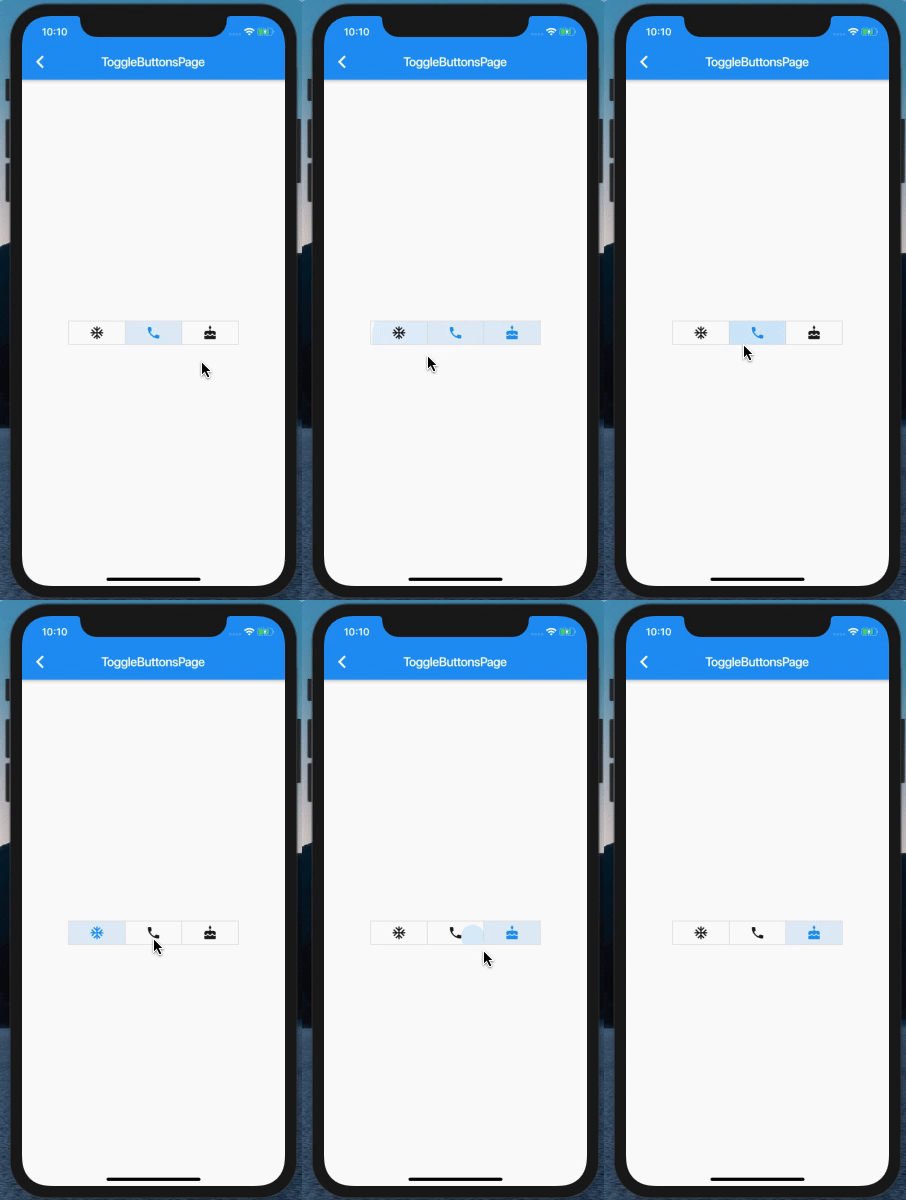
逻辑其实都在 「onPressed」中,导致的结果不一样。
最后
这里我没有改变外观之类的,只是借用了官方的 demo,其实想改变外观之类的,回头看看构造函数,我想了一下,基本能用到的都提供了。
想看 GDD 第二天视频的小伙伴看这里!
Bilibili - 2019Google上海开发者大会 9月11日分会场4!!!!!![4]
Bilibili - 2019Google上海开发者大会 9月11日分会场4!!!!!![5]
Bilibili - 2019Google上海开发者大会 9月11日分会场4!!!!!![6]
另我个人创建了一个「Flutter 交流群」,可以添加我个人微信 「17610912320」来入群。
推荐阅读:
Flutter | WReorderList 一个可以指定两个item互换位置的组件
Flutter | 如何实现一个水波纹扩散效果的 Widget
References
[1] Bilibili - 2019Google上海开发者大会 9月11日分会场4!!!!!!: https://www.bilibili.com/video/av67381317?from=search&seid=13299433060914177168[2] Bilibili - 2019Google上海开发者大会 9月11日分会场4!!!!!!: https://www.bilibili.com/video/av67381317?from=search&seid=13299433060914177168[3] Bilibili - 2019Google上海开发者大会 9月11日分会场4!!!!!!: https://www.bilibili.com/video/av67381317?from=search&seid=13299433060914177168[4] Bilibili - 2019Google上海开发者大会 9月11日分会场4!!!!!!: https://www.bilibili.com/video/av67381317?from=search&seid=13299433060914177168[5] Bilibili - 2019Google上海开发者大会 9月11日分会场4!!!!!!: https://www.bilibili.com/video/av67381317?from=search&seid=13299433060914177168[6] Bilibili - 2019Google上海开发者大会 9月11日分会场4!!!!!!: https://www.bilibili.com/video/av67381317?from=search&seid=13299433060914177168

开源鸿蒙跨平台开发社区汇聚开发者与厂商,共建“一次开发,多端部署”的开源生态,致力于降低跨端开发门槛,推动万物智联创新。
更多推荐
 0
0 0
0- 0


 已为社区贡献16条内容

所有评论(0)