Kotlin协程到底是怎么切换线程的?你是否知晓?
2.1.1 组合新的CoroutineContext
public actual fun CoroutineScope.newCoroutineContext(context: CoroutineContext): CoroutineContext {
val combined = coroutineContext + context
val debug = if (DEBUG) combined + CoroutineId(COROUTINE_ID.incrementAndGet()) else combined
return if (combined !== Dispatchers.Default && combined[ContinuationInterceptor] == null)
debug + Dispatchers.Default else debug
}
从上面可以提炼出以下信息:
1.会将launch方法传入的context与CoroutineScope中的context组合起来
2.如果combined中没有拦截器,会传入一个默认的拦截器,即Dispatchers.Default,这也解释了为什么我们没有传入拦截器时会有一个默认切换线程的效果
2.1.2 创建一个Continuation
val coroutine = if (start.isLazy)
LazyStandaloneCoroutine(newContext, block) else
StandaloneCoroutine(newContext, active = true)
coroutine.start(start, coroutine, block)
默认情况下,我们会创建一个StandloneCoroutine
值得注意的是,这个coroutine其实是我们协程体的complete,即成功后的回调,而不是协程体本身
然后调用coroutine.start,这表明协程开始启动了
2.2 协程的启动
public fun start(start: CoroutineStart, receiver: R, block: suspend R.() -> T) {
initParentJob()
start(block, receiver, this)
}
接着调用CoroutineStart的start来启动协程,默认情况下调用的是CoroutineStart.Default
经过层层调用,最后到达了:
internal fun <R, T> (suspend ® -> T).startCoroutineCancellable(receiver: R, completion: Continuation) =
runSafely(completion) {
// 外面再包一层 Coroutine
createCoroutineUnintercepted(receiver, completion)
// 如果需要,做拦截处理
.intercepted()
// 调用 resumeWith 方法
.resumeCancellableWith(Result.success(Unit))
}
这里就是协程启动的核心代码,虽然比较短,却包括3个步骤:
1.创建协程体Continuation
2.创建拦截 Continuation,即DispatchedContinuation
3.执行DispatchedContinuation.resumeWith方法
2.3 创建协程体Continuation
调用createCoroutineUnintercepted,会把我们的协程体即suspend block转换成Continuation,它是SuspendLambda,继承自ContinuationImpl
createCoroutineUnintercepted方法在源码中找不到具体实现,不过如果你把协程体代码反编译后就可以看到真正的实现
详情可见:字节码反编译
2.4 创建DispatchedContinuation
public actual fun Continuation.intercepted(): Continuation =
(this as? ContinuationImpl)?.intercepted() ?: this
//ContinuationImpl
public fun intercepted(): Continuation<Any?> =
intercepted
?: (context[ContinuationInterceptor]?.interceptContinuation(this) ?: this)
.also { intercepted = it }
//CoroutineDispatcher
public final override fun interceptContinuation(continuation: Continuation): Continuation =
DispatchedContinuation(this, continuation)
从上可以提炼出以下信息
1.interepted是个扩展方法,最后会调用到ContinuationImpl.intercepted方法
2.在intercepted会利用CoroutineContext,获取当前的拦截器
3.因为当前的拦截器是CoroutineDispatcher,因此最终会返回一个DispatchedContinuation,我们其实也是利用它实现线程切换的
4.我们将协程体的Continuation传入DispatchedContinuation,这里其实用到了装饰器模式,实现功能的增强

这里其实很明显了,通过DispatchedContinuation装饰原有协程,在DispatchedContinuation里通过调度器处理线程切换,不影响原有逻辑,实现功能的增强
2.5 拦截处理
//DispatchedContinuation
inline fun resumeCancellableWith(
result: Result,
noinline onCancellation: ((cause: Throwable) -> Unit)?
) {
val state = result.toState(onCancellation)
if (dispatcher.isDispatchNeeded(context)) {
_state = state
resumeMode = MODE_CANCELLABLE
dispatcher.dispatch(context, this)
} else {
executeUnconfined(state, MODE_CANCELLABLE) {
if (!resumeCancelled(state)) {
resumeUndispatchedWith(result)
}
}
}
}
上面说到了启动时会调用DispatchedContinuation的resumeCancellableWith方法
这里面做的事也很简单:
1.如果需要切换线程,调用dispatcher.dispatcher方法,这里的dispatcher是通过CoroutineConext取出来的
2.如果不需要切换线程,直接运行原有线程即可
2.5.2 调度器的具体实现
我们首先明确下,CoroutineDispatcher是通过CoroutineContext取出来的,这也是协程上下文作用的体现
CoroutineDispater官方提供了四种实现:Dispatchers.Main,Dispatchers.IO,Dispatchers.Default,Dispatchers.Unconfined
我们一起简单看下Dispatchers.Main的实现
internal class HandlerContext private constructor(
private val handler: Handler,
private val name: String?,
private val invokeImmediately: Boolean
) : HandlerDispatcher(), Delay {
public constructor(
handler: Handler,
name: String? = null
) : this(handler, name, false)
//…
override fun dispatch(context: CoroutineContext, block: Runnable) {
// 利用主线程的 Handler 执行任务
handler.post(block)
}
}
可以看到,其实就是用handler切换到了主线程
如果用Dispatcers.IO也是一样的,只不过换成线程池切换了

如上所示,其实就是一个装饰模式
1.调用CoroutinDispatcher.dispatch方法切换线程
2.切换完成后调用DispatchedTask.run方法,执行真正的协程体
上面我们介绍了协程线程调度的基本原理与实现,下面我们来回答几个小问题
我们知道delay函数会挂起,然后等待一段时间再恢复。
可以想象,这里面应该也涉及到线程的切换,具体是怎么实现的呢?
public suspend fun delay(timeMillis: Long) {
if (timeMillis <= 0) return // don’t delay
return suspendCancellableCoroutine sc@ { cont: CancellableContinuation ->
// if timeMillis == Long.MAX_VALUE then just wait forever like awaitCancellation, don’t schedule.
if (timeMillis < Long.MAX_VALUE) {
cont.context.delay.scheduleResumeAfterDelay(timeMillis, cont)
}
}
}
internal val CoroutineContext.delay: Delay get() = get(ContinuationInterceptor) as? Delay ?: DefaultDelay
Dealy的代码也很简单,从上面可以提炼出以下信息
delay的切换也是通过拦截器来实现的,内置的拦截器同时也实现了Delay接口
我们来看一个具体实现
internal class HandlerContext private constructor(
private val handler: Handler,
private val name: String?,
private val invokeImmediately: Boolean
) : HandlerDispatcher(), Delay {
override fun scheduleResumeAfterDelay(timeMillis: Long, continuation: CancellableContinuation) {
// 利用主线程的 Handler 延迟执行任务,将完成的 continuation 放在任务中执行
val block = Runnable {
with(continuation) { resumeUndispatched(Unit) }
}
handler.postDelayed(block, timeMillis.coerceAtMost(MAX_DELAY))
continuation.invokeOnCancellation { handler.removeCallbacks(block) }
}
//…
}
1.可以看出,其实也是通过handler.postDelayed实现延时效果的
2.时间到了之后,再通过resumeUndispatched方法恢复协程
3.如果我们用的是Dispatcher.IO,效果也是一样的,不同的就是延时效果是通过切换线程实现的
我们在协程体内,可能通过withContext方法简单便捷的切换线程,用同步的方式写异步代码,这也是kotin协程的主要优势之一
fun test(){
viewModelScope.launch(Dispatchers.Main) {
print(“1:” + Thread.currentThread().name)
withContext(Dispatchers.IO){
delay(1000)
print(“2:” + Thread.currentThread().name)
}
print(“3:” + Thread.currentThread().name)
}
}
//1,2,3处分别输出main,DefaultDispatcher-worker-1,main
可以看出这段代码做了一个切换线程然后再切换回来的操作,我们可以提出两个问题
1.withContext是怎样切换线程的?
2.withContext内的协程体结束后,线程怎样切换回到Dispatchers.Main?
public suspend fun withContext(
context: CoroutineContext,
block: suspend CoroutineScope.() -> T
): T {
return suspendCoroutineUninterceptedOrReturn sc@ { uCont ->
// 创建新的context
val oldContext = uCont.context
val newContext = oldContext + context
…
//使用新的Dispatcher,覆盖外层
val coroutine = DispatchedCoroutine(newContext, uCont)
coroutine.initParentJob()
//DispatchedCoroutine作为了complete传入
block.startCoroutineCancellable(coroutine, coroutine)
coroutine.getResult()
}
}
private class DispatchedCoroutine(
context: CoroutineContext,
uCont: Continuation
) : ScopeCoroutine(context, uCont) {
//在complete时会会回调
override fun afterCompletion(state: Any?) {
afterResume(state)
}
override fun afterResume(state: Any?) {
//uCont就是父协程,context仍是老版context,因此可以切换回原来的线程上
uCont.intercepted().resumeCancellableWith(recoverResult(state, uCont))
}
}
这段代码其实也很简单,可以提炼出以下信息
1.withContext其实就是一层Api封装,最后调用到了startCoroutineCancellable,这就跟launch后面的流程一样了,我们就不继续跟了
2.传入的context会覆盖外层的拦截器并生成一个newContext,因此可以实现线程的切换
3.DispatchedCoroutine作为complete传入协程体的创建函数中,因此协程体执行完成后会回调到afterCompletion中
4.DispatchedCoroutine中传入的uCont是父协程,它的拦截器仍是外层的拦截器,因此会切换回原来的线程中
本文主要回答了kotlin协程到底是怎么切换线程的这个问题,并对源码进行了分析
简单来讲主要包括以下步骤:
1.向CoroutineContext添加Dispatcher,指定运行的协程
2.在启动时将suspend block创建成Continuation,并调用intercepted生成DispatchedContinuation
3.DispatchedContinuation就是对原有协程的装饰,在这里调用Dispatcher完成线程切换任务后,resume被装饰的协程,就会执行协程体内的代码了
其实kotlin协程就是用装饰器模式实现线程切换的
看起来似乎有不少代码,但是真正的思路其实还是挺简单的,这大概就是设计模式的作用吧
小编分享一些 Android 开发相关的学习文档、面试题、Android 核心笔记等等文档,希望能帮助到大家学习提升,如有需要参考的可以直接去我 CodeChina地址:https://codechina.csdn.net/u012165769/Android-T3 访问查阅。如果本文对你有所帮助,欢迎点赞收藏~

自我介绍一下,小编13年上海交大毕业,曾经在小公司待过,也去过华为、OPPO等大厂,18年进入阿里一直到现在。
深知大多数初中级Android工程师,想要提升技能,往往是自己摸索成长或者是报班学习,但对于培训机构动则近万的学费,着实压力不小。自己不成体系的自学效果低效又漫长,而且极易碰到天花板技术停滞不前!
因此收集整理了一份《2024年Android移动开发全套学习资料》,初衷也很简单,就是希望能够帮助到想自学提升又不知道该从何学起的朋友,同时减轻大家的负担。
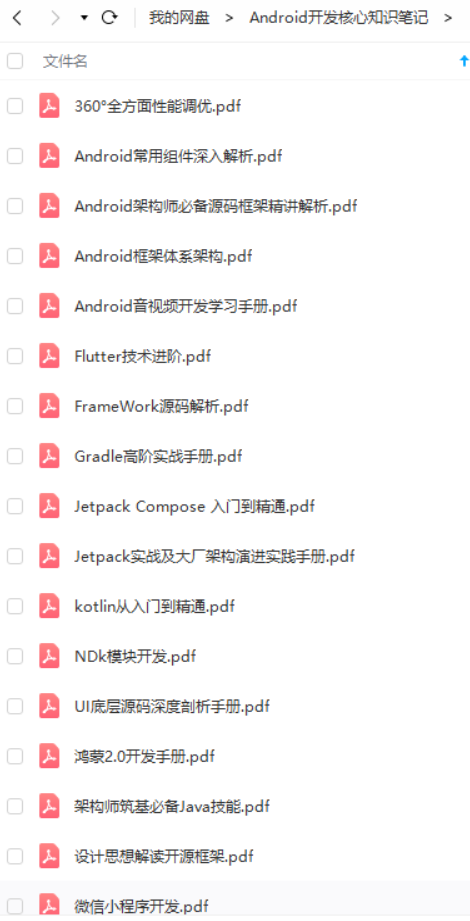
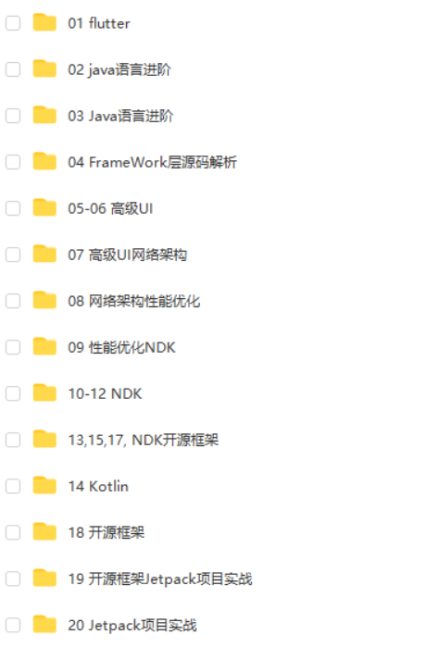
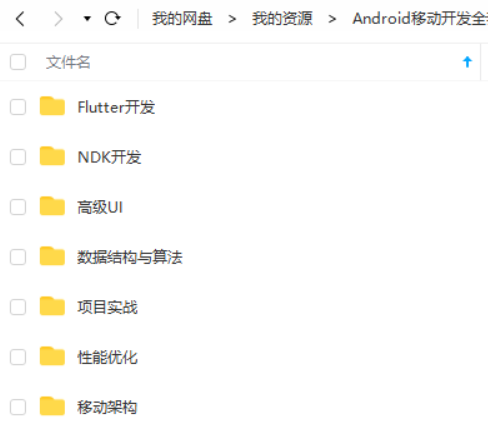
既有适合小白学习的零基础资料,也有适合3年以上经验的小伙伴深入学习提升的进阶课程,基本涵盖了95%以上Android开发知识点,真正体系化!
由于文件比较大,这里只是将部分目录截图出来,每个节点里面都包含大厂面经、学习笔记、源码讲义、实战项目、讲解视频,并且会持续更新!
如果你觉得这些内容对你有帮助,可以扫码获取!!(备注:Android)

最后
跳槽季整理面试题已经成了我多年的习惯!在这里我和身边一些朋友特意整理了一份快速进阶为Android高级工程师的系统且全面的学习资料。涵盖了Android初级——Android高级架构师进阶必备的一些学习技能。
附上:我们之前因为秋招收集的二十套一二线互联网公司Android面试真题(含BAT、小米、华为、美团、滴滴)和我自己整理Android复习笔记(包含Android基础知识点、Android扩展知识点、Android源码解析、设计模式汇总、Gradle知识点、常见算法题汇总。)
《互联网大厂面试真题解析、进阶开发核心学习笔记、全套讲解视频、实战项目源码讲义》点击传送门即可获取!
由于文件比较大,这里只是将部分目录截图出来,每个节点里面都包含大厂面经、学习笔记、源码讲义、实战项目、讲解视频,并且会持续更新!
如果你觉得这些内容对你有帮助,可以扫码获取!!(备注:Android)
最后
跳槽季整理面试题已经成了我多年的习惯!在这里我和身边一些朋友特意整理了一份快速进阶为Android高级工程师的系统且全面的学习资料。涵盖了Android初级——Android高级架构师进阶必备的一些学习技能。
附上:我们之前因为秋招收集的二十套一二线互联网公司Android面试真题(含BAT、小米、华为、美团、滴滴)和我自己整理Android复习笔记(包含Android基础知识点、Android扩展知识点、Android源码解析、设计模式汇总、Gradle知识点、常见算法题汇总。)
[外链图片转存中…(img-zA7HoO83-1712661868669)]
《互联网大厂面试真题解析、进阶开发核心学习笔记、全套讲解视频、实战项目源码讲义》点击传送门即可获取!

开源鸿蒙跨平台开发社区汇聚开发者与厂商,共建“一次开发,多端部署”的开源生态,致力于降低跨端开发门槛,推动万物智联创新。
更多推荐



 19
19 0
0- 0


 已为社区贡献28条内容

所有评论(0)