RN中怎样做一个选项卡
安装依赖:npm i react-native-tab-view --save2.代码import React, { Component } from 'react';import {Text,View,StyleSheet,Dimensions,TouchableOpacity,} from 'react-native';im...
·
1.安装依赖:
npm i react-native-tab-view --save
2.代码
import React, { PureComponent } from 'react';
import {
    SafeAreaView,
    Text,
    Dimensions,
} from 'react-native';
import { SceneMap, TabView, TabBar } from 'react-native-tab-view';

export default class CustManagement extends PureComponent {
    constructor(props) {
        super(props);
        // 初始状态
        this.state = {
            index: 0,
            routes: [
                { key: 'first', title: '页面一' },
                { key: 'second', title: '页面二' },
                { key: 'third', title: '页面三' },
                { key: 'fourth', title: '页面四' },
            ],
        };
    }

    renderTabBar = (props) => (
        <TabBar
            {...props}
            style={{
                backgroundColor: '#fff', // 整个tabbar中的背景颜色
                // shadowColor: 'red', // 设置遮罩层的背景颜色
                // shadowOffset: {
                //     width: 0, // 设置遮罩层的宽度
                //     height: 0, // 设置遮罩层的高度
                // },
                // shadowRadius: 0, // 设置遮罩层的阴影圆角
                // shadowOpacity: 1, // 设置遮罩层的透明度,
            }}
            getLabelText={({ route }) => route.title} // 设置tabbar中的文字显示
            labelStyle={{
                // fontFamily: 'PingFangSC-Regular',
                fontSize: 14, // 设置Tabbar中字体的大小
                // fontWeight: 'bold',
            }}
            tabStyle={{ height: 44 }} // 设置tabbar的高度
            indicatorStyle={{ backgroundColor: '#4a79e0' }} // 设置下划线的颜色
            activeColor="#4a79e0" // 设置选中的那个字体的颜色
            inactiveColor="black" // "#666666" // 设置未选中字体的颜色
        />
    )

    FirstRoute = () => (
        <Text>1</Text>
    )

    SecondRoute = () => (
        <Text>2</Text>
    )

    ThirdRoute = () => (
        <Text>3</Text>
    )

    FourthRoute = () => (
        <Text>4</Text>
    )

    onIndexChange = (index) => {
        this.setState({
            index,
        });
    }

    renderScene = ({ route }) => {
        switch (route.key) {
        case 'first':
            return this.FirstRoute();
        case 'second':
            return this.SecondRoute();
        case 'third':
            return this.ThirdRoute();
        case 'fourth':
            return this.FourthRoute();
        default:
            return null;
        }
    };

    render() {
        return (
            <SafeAreaView style={{ flex: 1, backgroundColor: '#eee' }}>
                <TabView
                    navigationState={this.state} // 取到state中到routes和index
                    renderScene={this.renderScene} // 渲染tabbar下边到内容
                    onIndexChange={this.onIndexChange} // 改变tabbar到时候触发条件
                    renderTabBar={this.renderTabBar} // 自定义到tabbar样式
                    initialLayout={{ width: Dimensions.get('window').width }} // 设置tabbar的宽度
                />
            </SafeAreaView>
        );
    }
}
3.详情参考:
https://www.npmjs.com/package/react-native-tab-view
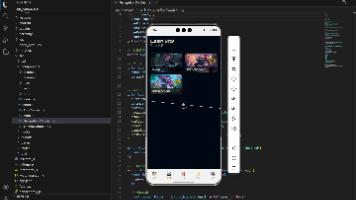
4.样式如图:

开源鸿蒙跨平台开发社区汇聚开发者与厂商,共建“一次开发,多端部署”的开源生态,致力于降低跨端开发门槛,推动万物智联创新。
更多推荐

 0
0 0
0- 0


 已为社区贡献8条内容

所有评论(0)