在 Flutter 中使用 NavigationRail 和 BottomNavigationBar
针对Android程序员,我这边给大家整理了一些资料,包括不限于高级UI、性能优化、架构师课程、NDK、混合式开发(ReactNative+Weex)微信小程序、Flutter等全方面的Android进阶实践技术;希望能帮助到大家,也节省大家在网上搜索资料的时间来学习,也可以分享动态给身边好友一起学习!往期Android高级架构资料、源码、笔记、视频。高级UI、性能优化、架构师课程、混合式开发(R
// The contents of views
// Only the content associated with the selected tab is displayed on the screen
final List _mainContents = [
// Content for Home tab
Container(
color: Colors.yellow.shade100,
alignment: Alignment.center,
child: const Text(
‘Home’,
style: TextStyle(fontSize: 40),
),
),
// Content for Feed tab
Container(
color: Colors.purple.shade100,
alignment: Alignment.center,
child: const Text(
‘Feed’,
style: TextStyle(fontSize: 40),
),
),
// Content for Favorites tab
Container(
color: Colors.red.shade100,
alignment: Alignment.center,
child: const Text(
‘Favorites’,
style: TextStyle(fontSize: 40),
),
),
// Content for Settings tab
Container(
color: Colors.pink.shade300,
alignment: Alignment.center,
child: const Text(
‘Settings’,
style: TextStyle(fontSize: 40),
),
)
];
// The index of the selected tab
// In the beginning, the Home tab is selected
int _selectedIndex = 0;
@override
Widget build(BuildContext context) {
return Scaffold(
appBar: AppBar(
title: const Text(‘大前端之旅’),
),
// Show the bottom tab bar if screen width < 640
bottomNavigationBar: MediaQuery.of(context).size.width < 640
? BottomNavigationBar(
currentIndex: _selectedIndex,
unselectedItemColor: Colors.grey,
selectedItemColor: Colors.indigoAccent,
// called when one tab is selected
onTap: (int index) {
setState(() {
_selectedIndex = index;
});
},
// bottom tab items
items: const [
BottomNavigationBarItem(
icon: Icon(Icons.home), label: ‘Home’),
BottomNavigationBarItem(
icon: Icon(Icons.feed), label: ‘Feed’),
BottomNavigationBarItem(
icon: Icon(Icons.favorite), label: ‘Favorites’),
BottomNavigationBarItem(
icon: Icon(Icons.settings), label: ‘Settings’)
-
])
- null,
body: Row(
mainAxisSize: MainAxisSize.max,
children: [
// Show the navigaiton rail if screen width >= 640
if (MediaQuery.of(context).size.width >= 640)
NavigationRail(
minWidth: 55.0,
selectedIndex: _selectedIndex,
// Called when one tab is selected
onDestinationSelected: (int index) {
setState(() {
_selectedIndex = index;
});
},
labelType: NavigationRailLabelType.all,
selectedLabelTextStyle: const TextStyle(
color: Colors.amber,
),
leading: Column(
children: const [
SizedBox(
height: 8,
),
CircleAvatar(
radius: 20,
child: Icon(Icons.person),
),
],
),
unselectedLabelTextStyle: const TextStyle(),
// navigation rail items
destinations: const [
NavigationRailDestination(
icon: Icon(Icons.home), label: Text(‘Home’)),
NavigationRailDestination(
icon: Icon(Icons.feed), label: Text(‘Feed’)),
NavigationRailDestination(
icon: Icon(Icons.favorite), label: Text(‘Favorites’)),
NavigationRailDestination(
icon: Icon(Icons.settings), label: Text(‘Settings’)),
],
),
// Main content
// This part is always shown
// You will see it on both small and wide screen
Expanded(child: _mainContents[_selectedIndex]),
],
),
);
}
}
NavigationRail 构造函数:
NavigationRail({
Key? key,
Color? backgroundColor,
bool extended = false,
Widget? leading,
Widget? trailing,
required List destinations,
required int selectedIndex,
ValueChanged? onDestinationSelected,
double? elevation,
double? groupAlignment,
NavigationRailLabelType? labelType,
TextStyle? unselectedLabelTextStyle,
TextStyle? selectedLabelTextStyle,
IconThemeData? unselectedIconTheme,
IconThemeData? selectedIconTheme,
double? minWidth,
double? minExtendedWidth,
bool? useIndicator,
Color? indicatorColor
})
BottomNavigationBar 构造函数:
BottomNavigationBar({
Key? key,
required List items,
ValueChanged? onTap,
int currentIndex = 0,
double? elevation,
BottomNavigationBarType? type,
Color? fixedColor,
Color? backgroundColor,
double iconSize = 24.0,
Color? selectedItemColor,
Color? unselectedItemColor,
IconThemeData? selectedIconTheme,
IconThemeData? unselectedIconTheme,
double selectedFontSize = 14.0,
double unselectedFontSize = 12.0,
TextStyle? selectedLabelStyle,
TextStyle? unselectedLabelStyle,
bool? showSelectedLabels,
bool? showUnselectedLabels,
最后
针对Android程序员,我这边给大家整理了一些资料,包括不限于高级UI、性能优化、架构师课程、NDK、混合式开发(ReactNative+Weex)微信小程序、Flutter等全方面的Android进阶实践技术;希望能帮助到大家,也节省大家在网上搜索资料的时间来学习,也可以分享动态给身边好友一起学习!
往期Android高级架构资料、源码、笔记、视频。高级UI、性能优化、架构师课程、混合式开发(ReactNative+Weex)全方面的Android进阶实践技术,群内还有技术大牛一起讨论交流解决问题。
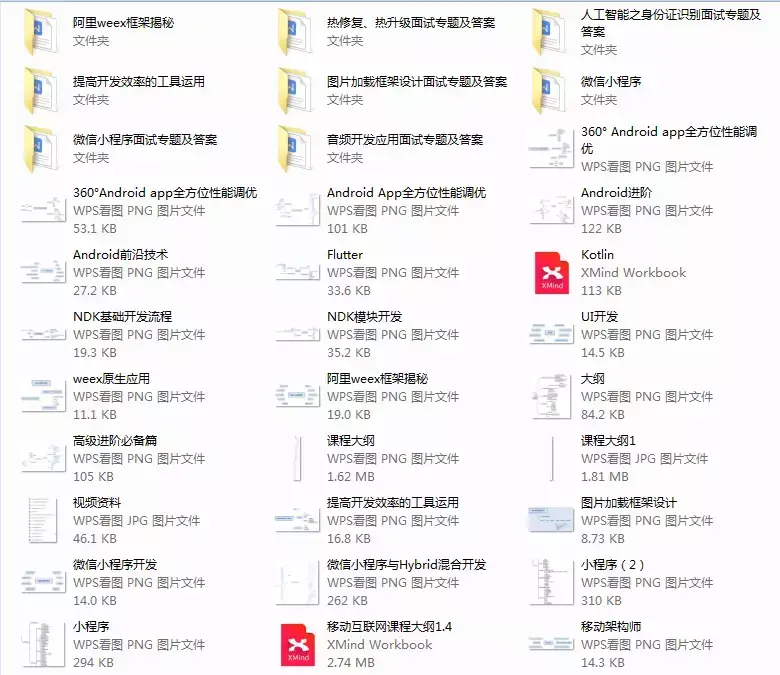
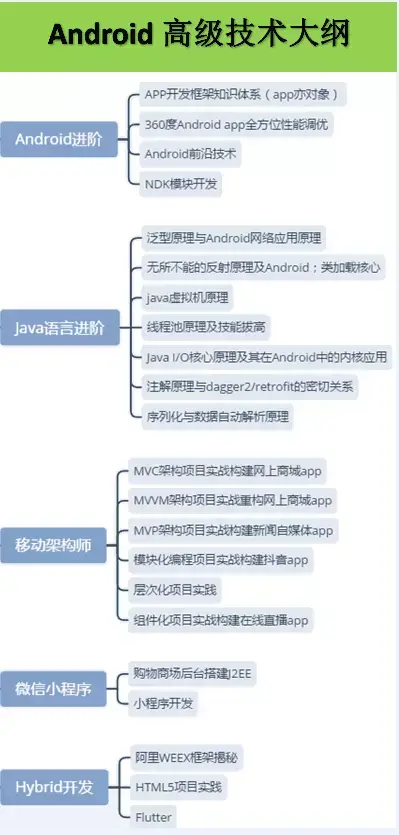
《Android学习笔记总结+移动架构视频+大厂面试真题+项目实战源码》,点击传送门,即可获取!
eex)微信小程序、Flutter等全方面的Android进阶实践技术;希望能帮助到大家,也节省大家在网上搜索资料的时间来学习,也可以分享动态给身边好友一起学习!**
往期Android高级架构资料、源码、笔记、视频。高级UI、性能优化、架构师课程、混合式开发(ReactNative+Weex)全方面的Android进阶实践技术,群内还有技术大牛一起讨论交流解决问题。
[外链图片转存中…(img-jWZN7wV5-1715026186695)]
[外链图片转存中…(img-563fatbc-1715026186697)]
《Android学习笔记总结+移动架构视频+大厂面试真题+项目实战源码》,点击传送门,即可获取!

开源鸿蒙跨平台开发社区汇聚开发者与厂商,共建“一次开发,多端部署”的开源生态,致力于降低跨端开发门槛,推动万物智联创新。
更多推荐
 22
22 0
0- 0


 已为社区贡献10条内容

所有评论(0)