React Native应用程序中的简单警报
Alerts are very important in app development because it could be used to output a warning or success message.
警报在应用程序开发中非常重要,因为它可用于输出警告或成功消息。
In react native, creating an alert is as simple as in Vanilla JavaScript.
在本地响应中,创建警报就像在Vanilla JavaScript中一样简单。
Below is a simple example where we will create an alert after a button is clicked.
下面是一个简单的示例,在该示例中,我们将在单击按钮后创建警报。
As usual, we will, first of all, begin by importing the required components from the react-native library like the View, Text and The button we will be using for the alert.
像往常一样,首先,我们将从React本机库中导入所需的组件,例如视图,文本和将用于警报的按钮。
Open your App.js file and type the following,
打开您的App.js文件,然后输入以下内容:
import * as React from 'react';
import { Text, View, StyleSheet, Button } from 'react-native';

export default function App () {
  return (
    <View style={styles.container}>

      <Text> SIMPLE ALERTS </Text>
    <Button
  onPress={() => {
    alert('I LOVE JESUS!!!');
  }}
  title="CLICK"
/>
    </View>
  );
}
const styles = StyleSheet.create({
  container: {
    flex: 1,
    backgroundColor: '#fff',
    alignItems: 'center',
    justifyContent: 'center',
  },
});
Output
输出量
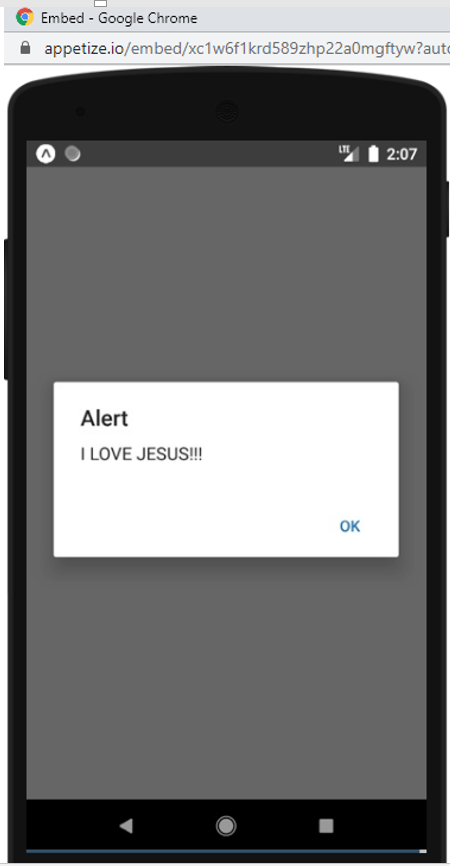
As you can see above, an event handler function for the onPress event was added to create the alert.
如您在上面看到的,添加了onPress事件的事件处理函数以创建警报。
Alerts can go way more complex more than just creating ordinary or simple alerts.
警报不仅可以创建普通或简单警报,还可以变得更加复杂。
So that's it for the simple alert! Happy Coding!
这就是简单的警报! 编码愉快!
Thanks for coding with me! See you @ the next article. Feel free to drop a comment or question. God Bless You!
感谢您与我编码! 下次见。 随意发表评论或问题。 上帝祝福你!
翻译自: https://www.includehelp.com/react-js/simple-alerts-in-react-native-application.aspx

开源鸿蒙跨平台开发社区汇聚开发者与厂商,共建“一次开发,多端部署”的开源生态,致力于降低跨端开发门槛,推动万物智联创新。
更多推荐

 0
0 0
0- 0


 已为社区贡献9条内容

所有评论(0)