React-Native调用系统分享组件Share组件的使用
React-Native调用系统分享组件Share组件的使用
title: React-Native调用系统分享Share组件的使用
tags: react-native
一. 方法
- share
- sharedAction
- dismissedAction
二、具体说明
1.share
接口:
static share(content, options)
打开一个分享文本内容的对话框
- 在 iOS 中,返回一个 Promise,最终会解析为一个对象,包含有action和activityType两个属性。如果用户取消对话框,则 Promise 仍将被解析,最终返回的action属性会是Share.dismissedAction,而其他属性为 undefined。
- 在 Android 中同样返回一个 Promise,但返回的action始终为Share.sharedAction。
In iOS, Returns a Promise which will be invoked an object containing action, activityType. If the user dismissed the dialog, the Promise will still be resolved with action being Share.dismissedAction and all the other keys being undefined.
In Android, Returns a Promise which always be resolved with action being Share.sharedAction.
Content 参数说明
   - message - 要分享的消息
   - title - 消息的标题
   - url - 要分享的网址,(iOS系统中特有)
至少需要一个 url 和message。
options参数说明
ios
	- subject - 通过邮件分享的标题
	- excludedActivityTypes
	- tintColor
android
	- dialogTitle
2 sharedAction()
接口:
static sharedAction()
表示内容已成功分享。
3 dismissedAction()
接口:
static dismissedAction()
表示对话框被取消。仅限 iOS系统。
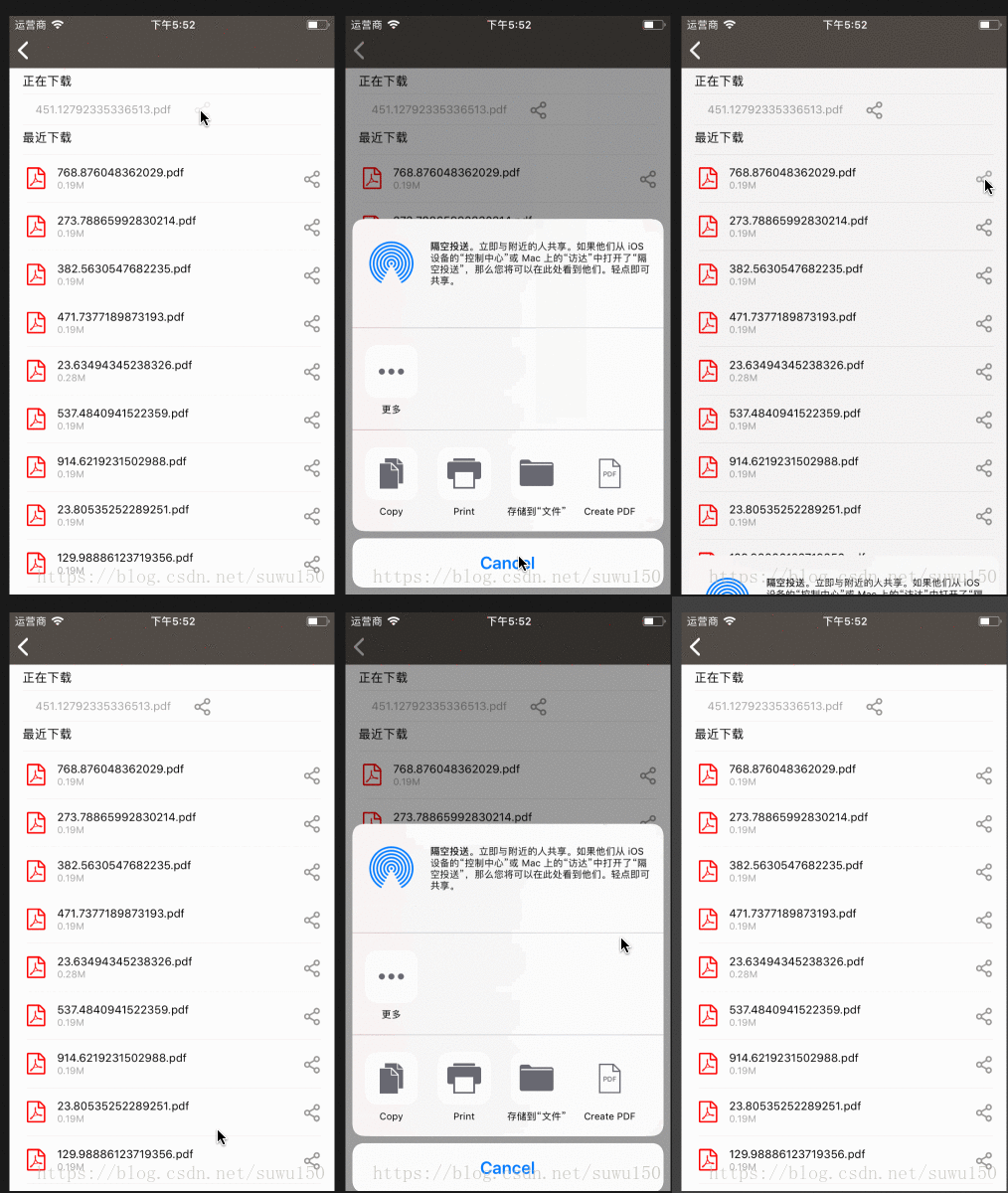
三. 效果如下所示
ios系统测试,调起系统分享
四、替代方案
我使用的rn版本是"react-native": “0.51.0”,在直接使用Share组件在android系统中,无法进行完成分享,每次分享都会出现无法获取资源的问题,我在github中查看Share组件issue的时候,看到最新.53.0版本已经支持在安卓平台的使用,请后期使用支持正版,哈哈哈,由于自己项目原因,于我还是使用用了下面这个库:
react-native-share
这个库能够完美的支持分享功能,其中包括字符串分享、本地文件分享(图片、pdf等)、远程文件分享等功能.是一个很好的替代库.
在使用分享文件时,需要注意option的参数设置,否则会将文件地址以字符串的形式分享出去:
 const shareOptions = {
      title: "React Native",
      type: 'application/pdf',
      url: `data:application/pdf;base64,${PDF_BASE64}`,
      showAppsToView: true,
    }
如上面代码所示,分享pdf的时候,需要添加**type: ‘application/pdf’**字段的值.url可以按照下面这种形式添加:
url: "file:///storage/emulated/0/demo/test.pdf"
在最新版本中使用时,也会出现这种问题,可参考:
https://github.com/react-native-community/react-native-share/issues/718#issuecomment-601244491
至此完成分享功能的说明.

开源鸿蒙跨平台开发社区汇聚开发者与厂商,共建“一次开发,多端部署”的开源生态,致力于降低跨端开发门槛,推动万物智联创新。
更多推荐



 1
1 0
0- 0


 已为社区贡献8条内容

所有评论(0)