rn键盘弹起来后,ios页面无法滚动,键盘谈起遮挡输入框
·
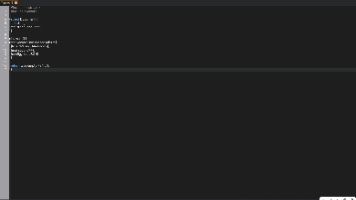
import { View, TextInput, Text, ScrollView,KeyboardAvoidingView,Platform  } from 'react-native'

// 用rn提供的KeyboardAvoidingView 组件包裹所有元素.既放在一个根元素下面
 // scollView是为了当键盘弹起来的时候,点击外部,让输入法弹下去
    onChangeText = (content) => {
    this.setState({
      content
    })

  }
  render () {
    return (
      <KeyboardAvoidingView style={[cS.f_1]}  behavior={Platform.OS==='ios'?'padding':''} enabled={Platform.OS!=='android'}>
      // cS.f_1 相当于flex:1 style是样式。。。
      <ScrollView style={[cS.f_1]}>
      <View style={[cS.f_1, cS.b_white]}>
        <View style={[cS.w_100p, cS.p_h_34, cS.p_t_25]}>
          <TextInput
            style={[cS.w_100p, cS.h_386, cS.l_h_22, cS.f_15, cS.b_r_9, cS.b_all_E5E5E5, cS.m_b_48, cS.t_a_t, cS.p_h_15, cS.p_v_15]}
            name="" id="" maxLength={300} multiline
            value={this.state.name}
            placeholder="请输入300字以内的反馈内容"
            onChangeText={text => this.onChangeText(text)}
          />
          <View style={[cS.w_100p, cS.f_r, cS.f_b_s]}>
            <Touchable style={[cS.h_39, cS.w_114, cS.b_r_20, cS.f_c, cS.b_D6ECFF]} onPress={() => { this.cancel() }}>
              <Text style={[cS.f_16, cS.c_4780FB]}>取消</Text>
            </Touchable>
            <LinearGradient
              onPress={() => { this.submit() }}
              colors={['#4780FB', '#60AFFF']}
              style={[cS.h_39, cS.w_114, cS.b_r_20, cS.f_c]}
            >
              <Text style={[cS.f_16, cS.c_white]}>确定</Text>
            </LinearGradient>
          </View>
        </View>
      </View >
      </ScrollView>
      </KeyboardAvoidingView>
    )
  }

开源鸿蒙跨平台开发社区汇聚开发者与厂商,共建“一次开发,多端部署”的开源生态,致力于降低跨端开发门槛,推动万物智联创新。
更多推荐
 0
0 0
0- 0


 已为社区贡献2条内容

所有评论(0)