Flutter -------- Drawer侧滑
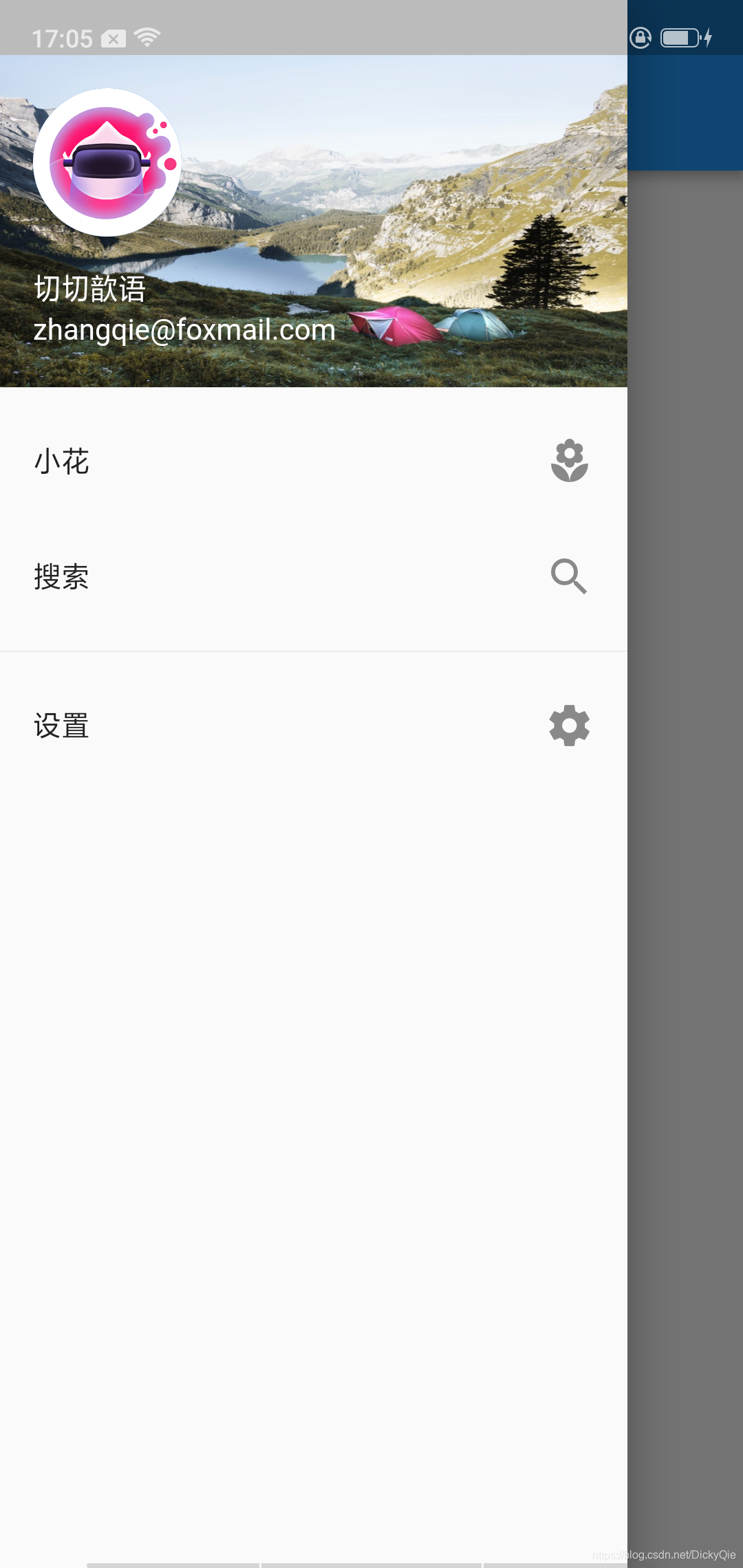
侧滑菜单在安卓App里面非常常见抽屉通常与Scaffold.drawer属性一起使用。抽屉的子项通常是ListView,其第一个子项是DrawerHeader ,它显示有关当前用户的状态信息。其余的抽屉儿童往往与构建ListTile S,经常有结束AboutListTile。可以通过调用Navigator.pop关闭打开的抽屉效果图:代码:...
·
侧滑菜单在安卓App里面非常常见
抽屉通常与Scaffold.drawer属性一起使用。抽屉的子项通常是ListView,其第一个子项是DrawerHeader ,它显示有关当前用户的状态信息。其余的抽屉儿童往往与构建ListTile S,经常有结束AboutListTile。
可以通过调用Navigator.pop关闭打开的抽屉
效果图:
代码:
/***
 * Drwaer 侧滑
 */

class DrawerDemo extends StatefulWidget {
  @override
  State<StatefulWidget> createState() {
    // TODO: implement createState
    return new DrawerMain();
  }
}

class DrawerMain extends State<DrawerDemo> {

  @override
  Widget build(BuildContext context) {
    // TODO: implement build
    return new Scaffold(
      appBar: new AppBar(
        title: new Text("Drawer"),
      ),
      drawer: new Drawer(
        child: new ListView(
          children: <Widget>[
            new UserAccountsDrawerHeader(
              accountName: Text("切切歆语"),
              accountEmail: Text("zhangqie@foxmail.com"),
              currentAccountPicture: new GestureDetector(
                child: new CircleAvatar(
                  backgroundImage: new ExactAssetImage("images/pic2.png"),
                ),
              ),
              decoration: new BoxDecoration(
                image: new DecorationImage(
                  fit: BoxFit.fill,
                  image: new ExactAssetImage("images/lake.jpg"),
                ),
              ),
            ),
            new ListTile(
              title: new Text("小花"),
              trailing: new Icon(Icons.local_florist),
            ),
            new ListTile(
              title: new Text("搜索"),
              trailing: new Icon(Icons.search),
              onTap: () {},
            ),
            new Divider(),//横线
            new ListTile(
              title: new Text("设置"),
              trailing: new Icon(Icons.settings),
              onTap: () {
                Navigator.of(context).pop();//点击关闭侧滑
                _neverSatisfied();
              },
            ),
          ],
        ),
      ),
      body: new Center(
        child: new Text(" Hello "),
      ),
    );
  }
}
官方文档
https://docs.flutter.io/flutter/material/Drawer-class.html

开源鸿蒙跨平台开发社区汇聚开发者与厂商,共建“一次开发,多端部署”的开源生态,致力于降低跨端开发门槛,推动万物智联创新。
更多推荐
 0
0 0
0- 0


 已为社区贡献7条内容

所有评论(0)