flutter中provider的简单使用
作为刚入坑的小白,provider我也还没完全理解,只是将自己写的demo分享出来,即是希望帮助和我一样的小白,也是为了便于日后自己复习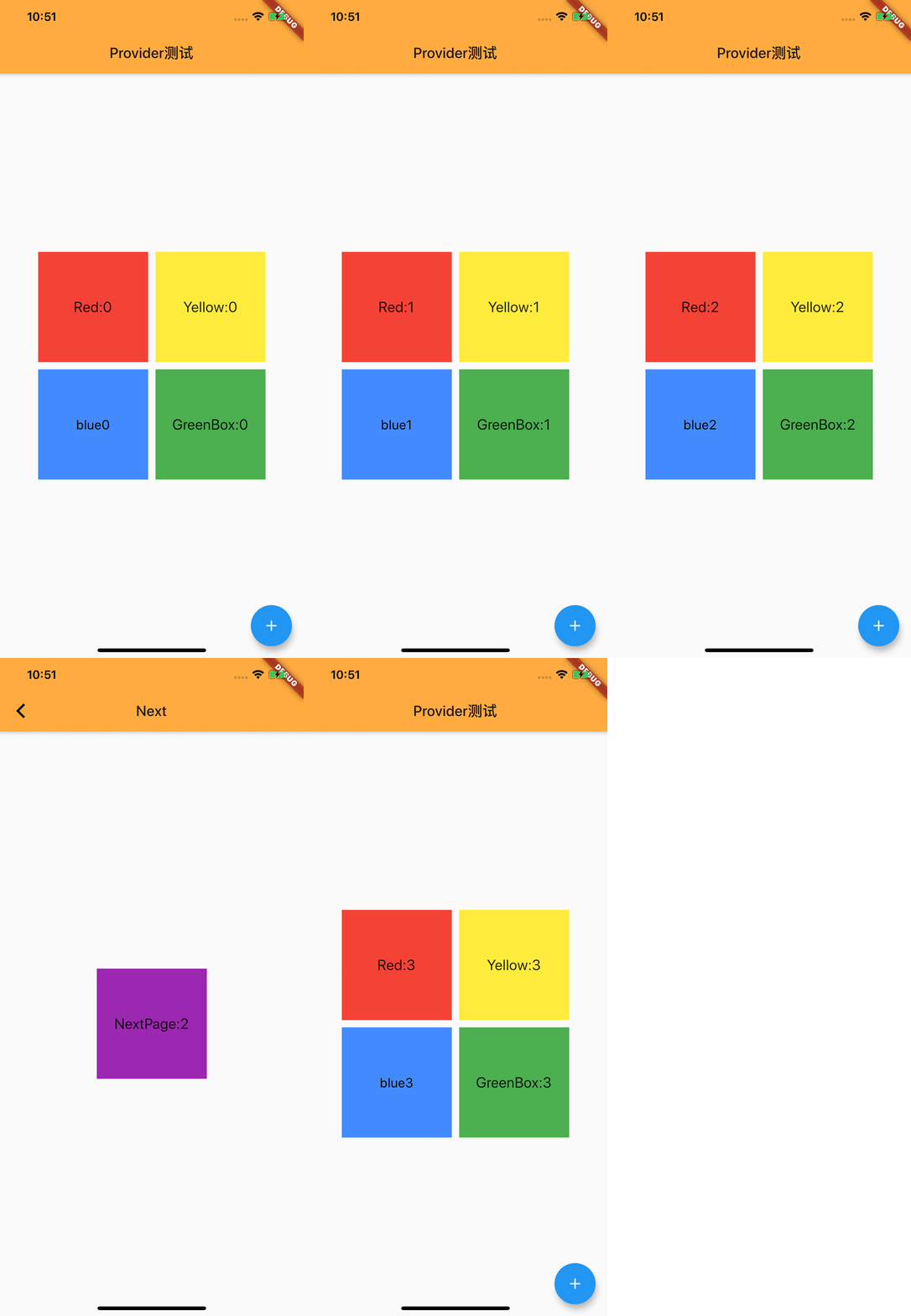 查看
查看
首先创建一个类,关联ChangeNotifier
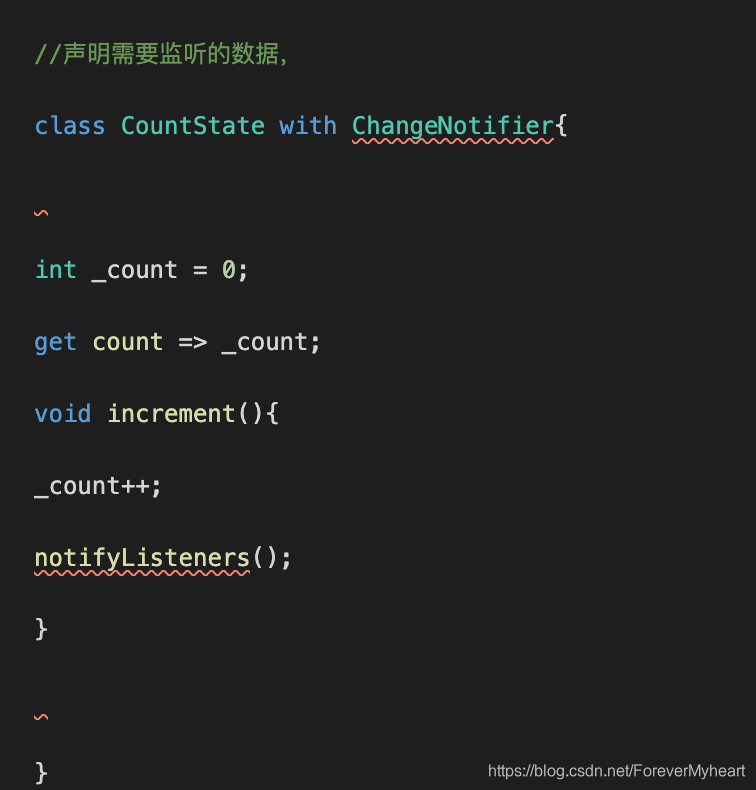
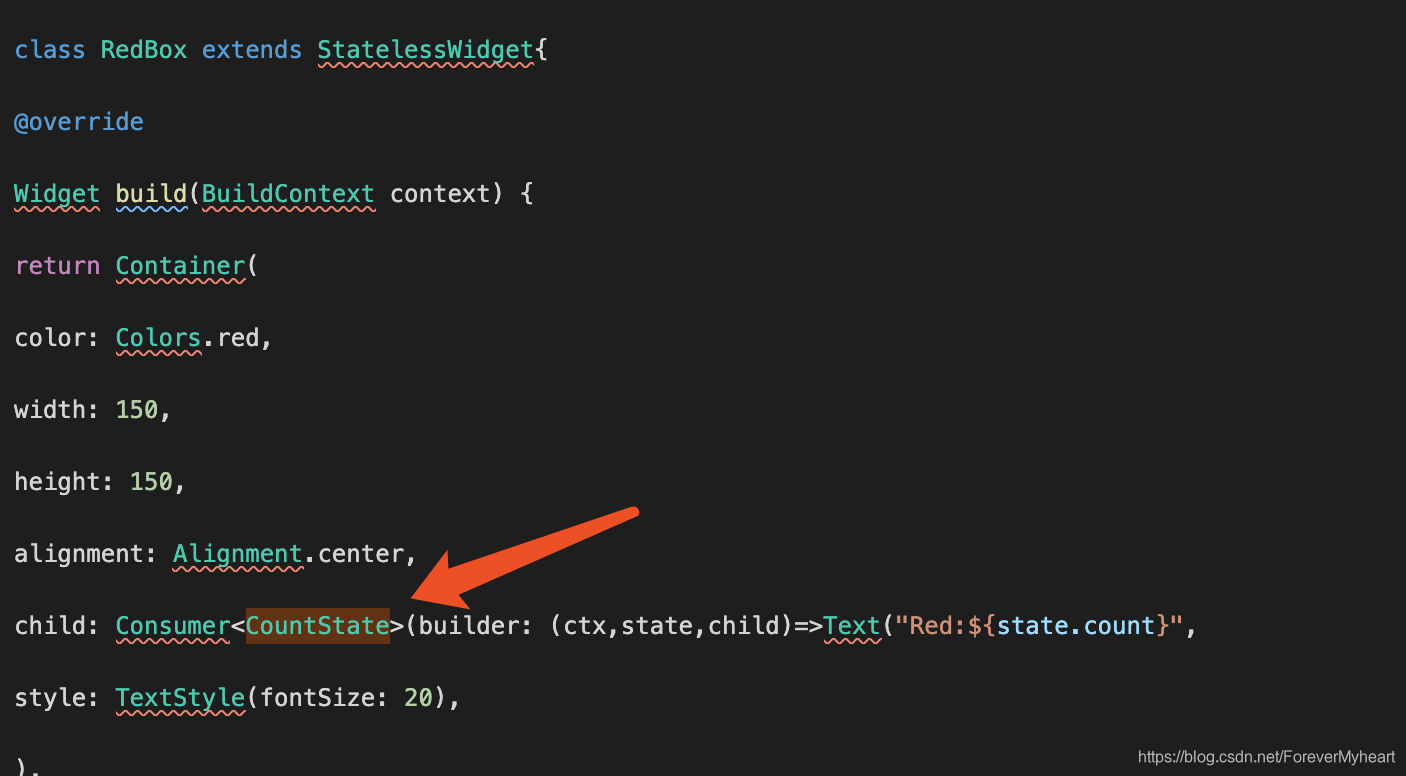
之后就是在需要监听的页面绑定上面声明的类,这样就可以即时获取到变量,改变相关容
下面就是我demo的所有代码,可直接复制到dart文件里面掺看,由于是直接把代码粘上来的,所以排版就没处理,这里看的话会有些错乱
//声明需要监听的数据,
class CountState with ChangeNotifier{
int _count = 0;
get count => _count;
void increment(){
_count++;
notifyListeners();
}
}
class MyApp extends StatelessWidget {
@override
Widget build(BuildContext context) {
return MaterialApp(
theme: ThemeData(
primaryColor: Colors.orangeAccent,
),
home: HomePage(),
);
}
}
class HomePage extends StatelessWidget {
const HomePage({
Key key,
}):super(key:key);
@override
Widget build(BuildContext context) {
return Scaffold(
appBar: AppBar(title: Text("Provider测试")),
body: Center(
child: Wrap(
spacing: 10,
runSpacing: 10,
children: <Widget>[
RedBox(),
YellowBox(),
BlueBox(),
GreenBox()
],
),
),
floatingActionButton:
//用Consumer将provider 的相关内容关联起来,这里是点击的时候,就会发出通知,与CountState相关的数据就会变化
Consumer<CountState>(builder: (ctx,state,child)=>FloatingActionButton(
onPressed: (){
state.increment();//使用其内的state执行方法
},
child: Icon(Icons.add),
),
),
);
}
}
class RedBox extends StatelessWidget{
@override
Widget build(BuildContext context) {
return Container(
color: Colors.red,
width: 150,
height: 150,
alignment: Alignment.center,
child: Consumer<CountState>(builder: (ctx,state,child)=>Text("Red:${state.count}",
style: TextStyle(fontSize: 20),
),
),
);
}
}
class YellowBox extends StatelessWidget {
@override
Widget build(BuildContext context) {
print("---------YellowBox---------build---------");
return Container(
color: Colors.yellow,
width: 150,
height: 150,
alignment: Alignment.center,
child: Consumer<CountState>(builder: (ctx,state,child)=>Text("Yellow:${state.count}",
style: TextStyle(fontSize: 20)),)
);
}
}
class BlueBox extends StatelessWidget {
@override
Widget build(BuildContext context) {
return Container(
color: Colors.blueAccent,
width: 150,
height: 150,
alignment: Alignment.center,
child: InkWell(
onTap: (){
Navigator.of(context).push(MaterialPageRoute(builder: (context)=>NextPage()));
},
child: Consumer<CountState>(builder: (ctx,state,child)=>Text("blue${state.count}",style: TextStyle(
fontSize: 18,color: Colors.black
),)
),
),
);
}
}
class GreenBox extends StatelessWidget {
@override
Widget build(BuildContext context) {
print("---------GreenBox---------build---------");
return Container(
color: Colors.green,
width: 150,
height: 150,
alignment: Alignment.center,
child: Consumer<CountState>(builder: (ctx,state,child)=>Text("GreenBox:${state.count}",
style: TextStyle(fontSize: 20))),
);
}
}
class NextPage extends StatelessWidget {
@override
Widget build(BuildContext context) {
print("---------NextPage---------build---------");
return Scaffold(
appBar: AppBar(title: Text('Next')),
body: Center(
child: Consumer<CountState>(builder: (ctx,state,child)=> InkWell(
onTap: (){
state.increment();
},
child: Container(
color: Colors.purple,
width: 150,
height: 150,
alignment: Alignment.center,
child: Consumer<CountState>(builder:(ctx,state,child)=>Text("NextPage:${state.count}",
style: TextStyle(fontSize: 20))
),
),
),
)
),
);
}
}
# 2024-3-5 provider 6.1.2版本
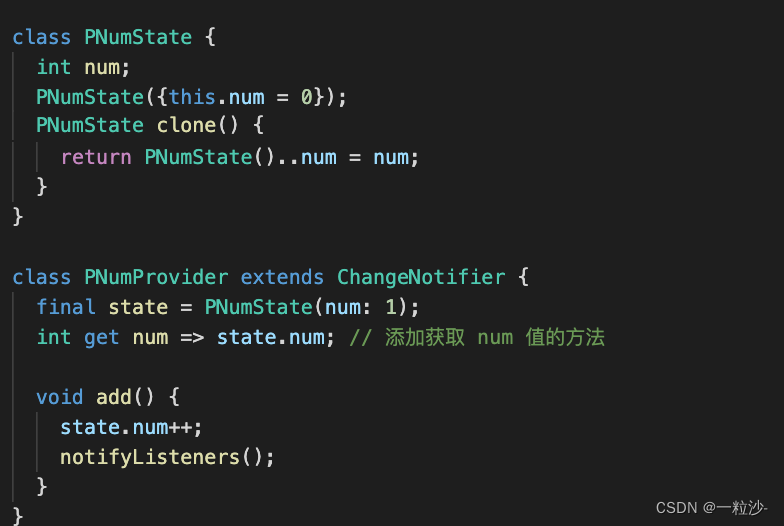
1、先在根试图理注册
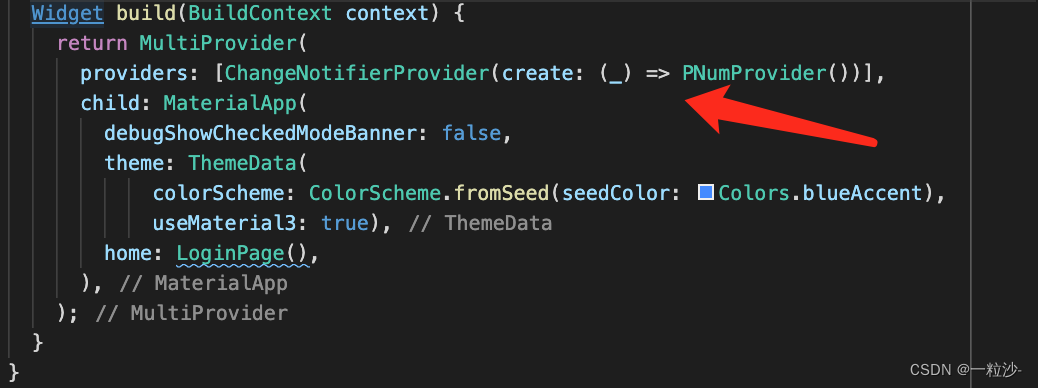
声明provider
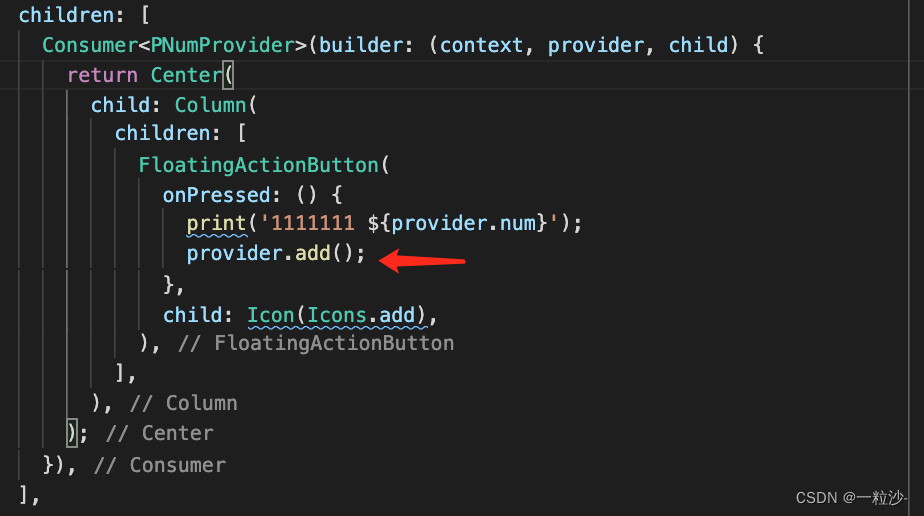
触发provider
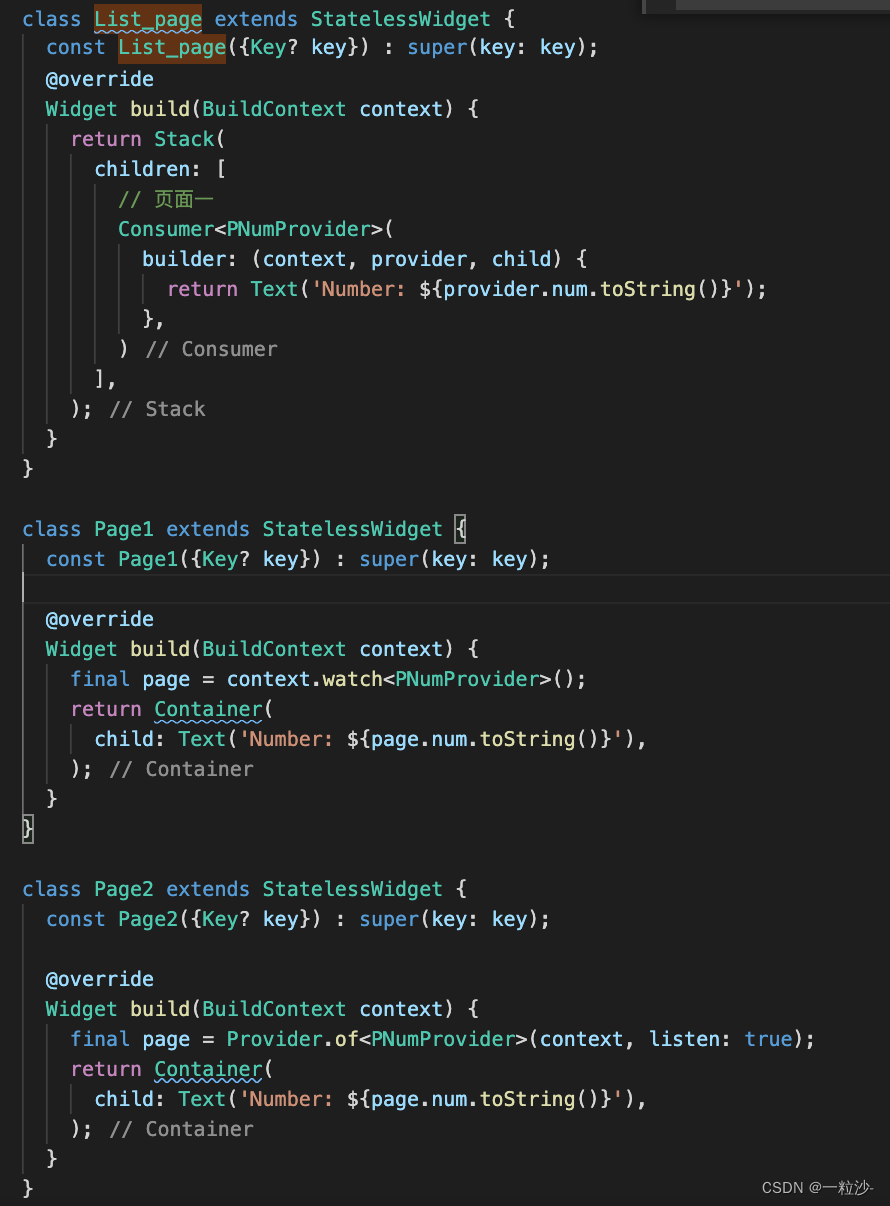
获取provider的值,有下面三种方法可获取

开源鸿蒙跨平台开发社区汇聚开发者与厂商,共建“一次开发,多端部署”的开源生态,致力于降低跨端开发门槛,推动万物智联创新。
更多推荐
 0
0 0
0- 0


 已为社区贡献2条内容

所有评论(0)