第一篇Mac上fluter开发环境配置
第一篇Mac上fluter开发环境配置
一、安装Xcode
这个就不说了,都会
二、安装Android studio
1.下载并安装下载android studio
2.配置Android Studio环境
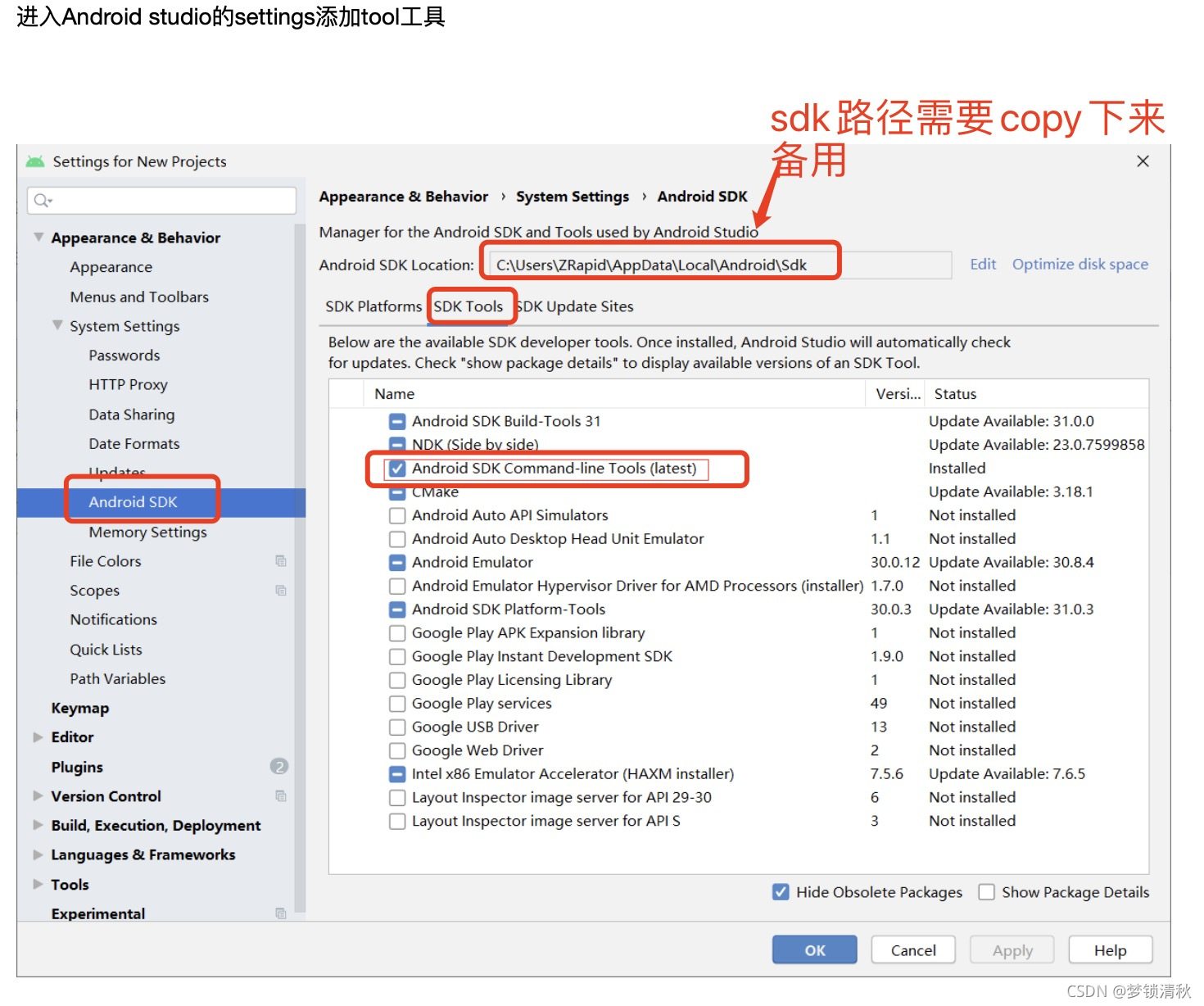
启动Android Studio,然后执行“Android Studio安装向导”。这将安装最新的Android SDK,Android SDK平台工具和Android SDK构建工具,这是Flutter为Android开发时所必需的
为避免后期安装fluter出现错误cmdline-tools component is missing
配置android studio环境
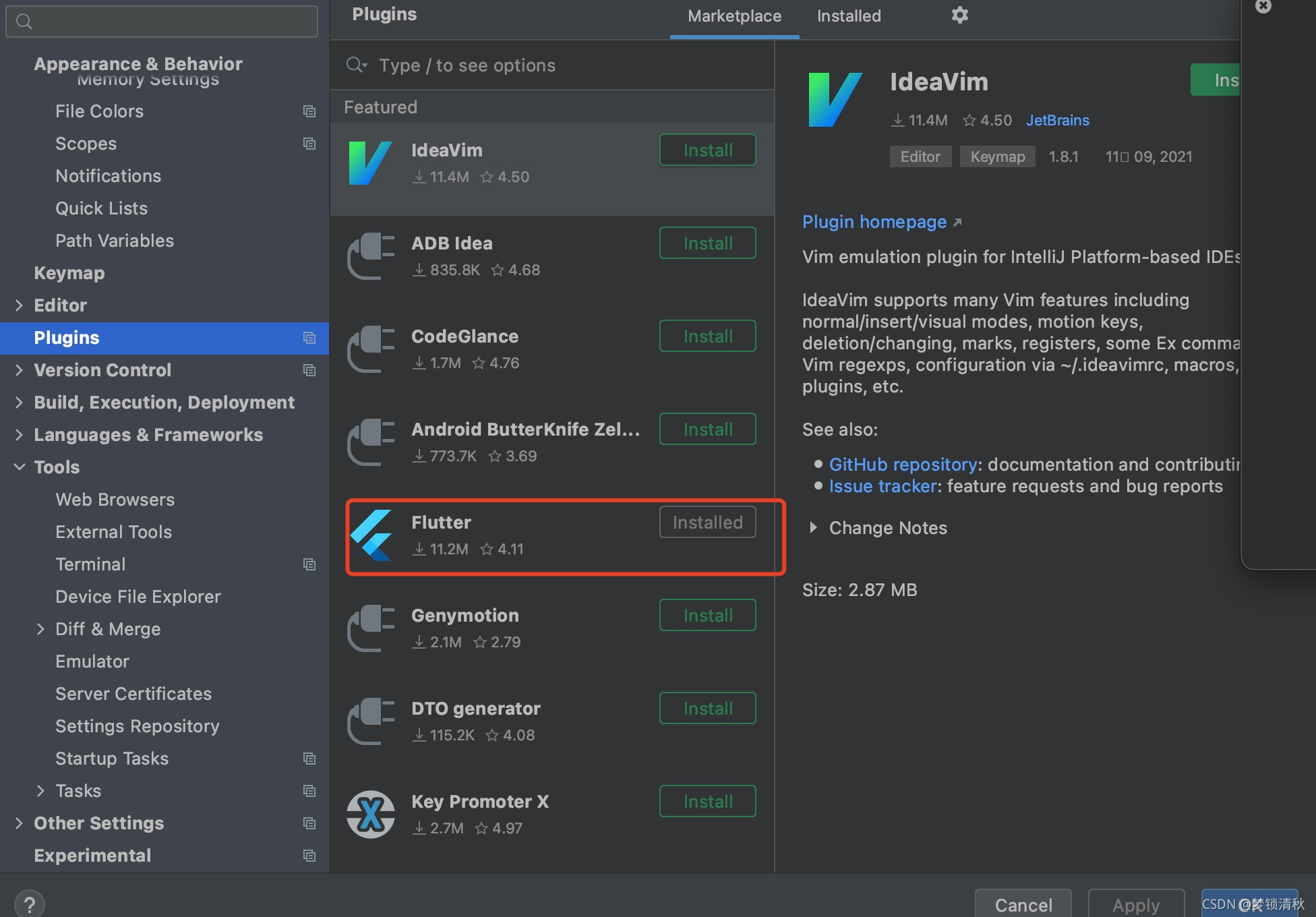
3.下载fluter插件
创建模拟器
Android Studio>Tools>Android>AVD Manager 并选择 Create Virtual Device.
三、fluter安装
1.下载fluter
桌面新建一个文件夹,cd到文件夹目录下使用
git clone -b stable https://github.com/flutter/flutter.git
2.配置永久环境变量
直接进入库文件目录,使用如下组合键:command+shift+.,打开隐藏文件
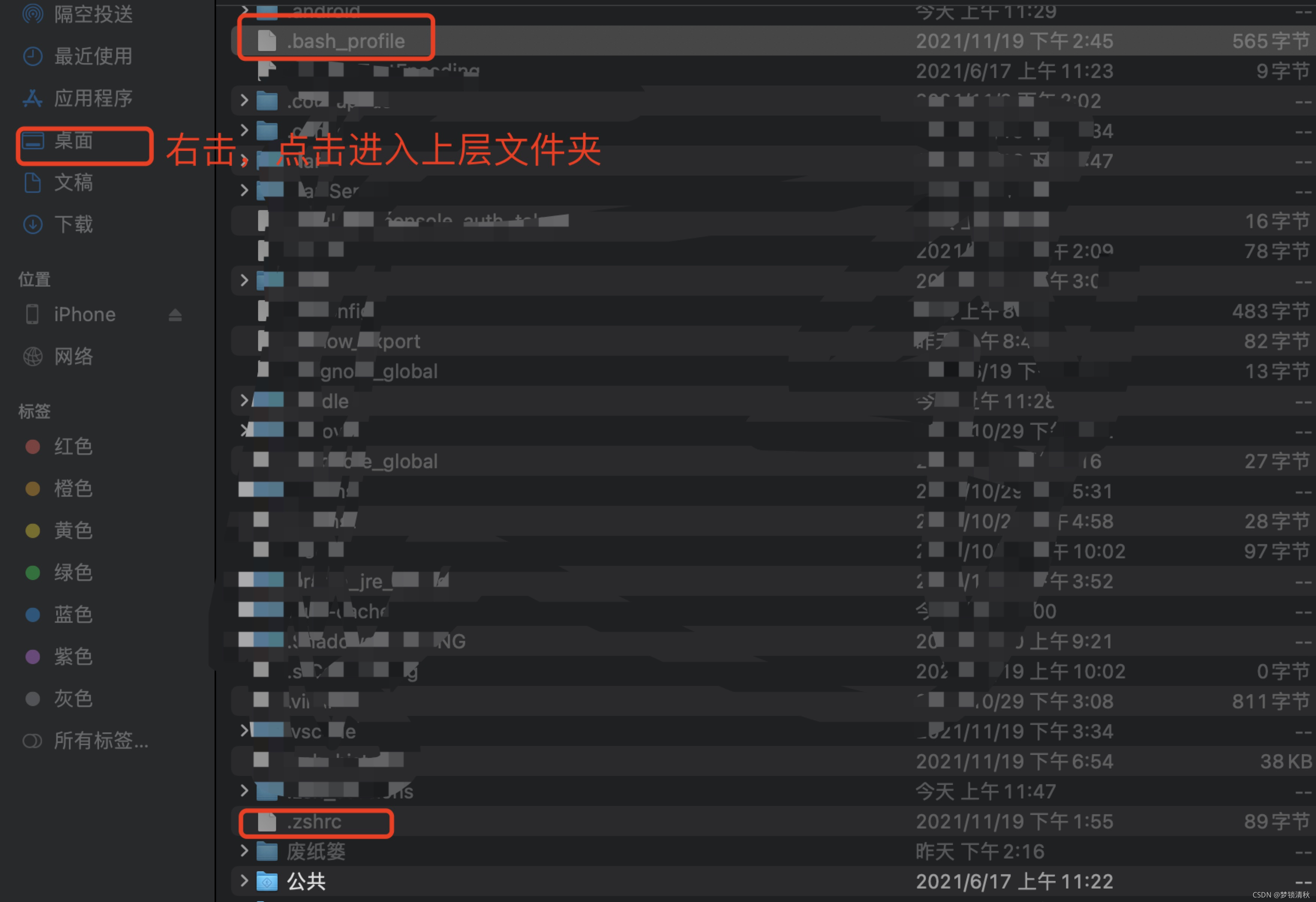
没有的话,我们可以用文本编辑创建一个,保存的时候以.bash_profile结尾就好了。
上面操作之后我们会打开.bash_profile这个文件,复制如下内容粘贴进去
export PUB_HOSTED_URL=https://pub.flutter-io.cn //国内用户需要设置
export FLUTTER_STORAGE_BASE_URL=https://storage.flutter-io.cn //国内用户需要设置
export PATH=自己文件夹的路径/flutter/bin:$PATH
export ANDROID_HOME="上面说到的安卓sdk的路径" //android sdk目录,替换为你自己的即可
export PATH=${PATH}:${ANDROID_HOME}/tools
export PATH=${PATH}:${ANDROID_HOME}/platform-tools
export PUB_HOSTED_URL=https://pub.flutter-io.cn
export FLUTTER_STORAGE_BASE_URL=[https://storage.flutter-io.cn](https://storage.flutter-io.cn/)
刷新终端窗口:
source $HOME/.bash_profile
注意: 如果你使用的是zsh,终端启动时 ~/.bash_profile 将不会被加载,解决办法就是修改 ~/.zshrc ,在其中添加:source ~/.bash_profile
通过运行flutter/bin命令验证目录是否在已经在PATH中:
echo $PATH
4.运行并检测flutter
flutter doctor
如果没有错误就是配置成功了
二、使用步骤
1.创建一个fluter应用
1.启动android stutio
2.选择 File>New Flutter Project
3.输入项目名称 (如 myapp), 然后点击 Next
4.点击 Finish
您应用程序的代码位于 lib/main.dart.,
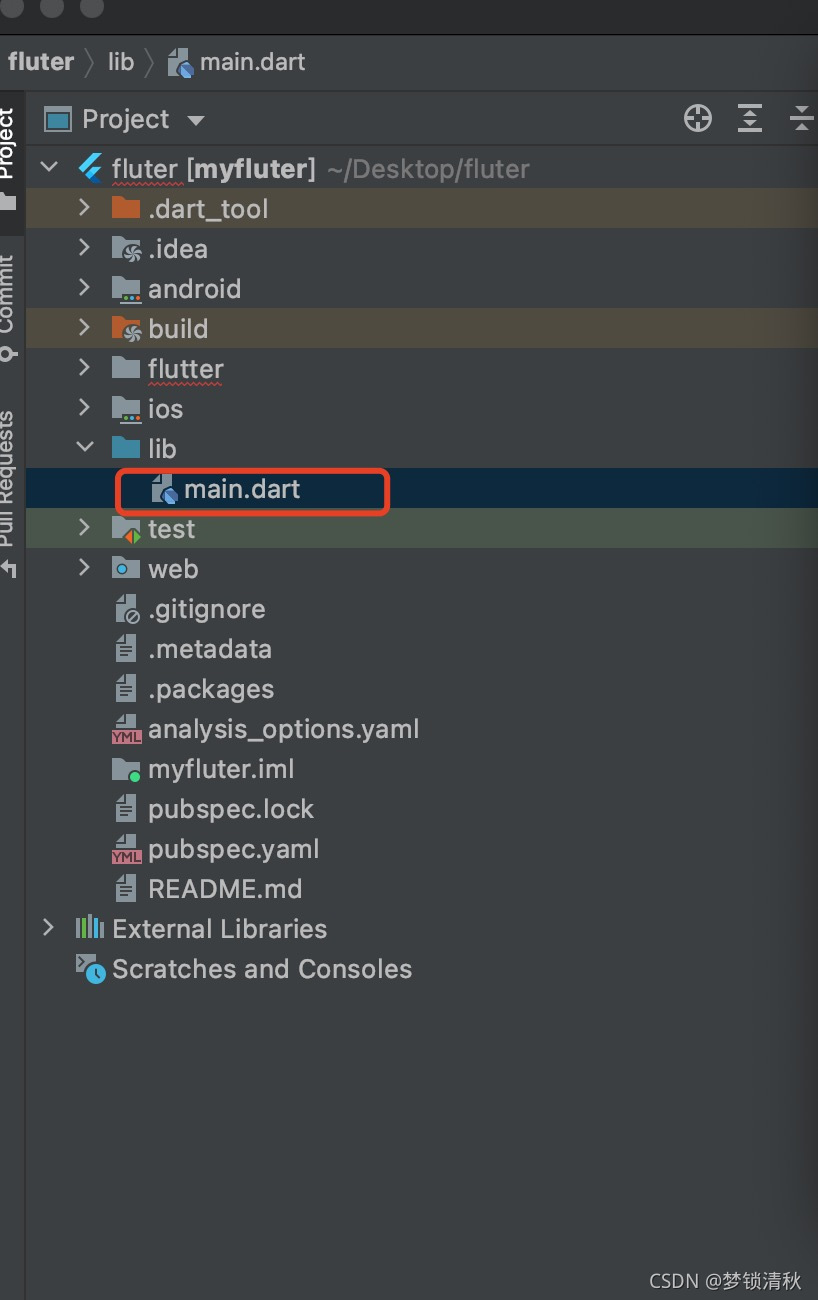
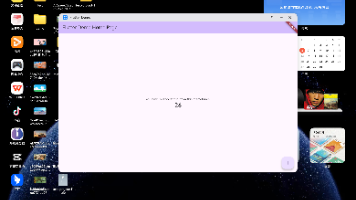
2.体验热重载
在lib/main.dart.编辑器里,将字符串
‘You have pushed the button this many times:’ 更改为
‘You have clicked the button this many times:’
不需要重新运行cmd+s保存,看看屏幕的效果

开源鸿蒙跨平台开发社区汇聚开发者与厂商,共建“一次开发,多端部署”的开源生态,致力于降低跨端开发门槛,推动万物智联创新。
更多推荐


 0
0 0
0- 0


 已为社区贡献4条内容

所有评论(0)