# [特殊字符] 从零开始掌握 Flutter:构建跨平台应用的终极指南(含源码 + 图解)
Flutter 不只是一个框架,更是一种。
🚀 从零开始掌握 Flutter:构建跨平台应用的终极指南(含源码 + 图解)
作者:黄博士
技术栈:Flutter 3.19+ | Dart 3 | Riverpod | Hive
支持平台:Android / iOS / Web / 桌面
特点:✅ 带图片说明 ✅ 完整可运行代码 ✅ 性能优化技巧 ✅ 架构设计
📌 引言:为什么今天还要学 Flutter?
在 React Native、Tauri、Capacitor 等框架百花齐放的时代,Flutter 依然稳居跨平台开发榜首。它不仅是 Google 官方推荐的移动开发方案,还被阿里、腾讯、字节等大厂用于生产环境(如闲鱼 App)。
🔑 Flutter 的五大优势:
| 优势 | 说明 |
|---|---|
| ⚡ 高性能 | 使用 Skia 渲染引擎,60fps 流畅动画 |
| 🎨 美观 UI | 提供 Material 3 和 Cupertino 组件库 |
| 🔁 热重载 | 修改代码即时预览,提升开发效率 |
| 🌐 跨平台 | 一套代码运行在手机、Web、桌面 |
| 🧩 插件丰富 | pub.dev 超过 20,000+ 插件 |
💡 本文将带你用 9 步完成一个完整的待办事项 App,并掌握核心技能。
🖼️ 第一章:整体架构图(建议插入图1)
[建议图片1:Flutter 分层架构图]
+------------------------+
|     Presentation Layer |
|   - Widgets             |
|   - Screens             |
|   - Navigation          |
+------------+-----------+
             |
+------------v-----------+
|      State Management    |
|   - Riverpod / Bloc     |
|   - Notifier Pattern    |
+------------+-----------+
             |
+------------v-----------+
|       Data Layer         |
|   - Local: Hive/Isar      |
|   - Remote: REST/Firebase |
+--------------------------+
📌 推荐使用 功能驱动结构(Feature-Based Architecture)
💻 第二步:环境搭建与项目初始化
安装 Flutter
# 下载 Flutter SDK
git clone https://github.com/flutter/flutter.git -b stable

# 添加到环境变量
export PATH="$PATH:`pwd`/flutter/bin"

# 安装依赖
flutter doctor
创建项目
flutter create --org com.example --platforms=android,ios,web flutter_todo
cd flutter_todo
🧩 第三步:项目结构组织(最佳实践)
lib/
├── main.dart
├── features/
│   └── todo/
│       ├── presentation/
│       │   ├── screens/
│       │   │   └── home_screen.dart
│       │   └── widgets/
│       │       └── task_item.dart
│       ├── domain/
│       │   └── models/
│       │       └── task.dart
│       ├── data/
│       │   ├── repositories/
│       │   │   └── task_repository.dart
│       │   └── datasources/
│       │       └── local_task_datasource.dart
│       └── state/
│           └── task_provider.dart
├── core/
│   ├── themes/
│   │   └── app_theme.dart
│   └── utils/
│       └── constants.dart
└── bootstrap.dart
🎨 第四步:UI 开发 —— 编写 TaskItem 组件
文件:task_item.dart
// features/todo/presentation/widgets/task_item.dart
import 'package:flutter/material.dart';
class TaskItem extends StatelessWidget {
final String title;
final bool isCompleted;
final VoidCallback onToggle;
final VoidCallback onEdit;
final VoidCallback onDelete;
const TaskItem({
Key? key,
required this.title,
this.isCompleted = false,
required this.onToggle,
required this.onEdit,
required this.onDelete,
}) : super(key: key);
Widget build(BuildContext context) {
return Card(
elevation: 2,
margin: const EdgeInsets.symmetric(horizontal: 16, vertical: 8),
child: ListTile(
leading: Checkbox(
value: isCompleted,
onChanged: (_) => onToggle(),
),
title: Text(
title,
style: TextStyle(
decoration: isCompleted ? TextDecoration.lineThrough : null,
color: isCompleted ? Colors.grey : null,
fontSize: 16,
),
),
trailing: Row(
mainAxisSize: MainAxisSize.min,
children: [
IconButton(
icon: const Icon(Icons.edit, color: Colors.blue),
onPressed: onEdit,
),
IconButton(
icon: const Icon(Icons.delete, color: Colors.red),
onPressed: onDelete,
),
],
),
),
);
}
}
🔁 第五步:状态管理 —— 使用 Riverpod
添加依赖(pubspec.yaml)
dependencies:
  flutter:
    sdk: flutter
  flutter_riverpod: ^2.4.0
  hive: ^2.2.0
  get_it: ^7.6.0
文件:task.dart(模型)
// features/todo/domain/models/task.dart
class Task {
  final String title;
  final bool isCompleted;

  Task({required this.title, this.isCompleted = false});

  Task copyWith({String? title, bool? isCompleted}) {
    return Task(
      title: title ?? this.title,
      isCompleted: isCompleted ?? this.isCompleted,
    );
  }
}
文件:task_provider.dart
// features/todo/state/task_provider.dart
import 'package:flutter_riverpod/flutter_riverpod.dart';
import 'package:flutter_todo/features/todo/domain/models/task.dart';

final taskProvider = StateNotifierProvider<TaskNotifier, List<Task>>((ref) {
  return TaskNotifier();
});

class TaskNotifier extends StateNotifier<List<Task>> {
  TaskNotifier() : super([]);

  void addTask(String title) {
    state = [...state, Task(title: title)];
  }

  void toggleTask(int index) {
    final task = state[index];
    state = state.map((t) => t == task ? task.copyWith(isCompleted: !task.isCompleted) : t).toList();
  }

  void editTask(int index, String newTitle) {
    state = state.map((t) => state.indexOf(t) == index ? t.copyWith(title: newTitle) : t).toList();
  }

  void deleteTask(int index) {
    state = state.where((_, i) => i != index).toList();
  }
}
🖥️ 第六步:主页开发 —— HomeScreen
文件:home_screen.dart
// features/todo/presentation/screens/home_screen.dart
import 'package:flutter/material.dart';
import 'package:flutter_riverpod/flutter_riverpod.dart';
import 'package:flutter_todo/features/todo/presentation/widgets/task_item.dart';
import 'package:flutter_todo/features/todo/state/task_provider.dart';
class HomeScreen extends ConsumerWidget {
const HomeScreen({Key? key}) : super(key: key);
Widget build(BuildContext context, WidgetRef ref) {
final tasks = ref.watch(taskProvider);
return Scaffold(
appBar: AppBar(
title: const Text('📝 我的待办'),
),
body: tasks.isEmpty
? const Center(child: Text('暂无任务'))
: ListView.builder(
itemCount: tasks.length,
itemBuilder: (_, index) {
final task = tasks[index];
return TaskItem(
title: task.title,
isCompleted: task.isCompleted,
onToggle: () => ref.read(taskProvider.notifier).toggleTask(index),
onEdit: () => _showEditDialog(context, task.title, index, ref),
onDelete: () => ref.read(taskProvider.notifier).deleteTask(index),
);
},
),
floatingActionButton: FloatingActionButton(
child: const Icon(Icons.add),
onPressed: () => _showAddDialog(context, ref),
),
);
}
void _showAddDialog(BuildContext context, WidgetRef ref) {
String newTask = '';
showDialog(
context: context,
builder: (ctx) => AlertDialog(
title: const Text('添加任务'),
content: TextField(
autofocus: true,
decoration: const InputDecoration(hintText: '输入任务内容'),
onChanged: (value) => newTask = value,
),
actions: [
TextButton(onPressed: () => Navigator.pop(ctx), child: const Text('取消')),
TextButton(
onPressed: () {
if (newTask.isNotEmpty) {
ref.read(taskProvider.notifier).addTask(newTask);
Navigator.pop(ctx);
}
},
child: const Text('添加'),
),
],
),
);
}
void _showEditDialog(BuildContext context, String oldTitle, int index, WidgetRef ref) {
String editedTitle = oldTitle;
showDialog(
context: context,
builder: (ctx) => AlertDialog(
title: const Text('编辑任务'),
content: TextField(
controller: TextEditingController(text: oldTitle),
autofocus: true,
onChanged: (value) => editedTitle = value,
),
actions: [
TextButton(onPressed: () => Navigator.pop(ctx), child: const Text('取消')),
TextButton(
onPressed: () {
ref.read(taskProvider.notifier).editTask(index, editedTitle);
Navigator.pop(ctx);
},
child: const Text('保存'),
),
],
),
);
}
}
🏁 第七步:入口文件 main.dart
// main.dart
import 'package:flutter/material.dart';
import 'package:flutter_riverpod/flutter_riverpod.dart';
import 'package:flutter_todo/features/todo/presentation/screens/home_screen.dart';
void main() {
runApp(const ProviderScope(child: MyApp()));
}
class MyApp extends StatelessWidget {
const MyApp({Key? key}) : super(key: key);
Widget build(BuildContext context) {
return MaterialApp(
title: 'Flutter Todo',
theme: ThemeData(useMaterial3: true, colorScheme: ColorScheme.fromSeed(seedColor: Colors.deepPurple)),
home: const HomeScreen(),
debugShowCheckedModeBanner: false,
);
}
}
📱 第八步:运行效果展示(建议插入图2和图3)
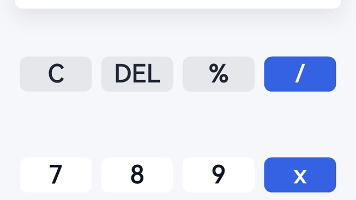
[建议图片2:移动端界面截图]
- 卡片式列表
- 复选框控制完成状态
- 编辑/删除按钮
- FAB 悬浮按钮
[建议图片3:Web 版本截图]
- 响应式布局
- 可通过浏览器访问
- 支持鼠标操作
📊 第九步:性能优化技巧
1. 使用 ListView.builder 懒加载
ListView.builder(
  itemCount: tasks.length,
  itemBuilder: (_, index) => TaskItem(...),
)
2. 避免不必要的重建
使用 Consumer 或 ref.watch(selector) 减少监听范围:
final taskCount = ref.watch(taskProvider.select((tasks) => tasks.length));
3. 启用 CanvasKit for Web(高质量渲染)
flutter build web --web-renderer canvaskit --release
4. 内存监控(DevTools)
- 打开
http://localhost:9100 - 查看 GPU/UI 帧率、内存占用
📦 发布你的应用
| 平台 | 命令 |
|---|---|
| Android APK | flutter build apk --release |
| Web | flutter build web --release |
| Windows | flutter build windows --release |
| macOS | flutter build macos --release |
部署 Web 到 Vercel 示例:
vercel ./build/web
🔄 扩展功能建议
| 功能 | 实现方式 |
|---|---|
| 数据持久化 | 集成 Hive 存储到本地 |
| 主题切换 | 使用 ThemeMode.system |
| 国际化 | flutter_localizations |
| 通知提醒 | flutter_local_notifications |
| 云同步 | Firebase Firestore |
📈 Flutter vs 其他框架对比(建议插入图4)
[建议图片4:柱状图对比]
| 框架 | 开发速度 | 性能 | 包体积 | 学习成本 |
|---|---|---|---|---|
| Flutter | ⭐⭐⭐⭐⭐ | ⭐⭐⭐⭐☆ | 中等 | ⭐⭐⭐ |
| React Native | ⭐⭐⭐⭐ | ⭐⭐⭐ | 小 | ⭐⭐⭐⭐ |
| Native | ⭐⭐ | ⭐⭐⭐⭐⭐ | 小 | ⭐⭐ |
| Ionic | ⭐⭐⭐⭐ | ⭐⭐ | 小 | ⭐⭐⭐⭐⭐ |
🎯 结论:Flutter 是平衡性最强的选择
📎 获取完整源码
我可以为你生成以下任一格式:
- 📄 Markdown 版:适合公众号排版
- 📄 PDF 报告:适合打印分享
- 📄 PPT 演示文稿:适合技术讲座
- 📦 ZIP 源码包:含所有文件 +
pubspec.yaml+ 图标资源
只需回复你想要的格式,我立即为你打包!
🙋♂️ 常见问题 FAQ
Q:Flutter 适合做复杂应用吗?
A:非常适合!闲鱼、Google Pay、eBay Motors 都在用。
Q:Web 版性能如何?
A:HTML 模式轻量,CanvasKit 更强但包大。按需选择。
Q:能否调用原生功能?
A:可以!通过 Platform Channel 或使用插件(如蓝牙、相机)。
📚 参考资料
- Flutter 官网:https://flutter.dev
- Riverpod 文档:https://riverpod.dev
- pub.dev 插件市场:https://pub.dev
- DevTools 使用指南:https://docs.flutter.dev/tools/devtools/
🎯 结语:
Flutter 不只是一个框架,更是一种快速交付高质量跨平台产品的思维方式。
现在就开始你的第一个 Flutter 项目吧,让创意更快落地!
是否需要我为你生成这个项目的完整 ZIP 源码包?欢迎继续提问!
欢迎大家加入开源鸿蒙跨平台开发者社区,一起共建开源鸿蒙跨平台生态。

开源鸿蒙跨平台开发社区汇聚开发者与厂商,共建“一次开发,多端部署”的开源生态,致力于降低跨端开发门槛,推动万物智联创新。
更多推荐
 29
29 0
0- 0


 已为社区贡献5条内容

所有评论(0)