React Native开发(九:兼容平板)
·
(一) 设置 Deployment Info
因为默认rn创建为iphone,在ipod打开有大黑边
所以需要 如下配置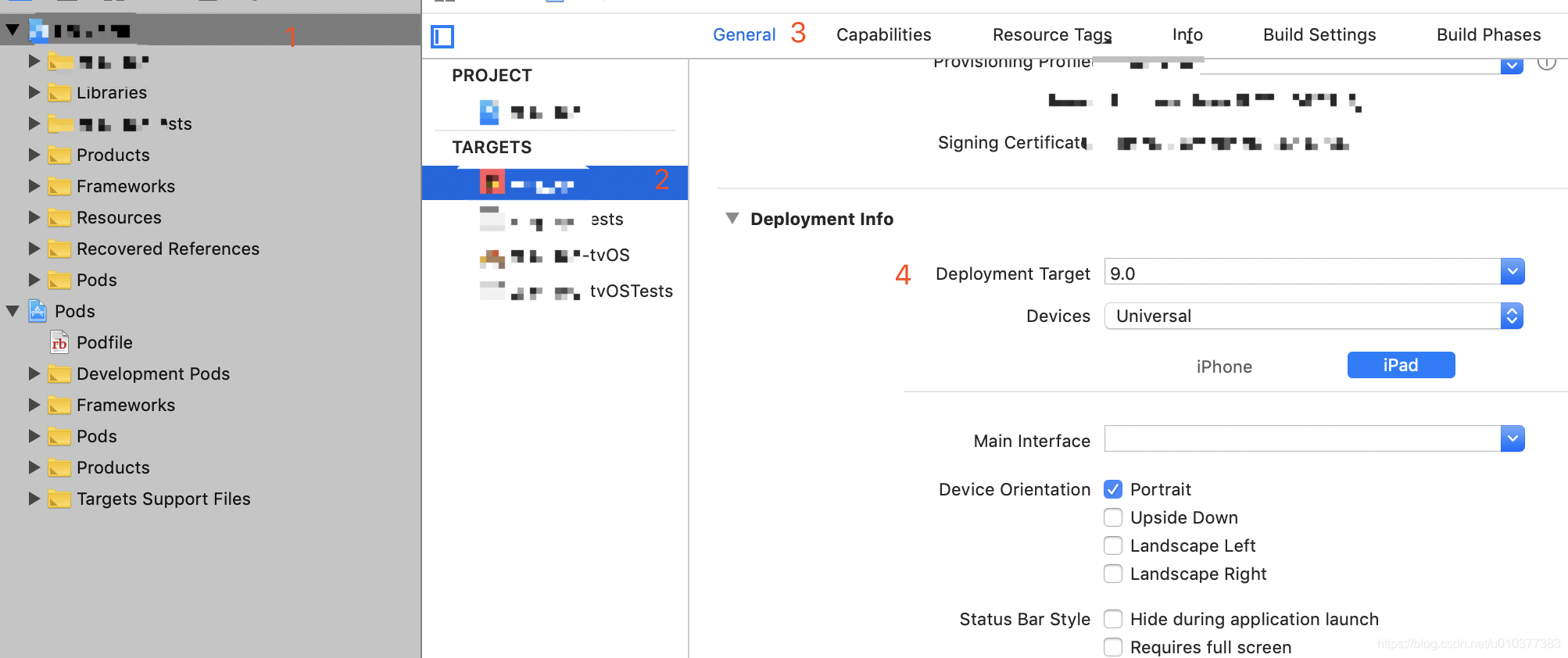
(二) 设置 比例函数
如果默认使用rn的配置,会发现在ipad上面显示的很小,这时候需要缩放函数
import { Dimensions } from 'react-native';

const { width, height } = Dimensions.get('window');

// Guideline sizes are based on standard ~5" screen mobile device
const guidelineBaseWidth = 350;
const guidelineBaseHeight = 680;

const scale = size => (width / guidelineBaseWidth) * size;
const verticalScale = size => (height / guidelineBaseHeight) * size;
const moderateScale = (size, factor = 0.5) => size + ((scale(size) - size) * factor); // <-- use this

export {
  scale,
  verticalScale,
  moderateScale,
  width,
  height,
};

开源鸿蒙跨平台开发社区汇聚开发者与厂商,共建“一次开发,多端部署”的开源生态,致力于降低跨端开发门槛,推动万物智联创新。
更多推荐



 0
0 0
0- 0


 已为社区贡献3条内容

所有评论(0)